
How to Convert AZW3 to EPUB Format: Recommended Converters and Tutorial

Summary: To convert AZW3 to EPUB, you can use BookFab Kindle Converter for Kindle-purchased books, Calibre with a DeDRM plugin for more manual control, or an online converter like CloudConvert for DRM-free AZW3 files. Follow this guide to choose the right method and make your AZW3 files easier to read across devices.
Table of Contents
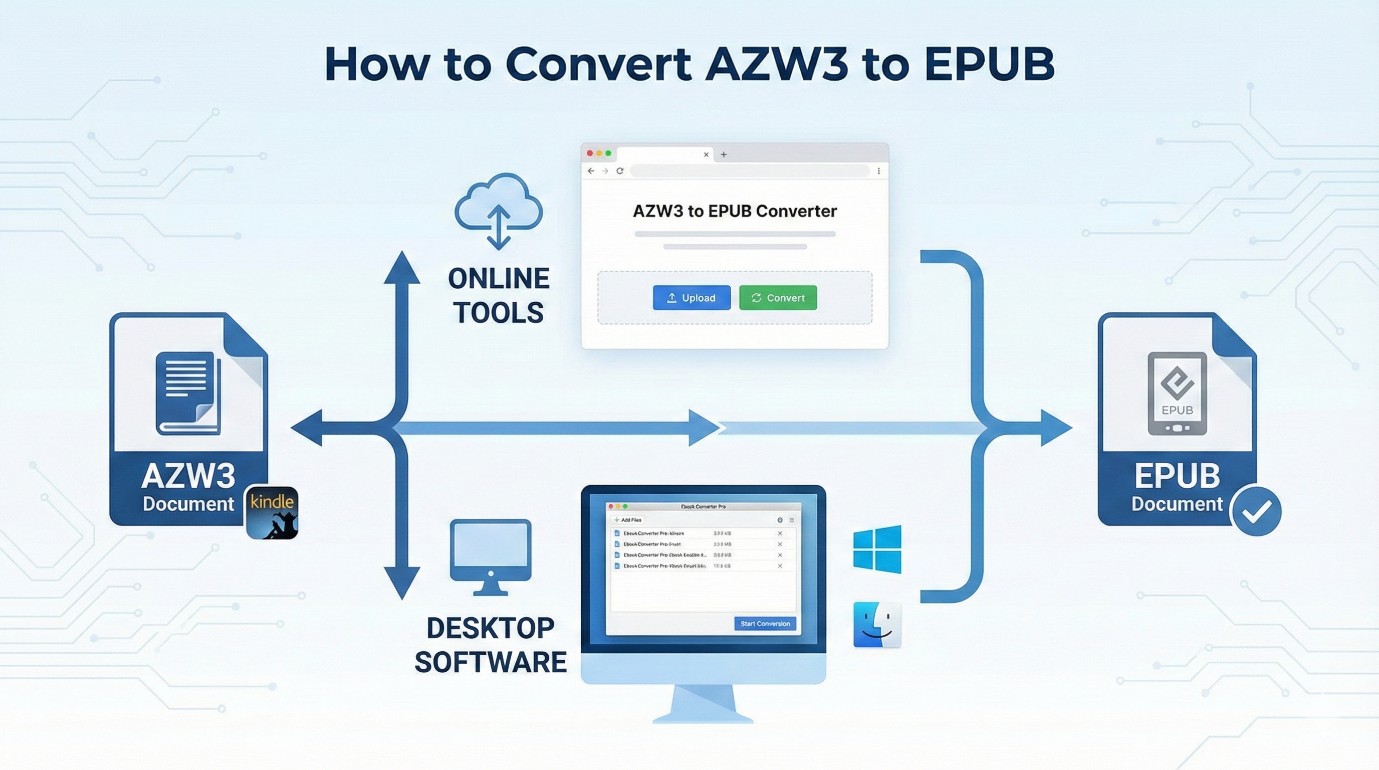
AZW3, often called Kindle Format 8 (KF8), is Amazon’s successor to the older MOBI format, offering better typography, font options, and layout control. However, AZW3 books from Amazon are often protected by DRM, which means you cannot back up your purchased books or read them on non-Kindle devices. Converting AZW3 to EPUB can make your eBook library much easier to manage. In this tutorial, I will show you three ways to convert AZW3 to EPUB with BookFab Kindle Converter, Calibre, and an online AZW3 to EPUB converter.
Method 1. Convert AZW3 to EPUB with BookFab Kindle Converter
BookFab Kindle Converter is a powerful yet easy-to-use AZW3 to EPUB converter for Kindle users who want more control over their purchased eBooks. Available on both Windows and macOS, it can remove Kindle DRM protection and export your AZW3 books as EPUB, PDF, or DRM-free original files, making them easier to manage, back up, and read outside the Kindle ecosystem. Once converted, your eBooks can be opened on computers, tablets, smartphones, and other compatible reading devices.
Step 1. Download and Open BookFab
Download and open BookFab, then click the Kindle Converter tab in the sidebar.
Step 2. Download Kindle Books to Your Computer
Open Kindle for PC, sign in to your Amazon account, and download Kindle books you want to convert to your computer.
Step 3. Scan Your Downloaded Kindle Books
Return to BookFab Kindle Converter and click the refresh icon to let BookFab scan the Kindle books you have downloaded. Once the scan is complete, your downloaded books will appear in the main interface, along with their titles and covers.
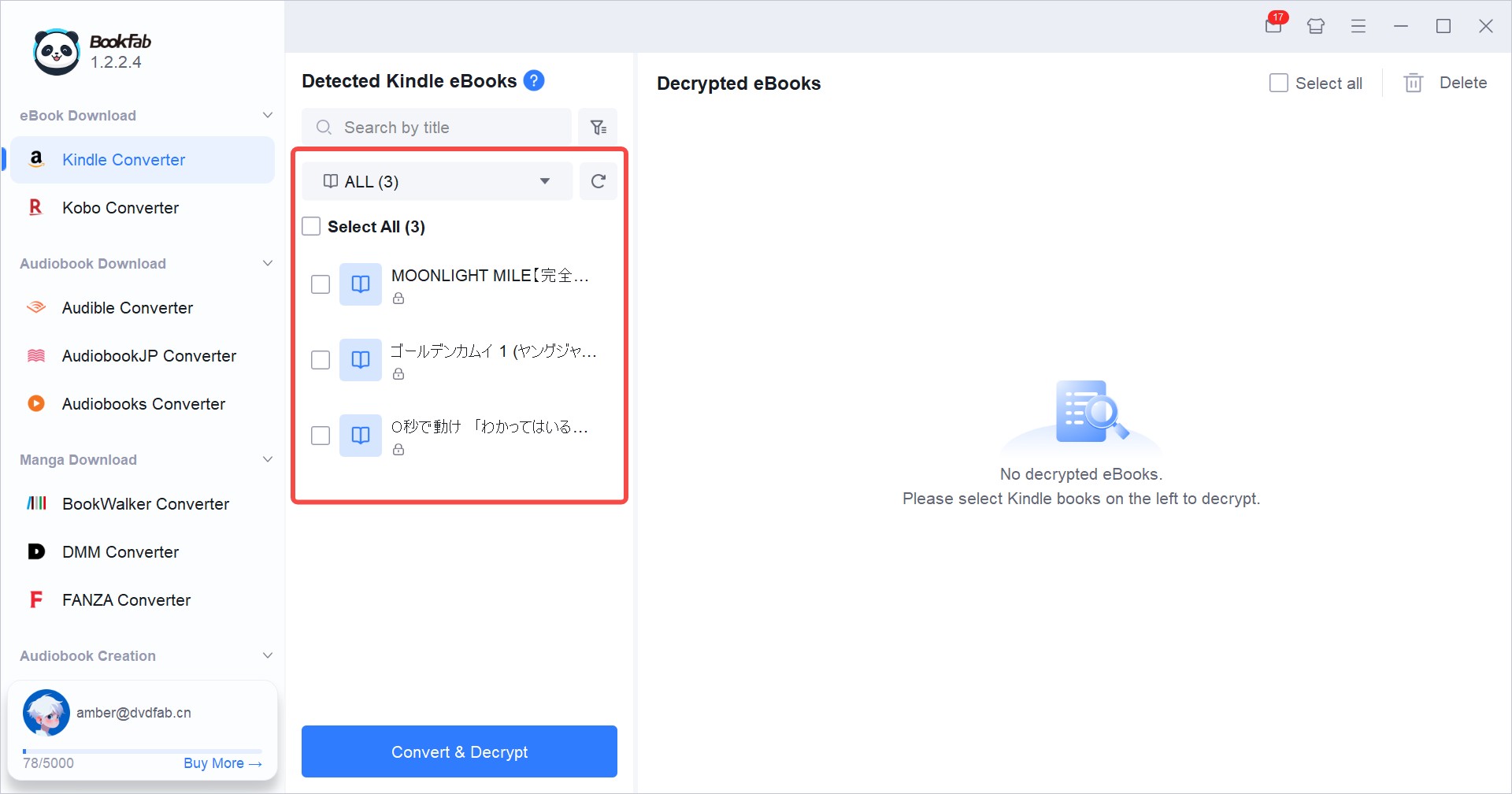
Step 4. Convert AZW3 to EPUB Format
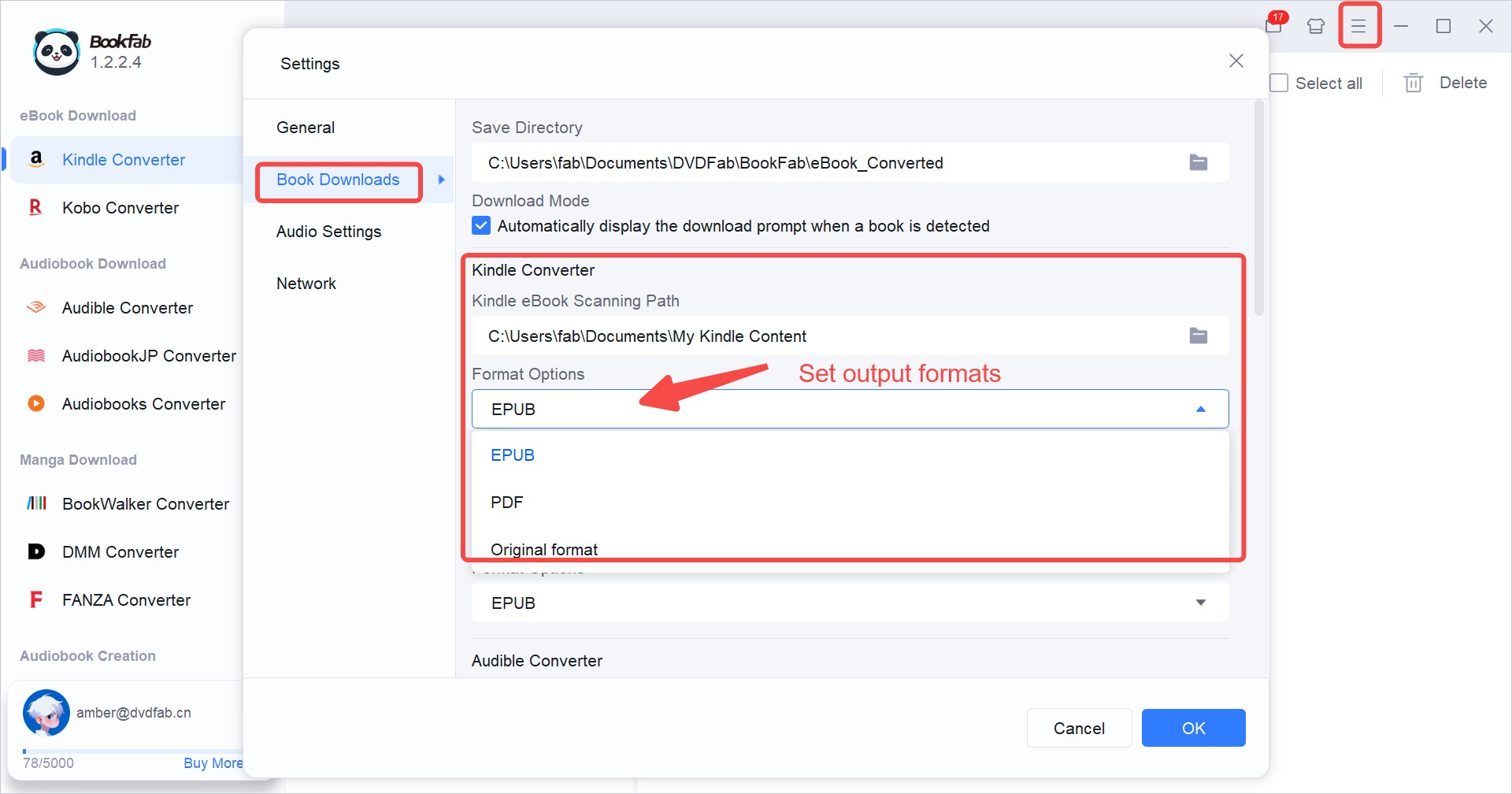
Click the hamburger icon in the top-right corner and select Settings. In the pop-up window, go to Book Downloads > Kindle Converter > Format Options, choose EPUB from the drop-down menu, and click OK.
Check the books you want to convert, then click Decrypt & Convert. This AZW3 to EPUB converter will analyze each selected file and generate an EPUB copy.
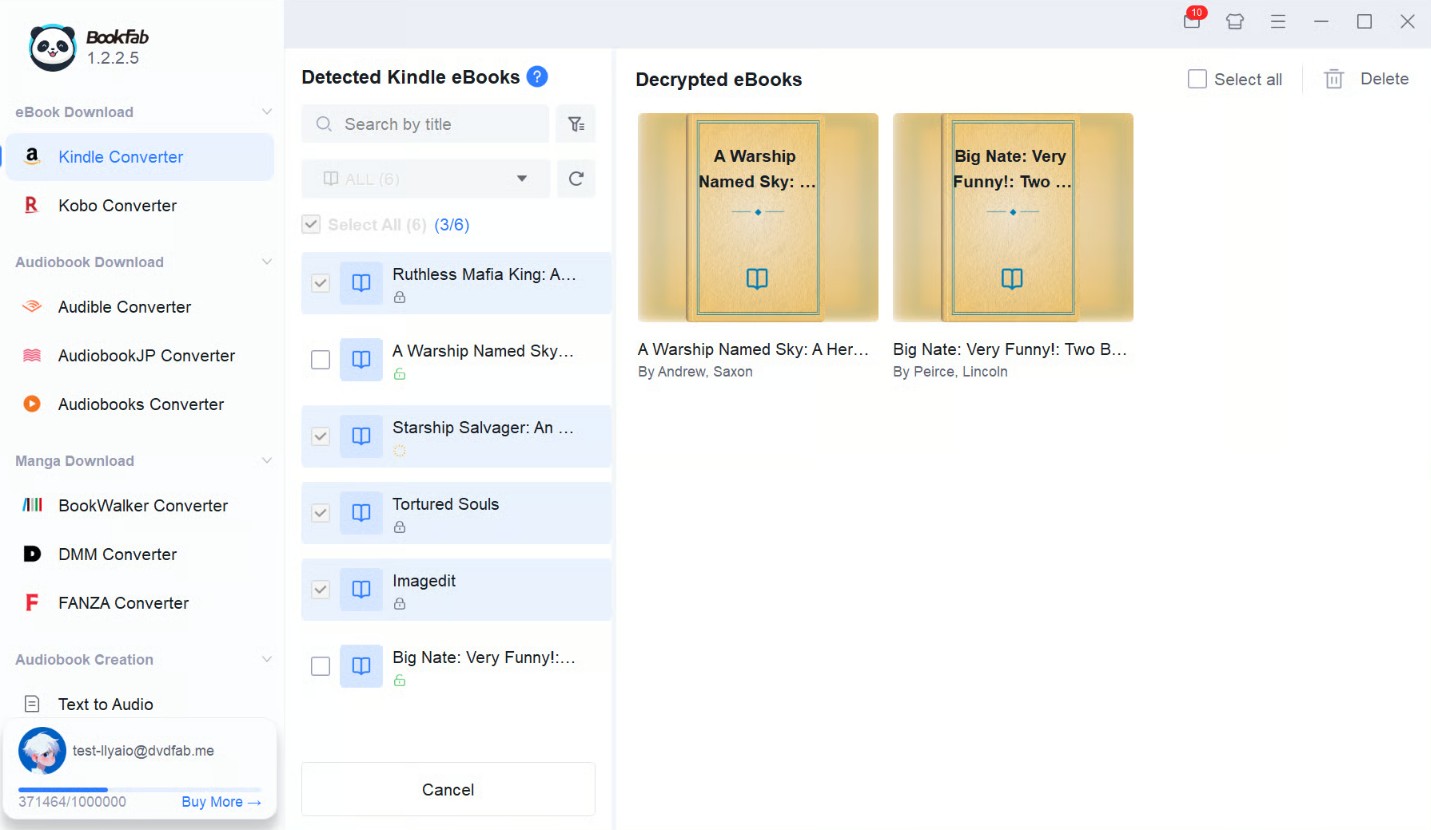
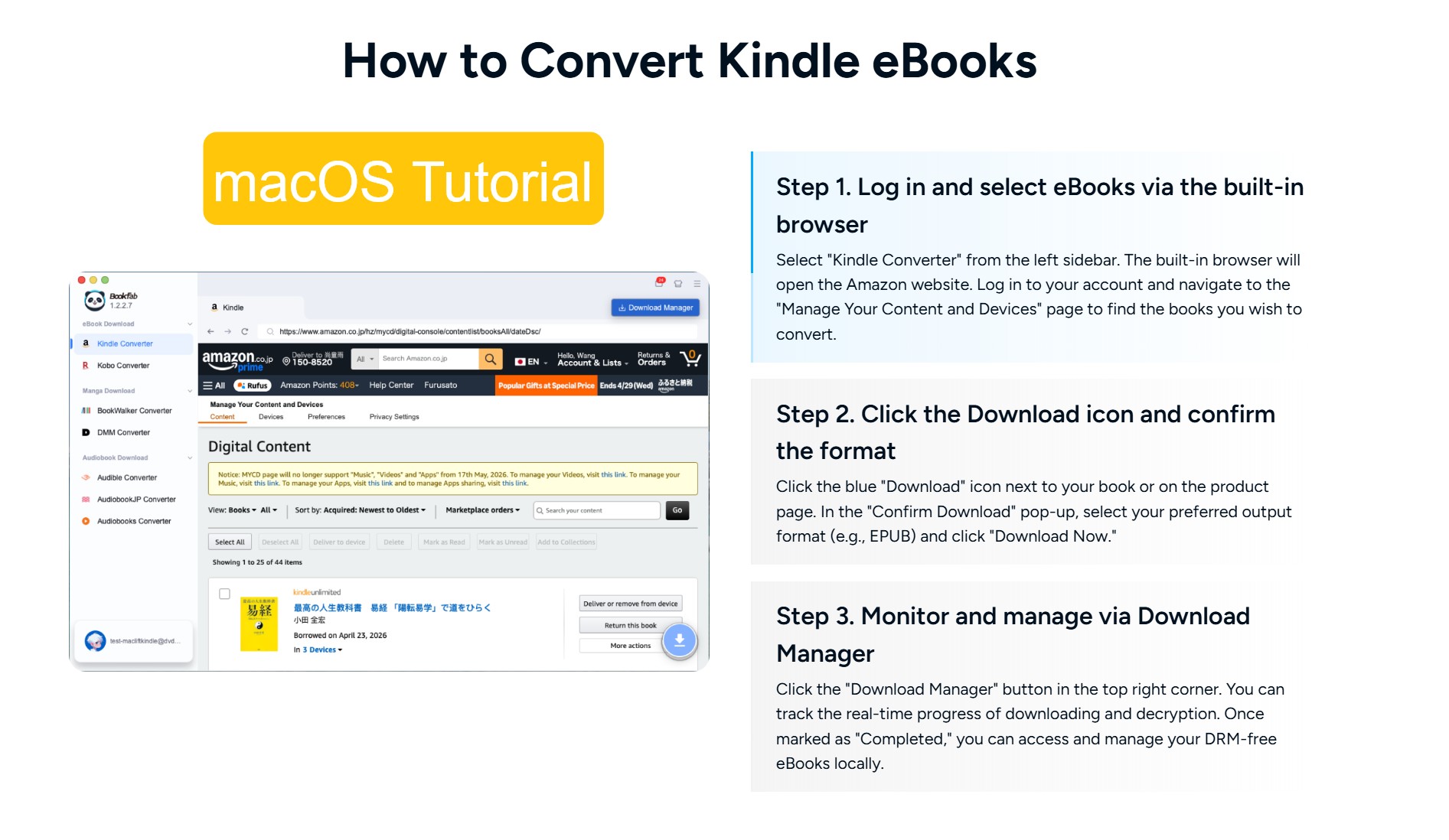
On Mac, BookFab Kindle Converter operates without Kindle for PC. Use the built-in browser to log in to your account and select a title. After clicking the download button, the software converts the AZW files into EPUB or PDF format for direct storage.
Method 2. Convert AZW3 to EPUB with Calibre
Calibre is a free, open-source AZW3 to EPUB converter. It supports many eBook formats and allows users to convert AZW3 files to EPUB through its built-in conversion feature. Compared with one-click converters, Calibre gives you more control over metadata, covers, layout, and output settings.
It should be noted that Calibre itself is mainly designed for DRM-free AZW3 files. If your .azw3 file is DRM-protected, you need to install a DeDRM plugin to assist with the format conversion.
Step 1. Download Kindle Books with Kindle for PC
Open Kindle for PC, then sign in with your Amazon account. Once your library appears, right-click the book you want to convert and choose Download.
Note: The downloaded Kindle files are usually saved in C:\Users\Username\Documents\My Kindle Content on Windows.
Step 2. Install Calibre and DeDRM Plugin
Download and install Calibre from its official website. Then download DeDRM_tools from GitHub. After downloading the package, extract it and find the DeDRM_plugin.zip file.
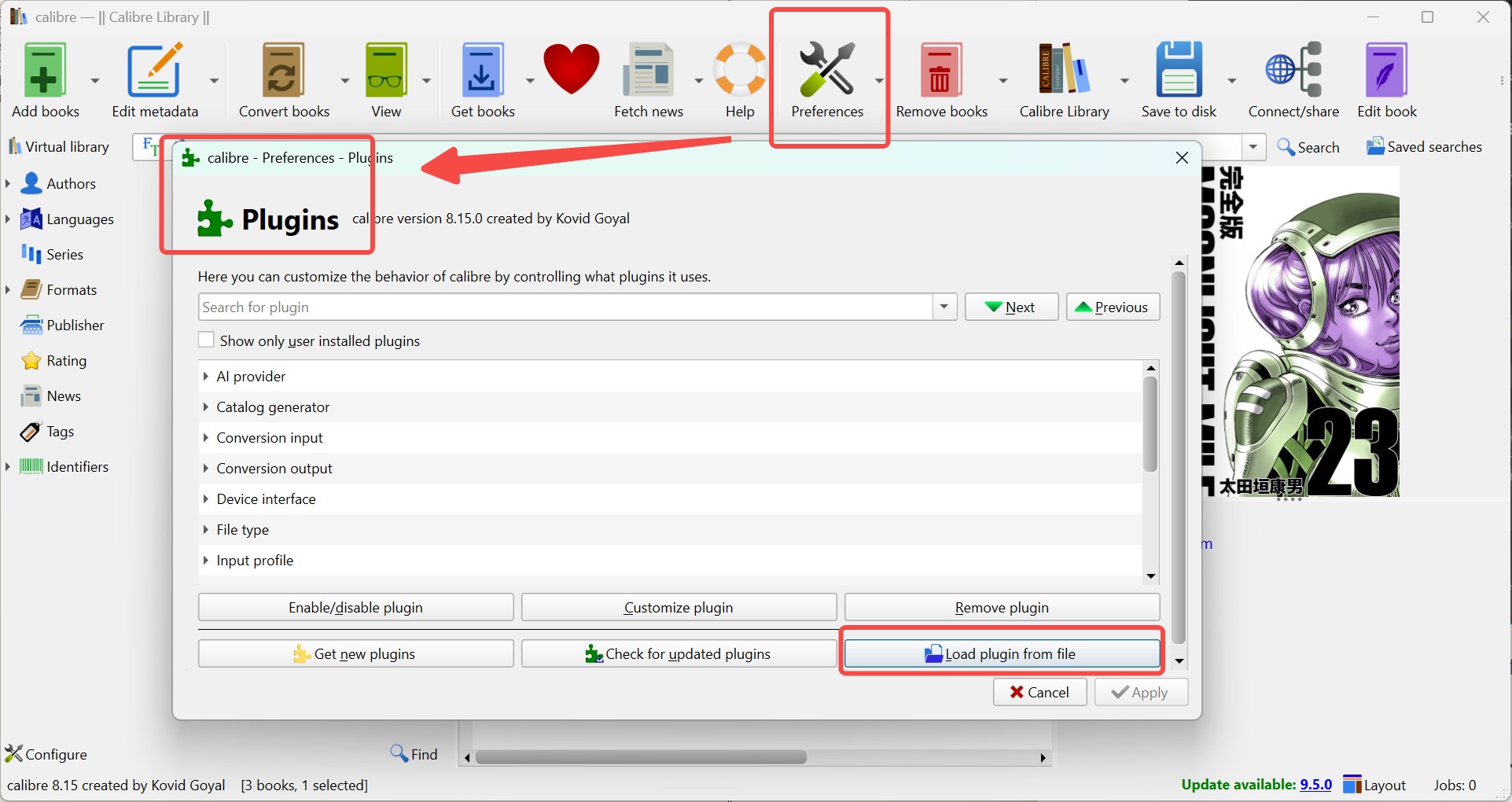
Open Calibre, go to Preferences > Plugins > Load plugin from file, select DeDRM_plugin.zip, and follow the prompts to install it.
Step 3. Import Kindle Books to Calibre
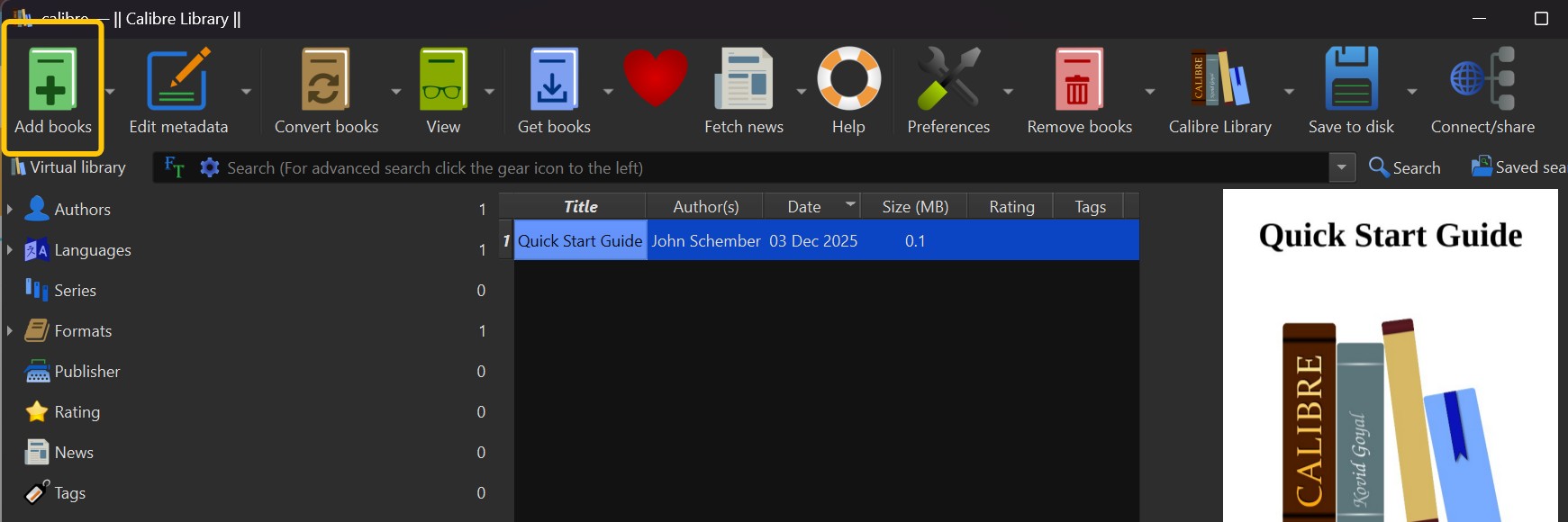
In Calibre, click Add books. Select the Kindle files you downloaded from the My Kindle Content folder, or drag and drop them directly into the Calibre window. If the DeDRM plugin is installed correctly, it will assist with DRM removal during import.
Step 4. Convert .azw3 to EPUB
Select the imported book in Calibre, right-click it, and choose Convert books from the top tool bar.
In the conversion window, set the output format to EPUB in the upper-right corner. You can adjust metadata, cover, layout, and other settings if needed. Then click OK to start converting AZW3 to EPUB.
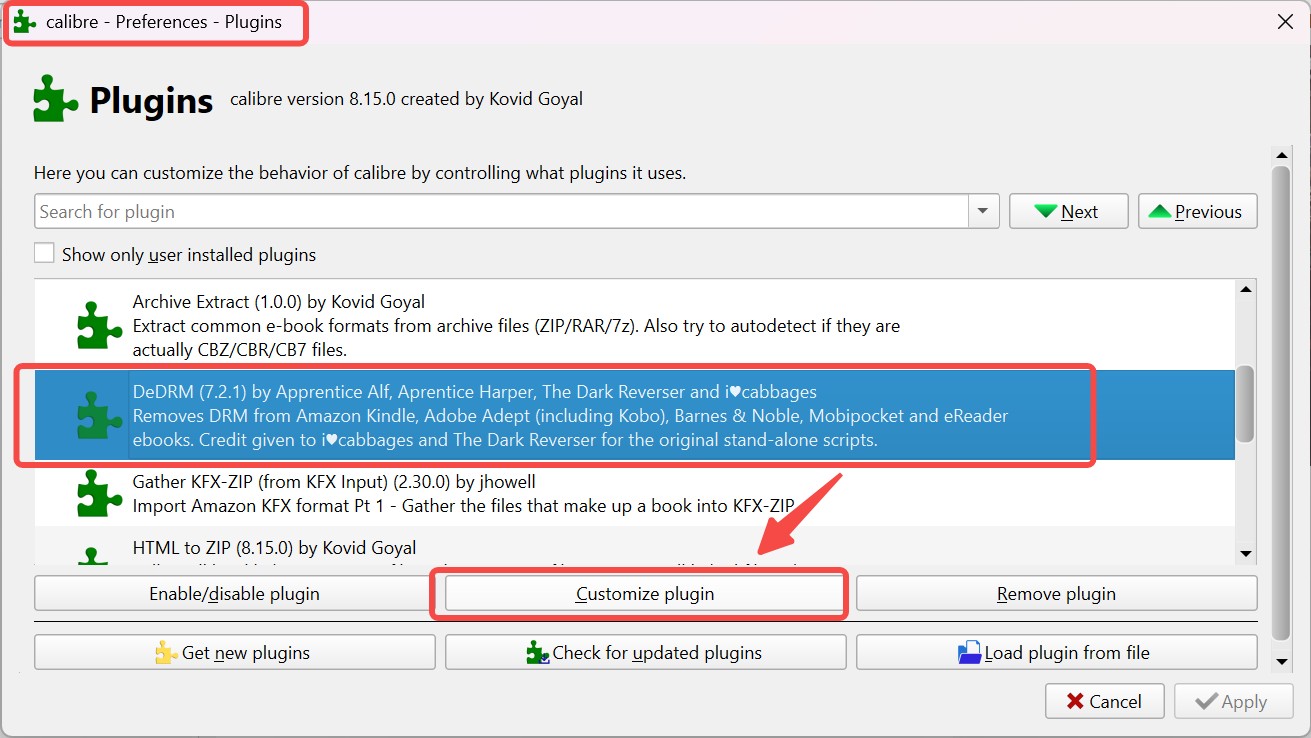
Note: If your AZW3 books are exported from an eInk Kindle device, connect the Kindle to your computer via USB and import the files into Calibre. You also need to click Preferences > Plugins, open the DeDRM plugin settings, click customize plugin, and add your Kindle serial number before importing the books.
Method 3. Convert AZW3 to EPUB with Online Converters
If your AZW3 file is not protected by DRM, online AZW3 to EPUB converters such as CloudConvert or Zamzar are often quicker to access. In this tutorial, I will use CloudConvert as an example. CloudConvert works with many file types. It runs directly in the browser and supports other eBook formats such as EPUB, PDF, AZW, and CBZ. CloudConvert also provides an API for scripted or automated file conversion.
Step 1. Open CloudConvert AZW3 to EPUB Converter
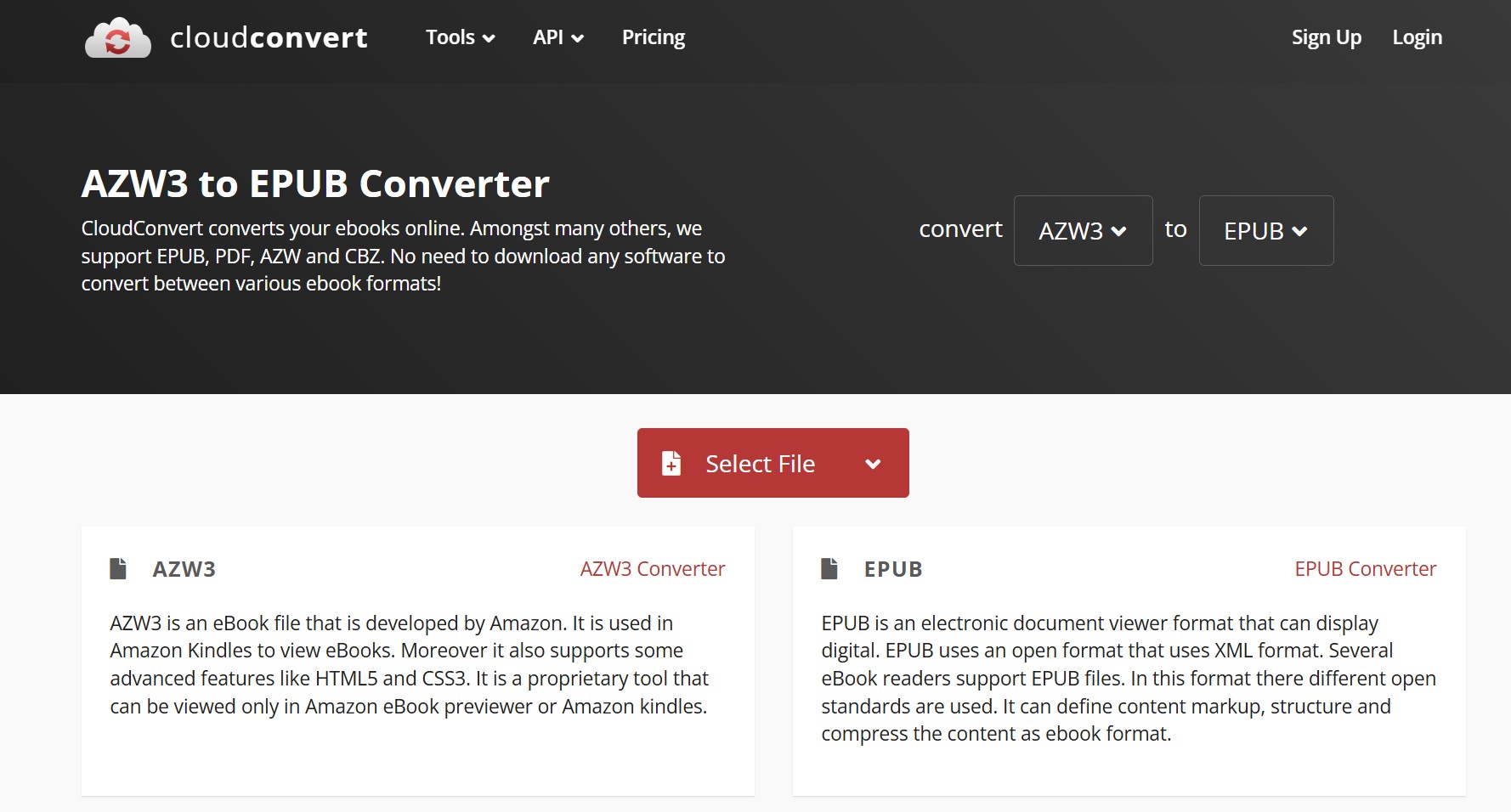
Go to the CloudConvert AZW3 to EPUB Converter Page: https://cloudconvert.com/azw3-to-epub. Ensure that the input and output formats are correctly set to AZW3 and EPUB, respectively.
Step 2. Upload Your AZW3 Files
Click the Select File button. In the pop-up window, locate the book you wish to convert and click Open. CloudConvert will then direct you to the conversion dashboard.
Step 3. Configure Output Settings
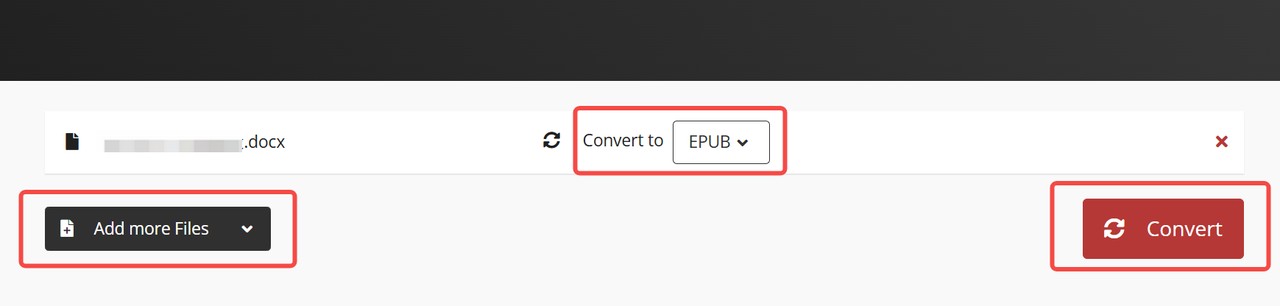
On the conversion page, confirm that the output format is set to EPUB. If you have multiple books to process, click Add More Files to upload additional documents and set their respective output formats.
Step 4. Convert AZW3 to EPUB and Download
Once everything is configured, click Convert to start the process. Wait for the orange progress bar to reach 100%. Once finished, a Download button will appear; click it to save your converted EPUB files to your local drive.
3 Best AZW3 to EPUB Converters Comparison
After the tutorials above, this table gives readers a quick way to compare the three ways to convert AZW3 to EPUB.
| Method | Best for | Decryption Support | Ease of use | Installation |
| BookFab Kindle Converter | Kindle-purchased AZW3 books | Yes | Easy | Required |
| Calibre + DeDRM Plugin | eBook management | Requires plugin setup | Difficult | Required |
| CloudConvert | Quick DRM-free conversion | No | Easy | No installation |
FAQs
Is it legal to convert Kindle AZW3 to EPUB?
Should I use a desktop converter or an online tool for AZW3 files?
Why does an AZW3 file sometimes refuse to convert?
Conclusion
Converting AZW3 to EPUB is actually quite simple. Online converters work well for DRM-free files, while desktop AZW3 to EPUB converters are better for protected Kindle AZW3 books. Pick the method that matches your file type, then follow the steps above to turn the less common AZW3 format into the more widely supported EPUB format.
Disclaimer: This guide is intended for personal use and backup purposes only. We do not support or condone the conversion of books for commercial use or distribution. Please ensure you use these AZW3 to EPUB converters responsibly and in full compliance with all applicable regulations.

 4 Easy Ways to Convert Kindle to PDFBy Amber Collins - May 18, 2026
 How to Print Kindle Books Without Losing QualityBy Amber Collins - May 14, 2026
![[Quick Solution] How to Remove Kindle DRM on Mac](https://images.dvdfab.cn/media/未命名的设计__87__crpyru.png/public) [Quick Solution] How to Remove Kindle DRM on MacBy Amber Collins - May 11, 2026
[Quick Solution] How to Remove Kindle DRM on MacBy Amber Collins - May 11, 2026 How to Download Kindle Books to PC in 2026 (The Complete Guide)By Amber Collins - May 9, 2026