8 Best Free Scribd Downloaders in 2026: Download PDFs from Scribd

Summary: To save Scribd PDFs, a dedicated downloader is essential. While casual users favor online tools like DLScrib.Pro, others prefer technical extensions or CLI scripts. Based on experience, this guide reviews 8 free Scribd downloaders to find your most reliable option.
Last month, I needed a coffee machine repair manual locked on Scribd. As a massive digital library, Scribd is undeniably an amazing resource for finding obscure documents, manuals, and research papers. However, paying a subscription for one PDF wasn't practical. I just needed a quick Scribd download for offline use. Frustrated by spammy sites, I spent several days testing various tools to find a solution that actually works. To save you that same headache, here is my honest review of the 8 best free Scribd downloaders based on my own experiences.
Quick Picks: Free Scribd Downloaders At a Glance
| Tool | Quick Access | Type | Ease of Use | Supported Formats |
| Scribd.VDownloaders.com | https://scribd.vdownloaders.com/ | Online Web Tool | Direct URL Paste | PDF, DOC |
| DLScrib.Pro | https://pdfdownloader.net/ | |||
| FreePDFDownloader | https://freepdfdownloader.com/ | |||
| Scribd.Downloader.Tips | https://scribd.downloader.tips/ | PDF, DOC | ||
| Scribd.VPDFS.COM | https://scribd.vpdfs.com/ | |||
| Ezetool Scribd Downloader | https://ezetool.com/Scribd-downloader | |||
| GreaseMonkey Extension & Scripts | https://addons.mozilla.org/en-GB/firefox/addon/greasemonkey/ | Browser Extension | Requires Initial Setup | PDF, DOC, DOCX |
| Phoenix124 | https://github.com/Phoenix124/scribd-downloader | Command Line Tool | Terminal Commands |
Review of the 8 Best Free Scribd Downloaders (Tested & Verified)
I gathered a list of the most popular Scribd downloaders highly recommended by Reddit users and put them all to the test. Ultimately, I handpicked the top 8 free Scribd downloaders currently available. Below, I evaluate each one based strictly on my personal hands-on experience, breaking down their true pros and cons so you know exactly what to expect.
#1 Scribd.VDownloaders.com (Fastest Download Speed)
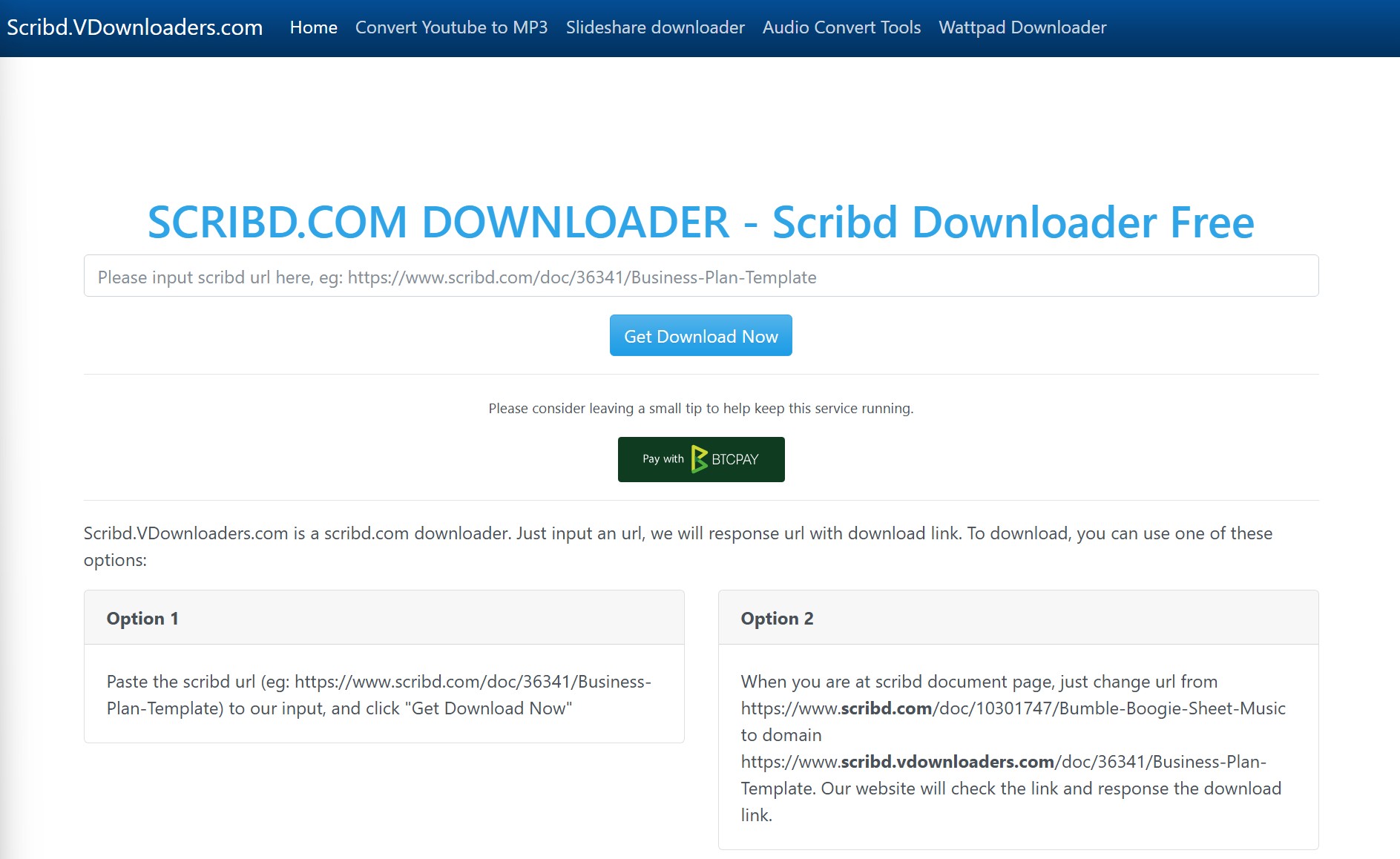
The first tool is Scribd.VDownloaders.com, a straightforward online downloader that works by simply pasting the document link into its search bar. Out of all the tools I tested, this felt like the most reliable one. It successfully handled long, hundred-page PDFs from Scribd, and I had no issues downloading smaller .doc files either.
When I tested this downloader, the clean and minimal interface really stood out. It is refreshing not to have to dodge intrusive pop-up ads just to get your file. The actual download process is generally stable; for example, I used it to download a 164-page PDF, and it was finished in less than a minute.
I should mention one thing: even though you start on Scribd.VDownloaders.com, the site will redirect you to another domain to actually save the file. I tested this thoroughly and didn't run into any security issues, so you can use it with confidence. Like any free online tool, there are a few ads and extra "Download" buttons scattered around, just keep a sharp eye out to make sure you're clicking the right one.
- Download both lengthy PDFs and smaller DOC files
- Fast Scribd downloading speeds
- Maintains consistent output quality
- Redirects to a different domain to complete the actual file extraction
- Contains background ads
- Misleading download buttons
#2 DLScrib.Pro (Most Modern Interface)
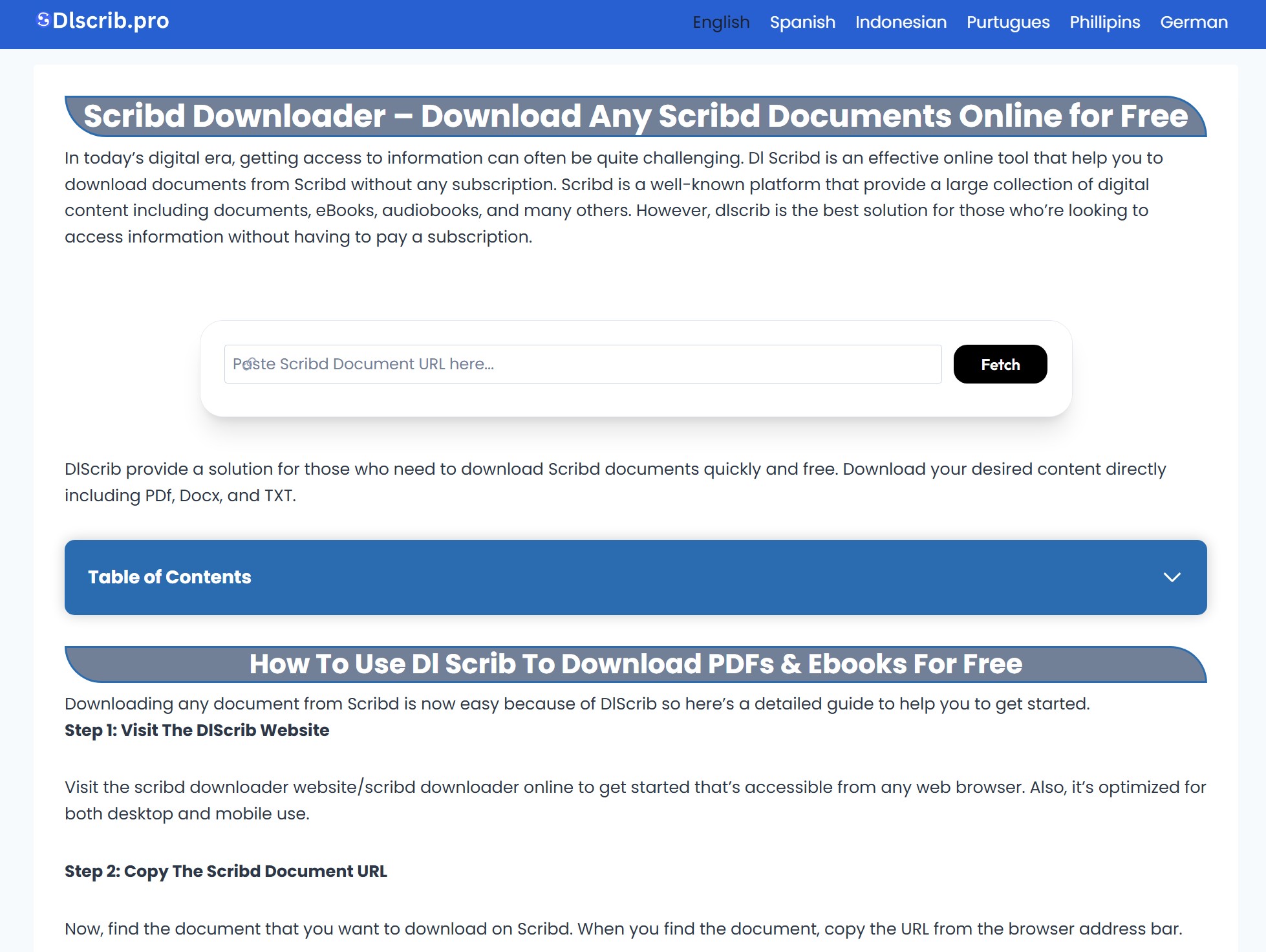
DLScrib.Pro is arguably one of the most recognized names in this niche. What sets it apart from other standard copy-and-paste online utilities is its preview feature. After you paste the URL to download from Scribd, the site generates a visual thumbnail preview of your target document. In my opinion, this is a brilliant feature because it instantly proves the tool's reliability—it confirms that the system has successfully read and accessed the original Scribd file before the actual Scribd download even begins.
In my hands-on experience using this Scribd downloader, that initial visual confirmation directly translated into an incredible success rate. Just as I expected, I attempted to process five different books during my test, and every single one succeeded without a hitch. Furthermore, its official website provides detailed, step-by-step guidance on how to use the tool. While there are still advertisements present on the site, the overall interface looks much cleaner and far more modern than many other online alternatives. Overall, I highly recommend this free Scribd downloader if you want a dependable and user-friendly option.
- Generates a thumbnail image of the document
- Successfully downloaded all test books without any server errors
- Features a cleaner interface with step-by-step instructions
- Displays some advertisements that you need to navigate around
#3 FreePDFDownloader (Best for Small Files)
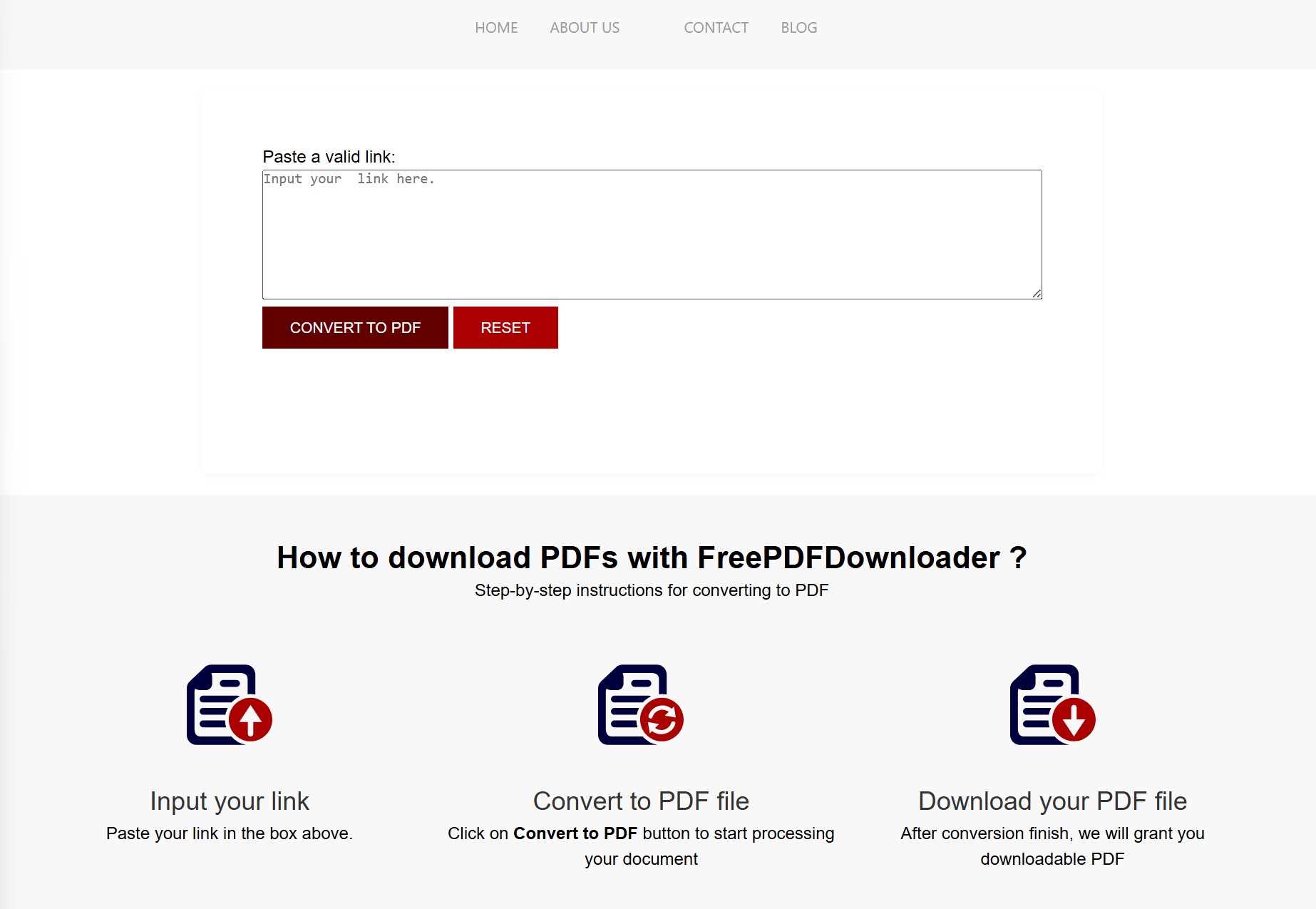
FreePDFDownloader is a simple online free Scribd downloader that exports documents as docx, doc, pdf formats. It primarily supports downloading standard user-uploaded text files, such as essays and manuals, and exporting all the major file types you'll find on Scribd, such as .doc and .pdf. While it maintains the original layout quite well for text-heavy documents, the output quality drops noticeably for scanned pages or image-heavy files due to high compression.
One standout benefit I noticed is that the tool doesn't impose any file size limits or throttle your connection speed. It gives you the freedom to download up to 8 files per day at full speed. However, its performance can be inconsistent. I noticed it often times out on documents over 50 pages, failing to complete the scribd download. It functions as an acceptable free scribd downloader for short text files, but it is unreliable for larger documents.
- No software installation required
- No restrictions on file size
- No download speed limits
- Downloads sometimes fail to complete
- 8 document downloads per day
#4 GreaseMonkey Extension & Scripts (Best for Tech-Savvy Users)
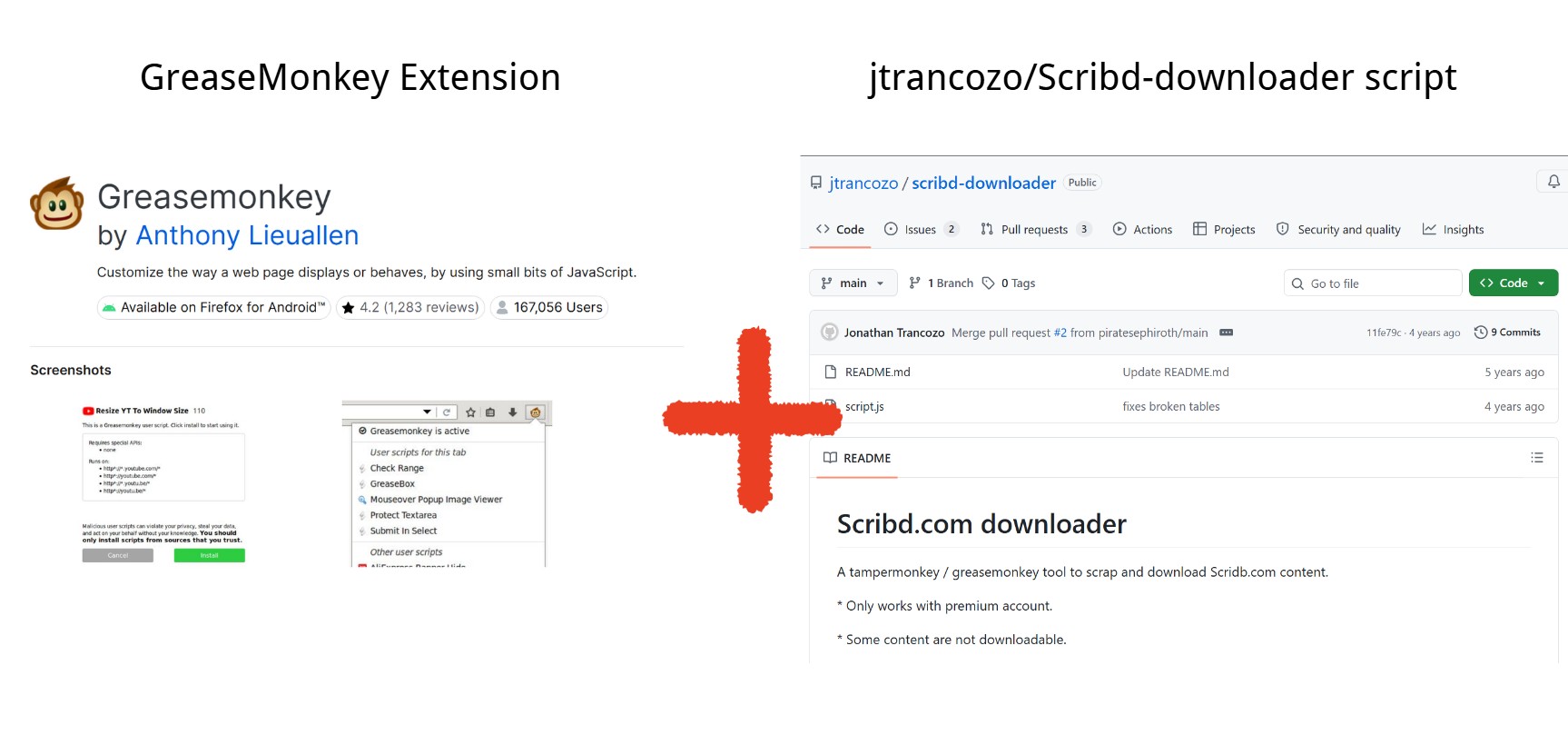
Unlike other options, GreaseMonkey is an extension specifically for the Firefox browser. It allows you to run custom JavaScript code to modify how web pages function. Once you install it in your browser, it is a once-and-for-all solution. You do not have to repeatedly visit a dedicated online Scribd downloader website every time you need to save a file.
However, the initial configuration for this best free Scribd downloader is undeniably a bit of a hassle. To use it to download from Scribd, you must install a dedicated extraction script from open-source repositories like GreasyFork or GitHub (I highly recommend the jtrancozo/Scribd-downloader script). Once configured, the script bypasses the blurred text overlay and injects a direct download button right onto the document page, allowing you to easily initiate a Scribd download. Although the multi-step installation process might deter casual users who prefer simple clicks, as long as you are willing to spend a few minutes configuring your browser, it is absolutely a powerful and clean free Scribd downloader.
- No need to visit external sites for every download
- Adds a download button straight onto the Scribd page
- Clean experience without third-party redirects or pop-ups
- Setup is more technical and time-consuming
- Requires finding and installing third-party scripts
- Primarily designed for Firefox users
#5 Scribd.Downloader.Tips (Best for Occasional Downloads)
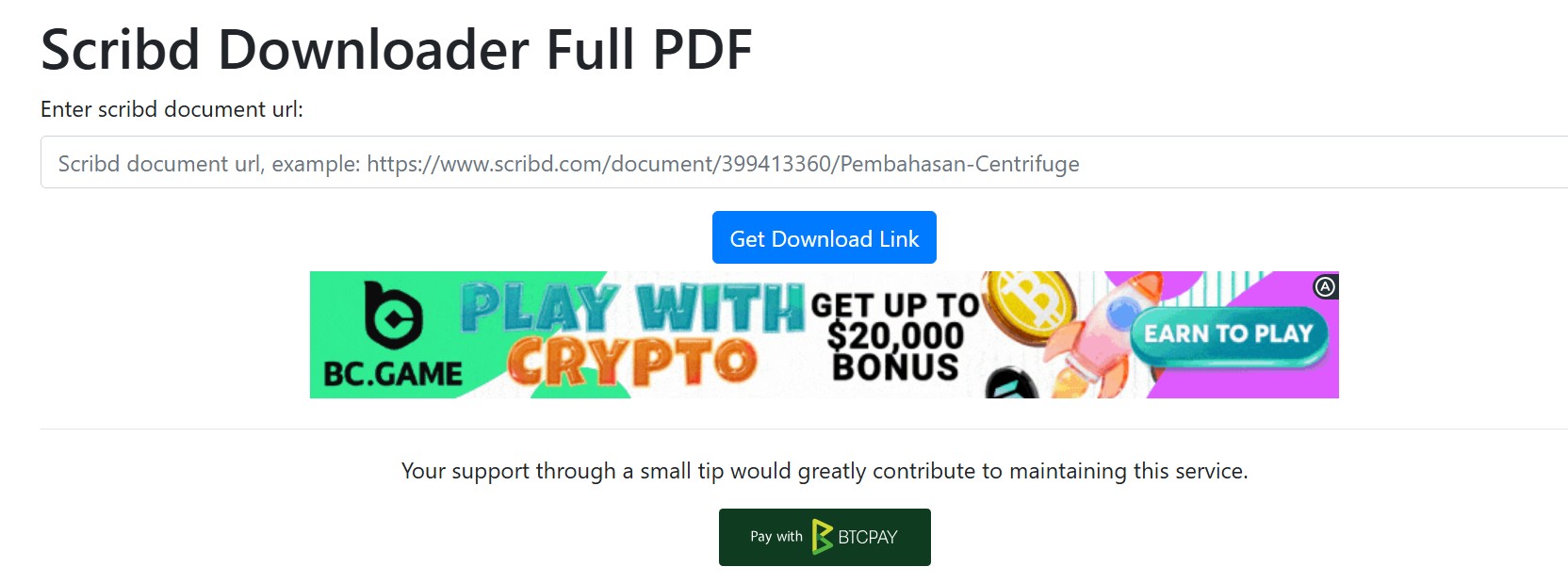
Scribd.Downloader.Tips is another online free Scribd downloader that is simple to use. You just paste your URL and follow the prompts to wait for your PDF file. In terms of quality, it does a respectable job of maintaining text clarity.
In my experience using this best Scribd downloader, the process was relatively quick but required a bit of a wait. You first need to pass a captcha test and then wait for a countdown timer, usually between 10 to 15 seconds, before the link appears for your Scribd download. I did find the server stability to be somewhat hit-or-miss; while it handled a 40-page manual without any issues, it occasionally triggered an "Internal Server Error" when I tried to process a much longer academic paper. Overall, however, it serves as a reliable backup download from Scribd whenever other primary sites happen to be down.
- Very simple to use
- Keeps text sharp and readable in the final PDF
- The interface is intuitive
- Layouts of DOC files can become messy during conversion
- Occasionally fails when attempting to process very large files
#6 Scribd.VPDFS.COM (Best for Large PDFs)
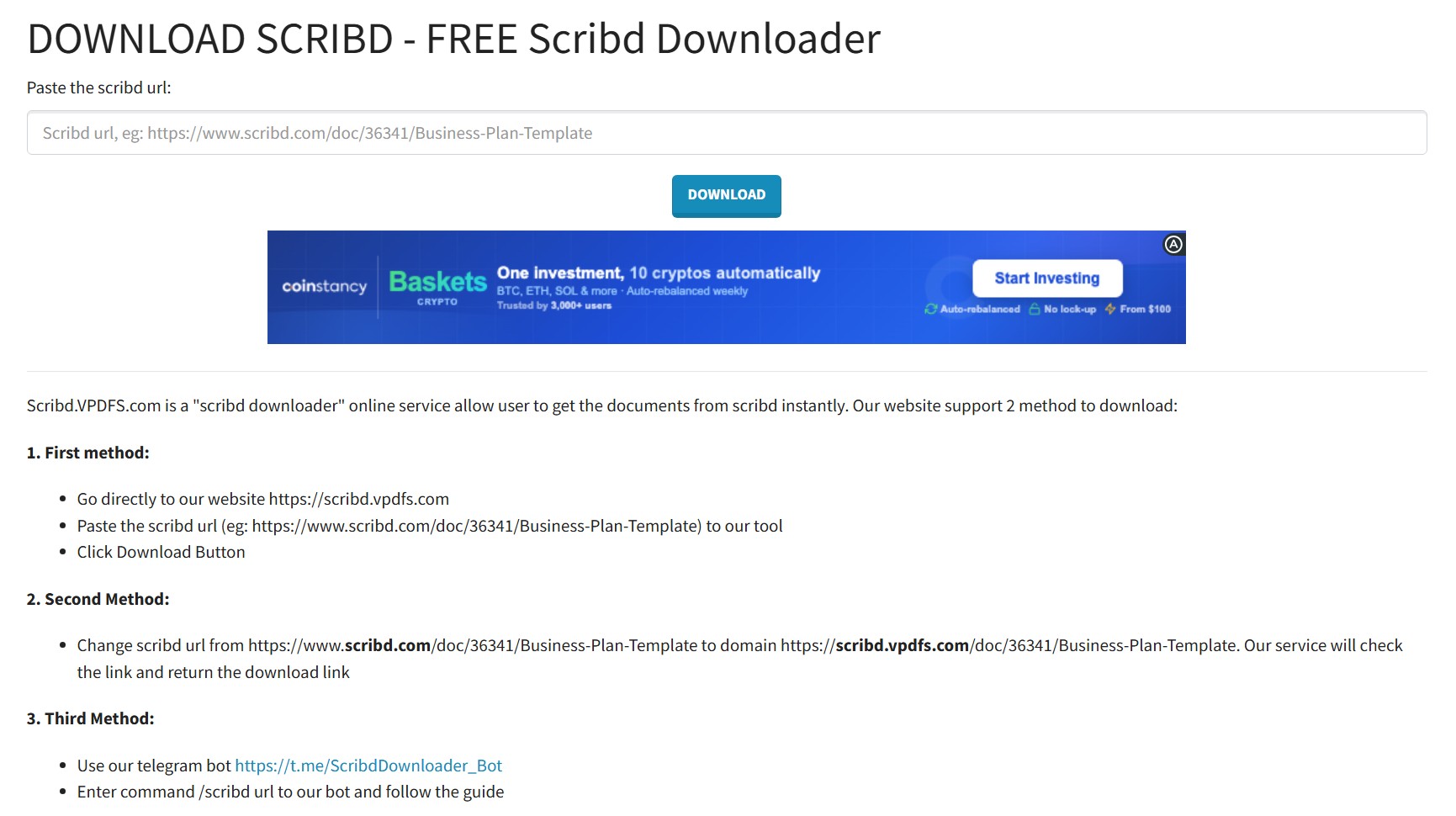
As its name clearly suggests, Scribd.VPDFS.COM is another online tool dedicated to helping you download from Scribd. Just like most web-based utilities, it operates via a straightforward mechanism: you paste the URL, it automatically parses the link, and then you simply save the generated PDF. However, like many free online tools, the output formatting for certain DOC files may not always be aesthetically perfect, largely because the layout of the original documents on Scribd can be quite inconsistent to begin with.
I used this Scribd downloader to grab a massive 203-page PDF book, and it successfully completed the job. The main drawback is that you have to navigate an interface that is somewhat messy and heavily cluttered with display advertisements. The actual Scribd download speed is average—processing that 203-page study guide took about two minutes. While it might not be the fastest tool on the market, it successfully delivered the file without requiring any account registration. If you can look past the visual clutter when you urgently need a file, it serves as a completely viable free Scribd downloader.
- Successfully processes and downloads lengthy documents
- Delivers the file directly without requiring you to sign up or log in
- Uses the standard, URL paste-and-parse method
- The website is messy and heavily populated with display ads
- Output layouts for original DOC files can sometimes be imperfect
#7 Ezetool Scribd Downloader (Professional and Clean)
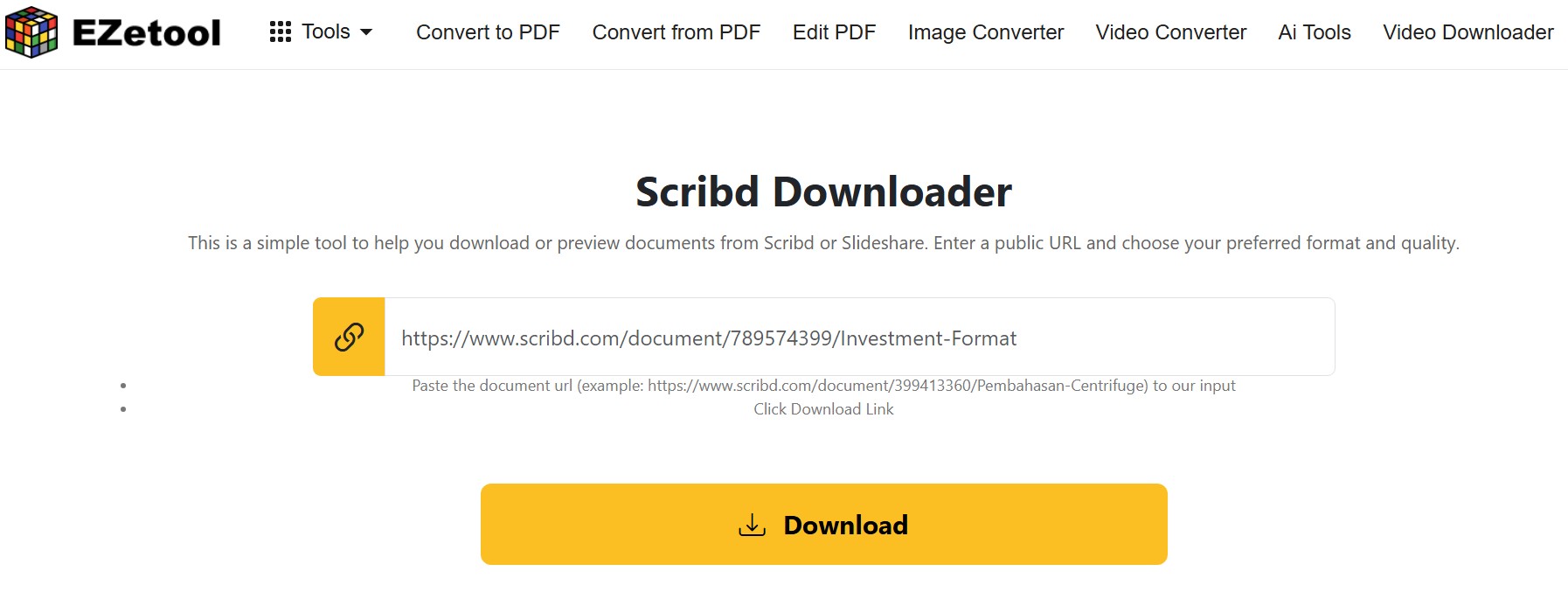
Compared to other online PDF extractors, EzeTool appears noticeably cleaner. It operates as part of a more professional suite of document utilities. Rather than being a single-purpose webpage flooded with advertisements, EzeTool provides a dedicated, clean module specifically designed to function as a Scribd downloader.
When I tested this free Scribd downloader, the most refreshing aspect was its modern, user-friendly interface completely devoid of aggressive pop-up ads. Compared to typical extractor websites, it feels like a much more polished and safe option to download from Scribd. However, the major drawback is that the tool's performance is quite unstable. I attempted to process five different files during my test, but only two were successful. Additionally, it is worth noting that the actual Scribd download link will open in a new window, so you must remember to enable the "allow pop-ups" permission in your browser settings beforehand.
- Professional interface without advertisements
- Operates as part of a professional utility suite, feeling safer than typical extractor sites
- Low success rate
#8 Phoenix124 Scribd Downloader (A Complex but Stable CLI Tool)
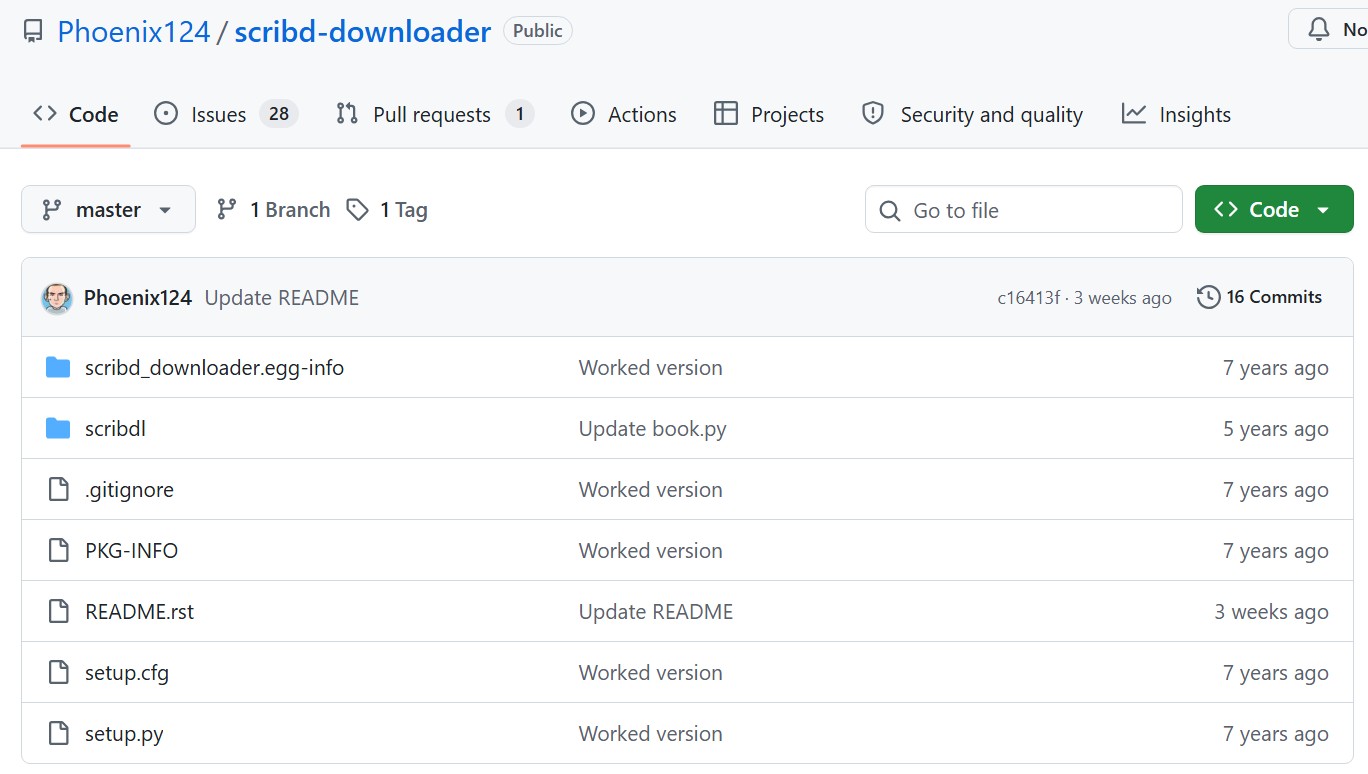
Unlike the web utilities mentioned earlier, the Phoenix124 Scribd downloader is entirely different—it is a Command Line Interface script hosted on GitHub. To use it, you must have Python installed on your computer. Instead of simply pasting a link into a browser window, you open your terminal, type a specific command along with your URL, and the script handles the Scribd download locally. It works by directly fetching the raw document assets from the server and compiling them into a high-quality PDF right on your hard drive.
The advantages of this open-source free Scribd downloader are obvious. Once you get past the initial Python setup, you never have to look at another annoying pop-up ad just to download from Scribd. Furthermore, while online tools frequently crash or go offline, this local script is significantly more stable. However, the downside is equally clear: it lacks an intuitive graphical interface, making the configuration process too complicated for non-technical users. So, my advice is this: try the online tools mentioned above first. If none of them work, then it is time to fire up the Phoenix124 Scribd Downloader as your plan B.
- No pop-ups or visual clutter
- Bypasses the frequent server crashes that plague typical online web tools
- Requires installing Python and knowing basic terminal commands
- Operates entirely through text commands without a simple "click-to-download" button
Is It Legal to Use Scribd Downloader?
Before we wrap up, we need to address an unavoidable issue: legality. Just because a free Scribd downloader can technically pull a locked document off the web does not mean you can do whatever you want with that file. Please remember: successfully extracting a file from a technical standpoint does not automatically make doing so legal. You must respect copyright laws and the author's permissions.
- Scribd strictly prohibits automated scraping and the unauthorized downloading of protected content.
- Never distribute, share, or sell the files you download from Scribd.
Official Ways to Download from Scribd Legally
I highly recommend using official methods to get your content. If you want to access premium, commercially published ebooks, sheet music, or audiobooks without breaking the rules, here are the two most reliable approaches:
Method 1: Take Advantage of the 30-Day Free Trial
- Register for a new account on Scribd and opt into their 30-day free trial.
- You will need to provide payment details during signup. However, as long as you remember to cancel your subscription before the 30 days are up, you will not be charged a single cent.
- During this trial period, you gain complete, unrestricted access to read and download from their entire premium library.
Method 2: Use the Official App for Offline Reading
Whether you are currently on a free trial or a paid subscription, the most stable way to keep your books is through the official Scribd (or Everand) mobile app. Simply open the app, find the book you want to read, and tap the "Download" icon. The file will be securely saved right to your device for offline reading.
FAQ
Are these online scribd downloader websites safe to use?
The PDF files generated by these tools are usually safe, but the websites themselves can be risky. Because they are free, they are often heavily monetized with aggressive pop-up ads and fake "Download Now" buttons. We highly recommend using a reliable ad-blocker. Also, remember: a legitimate scribd download will always be a document format (like .pdf or .txt). Never download or run an executable file (.exe) from these sites.
Why is the text in my downloaded PDF not searchable or selectable?
This depends on the specific extraction method the tool uses. Some websites (like SCRIBD.VPDFS.COM) bypass heavy restrictions by taking high-resolution screenshots of the document's pages and stitching them together into a PDF. Because the final file is essentially a collection of images, you cannot highlight, copy, or search the text inside it.
Do I need a registered account to download from scribd using these tools?
No, you do not. The primary appeal of using a third-party scribd downloader is that it allows you to grab standard documents without needing to log in, create an account, or pay for a subscription. All you need is the public URL of the document.
Final Thoughts: Which Scribd Downloader Should You Choose
Finding a reliable Scribd downloader can be a game of trial and error, as these third-party tools are constantly updating to keep up with Scribd's security changes. After testing these 8 options, here is my final breakdown to help you choose:
- For the best overall experience: I highly recommend DLScrib.Pro. Its modern interface and document preview feature make it the most trustworthy click-and-go option.
- For large, stubborn documents: If other sites fail, Phoenix124 CLI are your best bets for handling massive PDFs without crashing.
- For a clean, ad-free workflow: If you have the technical patience, setting up GreaseMonkey or Phoenix124 will save you from the headache of pop-up ads forever.
- For the safest, highest quality route: Nothing beats the official 30-day free trial. It's the only way to guarantee a perfect file while supporting the original creators.

 4 Easy Ways to Convert Kindle to PDFBy Amber Collins - May 18, 2026
 How to Print Kindle Books Without Losing QualityBy Amber Collins - May 14, 2026
![[Quick Solution] How to Remove Kindle DRM on Mac](https://images.dvdfab.cn/media/未命名的设计__87__crpyru.png/public) [Quick Solution] How to Remove Kindle DRM on MacBy Amber Collins - May 11, 2026
[Quick Solution] How to Remove Kindle DRM on MacBy Amber Collins - May 11, 2026 How to Download Kindle Books to PC in 2026 (The Complete Guide)By Amber Collins - May 9, 2026