
EPUB vs MOBI: Which Kindle Format Should You Use Today?

Summary: Which one is better for Kindle, EPUB or MOBI? In 2026, EPUB is the better choice. For self-publishing authors, Amazon stopped accepting MOBI as an ebook upload format on March 18, 2025, and now recommends EPUB, DOCX, or KPF for new and updated Kindle books. For Kindle readers, Send to Kindle has also moved away from MOBI in December 2023, while EPUB is now the easiest format to send to your Kindle account.
Table of Contents
If you are wondering which is better for Kindle, EPUB or MOBI, here's the easy answer: go with EPUB. MOBI had its Kindle glory days, but Amazon fully ended MOBI support on March 18, 2025. Today, EPUB is the friendlier choice for both readers who want to send books to a Kindle and self-publishing authors preparing ebook files.
To help you understand these two formats in more detail, this article will compare Kindle EPUB vs MOBI, the Kindle devices each format is compatible with, which format readers or self-published authors should choose, how to convert MOBI to EPUB, and more.
What Is a MOBI File?
MOBI comes from Mobipocket, a French ebook company Amazon acquired in 2005, and later became closely tied to Kindle after the first Kindle launched in 2007. For years, readers looked for .mobi files when they wanted to send non-Amazon ebooks to Kindle, and authors treated MOBI as the Kindle version of an ebook.
MOBI supports reflowable text, so it worked reasonably well for simple novels and text-heavy books. However, it was not built for modern ebook needs such as richer images, flexible layouts, improved navigation, embedded fonts, and stronger accessibility.
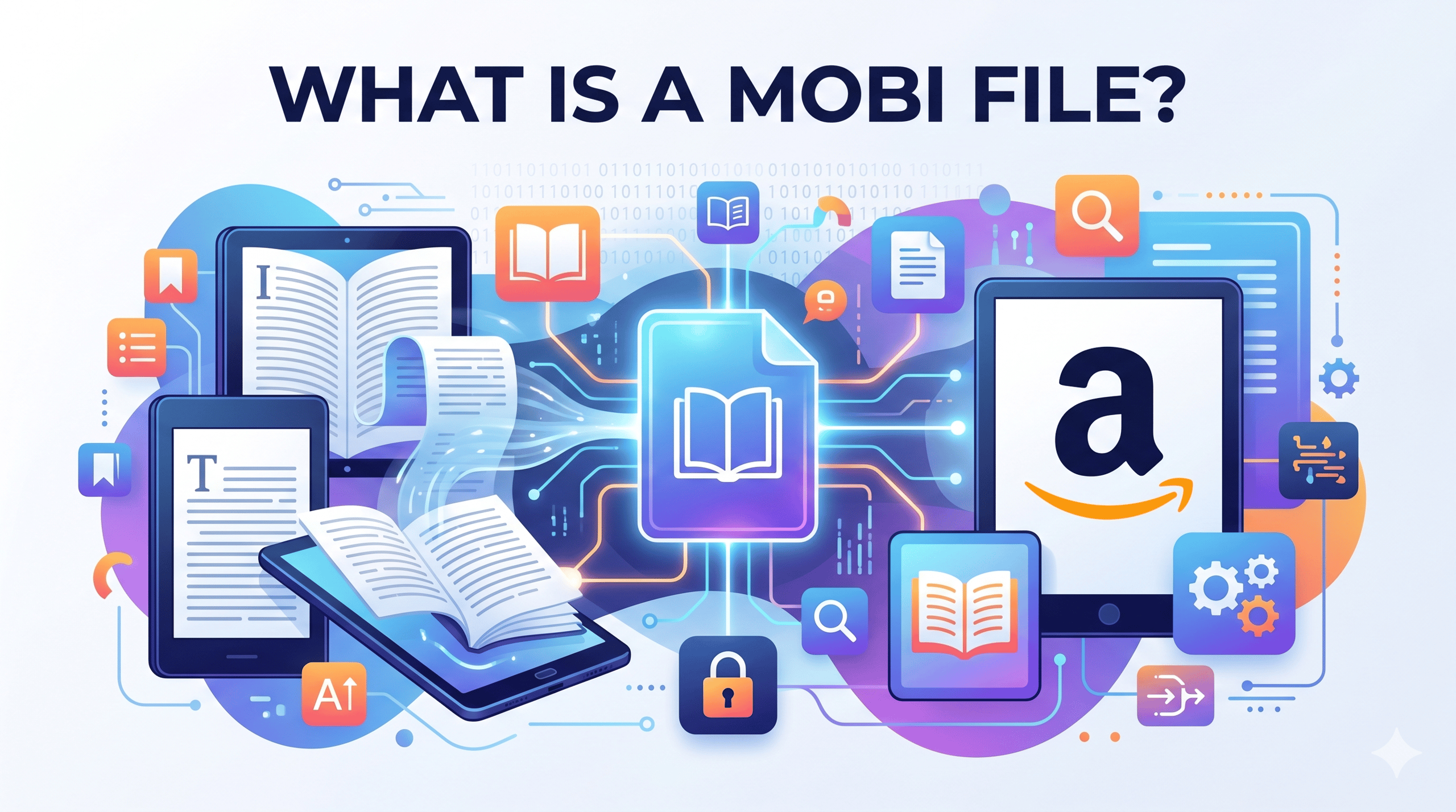
Is Amazon's MOBI format dead? For modern Kindle publishing, yes. Reflowable MOBI support ended earlier, and fixed-layout MOBI support ended on March 18, 2025. AZW3, also called Kindle Format 8 or KF8, was introduced in 2011 to improve layout, styling, fonts, and image support compared with old MOBI. By 2015, Amazon had also rolled out KFX, a newer enhanced Kindle format.
At this point, you may wonder whether you should prepare an AZW3/KFX file instead. Actually, you do not need to worry about creating MOBI or AZW3 files manually. If you are preparing a new ebook, make an EPUB and let Amazon handle the Kindle-side conversion. If you are sending a personal ebook to Kindle, EPUB is also the best choice because Send to Kindle can accept EPUB and convert it into a Kindle-compatible format.
MOBI: Pros and Cons
👍Pros
- Useful for old Kindle files: MOBI still matters if you have older Kindle books, archived ebooks, or legacy files.
- Simple text support: MOBI can work reasonably well for plain novels or text-heavy ebooks with simple formatting.
👎Cons
- Legacy format: MOBI is no longer recommended for modern Kindle publishing and Send to Kindle.
- Limited modern formatting: MOBI is weaker for images, complex layouts, embedded fonts, navigation, accessibility, and richer ebook design.
- Poor long-term value: MOBI is mainly tied to older Kindle workflows and archived files.
- Not ideal for self-publishing: New or updated Kindle ebooks should use EPUB, DOCX, or KPF instead of MOBI.
- Less flexible outside Kindle: MOBI does not have the same broad ecosystem support as EPUB across modern ebook stores, libraries, and reading apps.
What Is EPUB?
EPUB, short for Electronic Publication, is the open ebook format used by most ebook stores, reading apps, libraries, and non-Kindle e-readers. It is built with web-style technologies such as HTML and CSS, so a well-made EPUB can adjust text size, margins, spacing, and layout to fit different screens.
So why did Amazon move from MOBI to EPUB? Simply put, EPUB also supports reflowable reading, and it is easier to work with today. It is widely accepted across ebook stores and reading apps, easier to update, better for modern layouts and navigation, and can also support DRM protection when publishers need it.
EPUB: Pros and Cons
👍Pros
- Better publishing workflow: EPUB is accepted by most major publishing platforms and is easier to revise or update.
- Wider ecosystem support: EPUB works across Kindle-related workflows, Apple Books, Kobo, Nook, Google Play Books, Adobe Digital Editions, and many reading apps.
- Better reading experience: EPUB supports font resizing, highlighting, bookmarking, images, and more flexible navigation.
- Better long-term value: EPUB is still actively used across the ebook industry, while MOBI is mainly tied to older Kindle files and legacy devices.
- DRM support: EPUB can contain digital rights management (DRM) protection. This helps publishers control copying, sharing, and access while still using EPUB as the delivery format.
👎Cons
- Not native on Kindle by direct sideloading: Kindle does not treat EPUB like Kobo or Apple Books does. EPUB works best when sent through Send to Kindle or uploaded through KDP, where Amazon converts it into a Kindle-compatible format.
- DRM can limit flexibility: EPUB files can contain DRM depending on the store or platform, which may restrict personal backup.
EPUB vs MOBI: Which One Should You Choose?
To help you quickly understand the differences between Kindle EPUB and MOBI, I compared them across key points such as compatibility, layout support, file size, accessibility, long-term value, and best use cases.
| Comparison Point | EPUB | MOBI |
| Reflowable text | Fully reflowable; text adjusts smoothly to different screen sizes | Partly reflowable; may not work as well across different screens |
| Compatibility | Works with current Kindle e-readers, Fire tablets, and Kindle apps; also supported by many non-Amazon e-readers, desktop apps, and reading apps | Mainly used for older Kindle devices and legacy Kindle apps |
| Layout support | Better for modern structure, images, navigation, and styling | Works best for simple text-based ebooks |
| File size | Usually smaller and faster to load, depending on images and formatting | Often larger and less efficient |
| Accessibility | Better support for screen readers, text-to-speech, headings, navigation, and metadata when properly made | Accessible in some cases, but generally weaker |
| Long-term value | More future-proof choice | Lower value because it is outdated |
| Best for | Send to Kindle, self-publishing, and cross-platform reading | Older Kindle files and archived ebooks |
EPUB vs MOBI: which one wins? The answer depends on what you are trying to do.
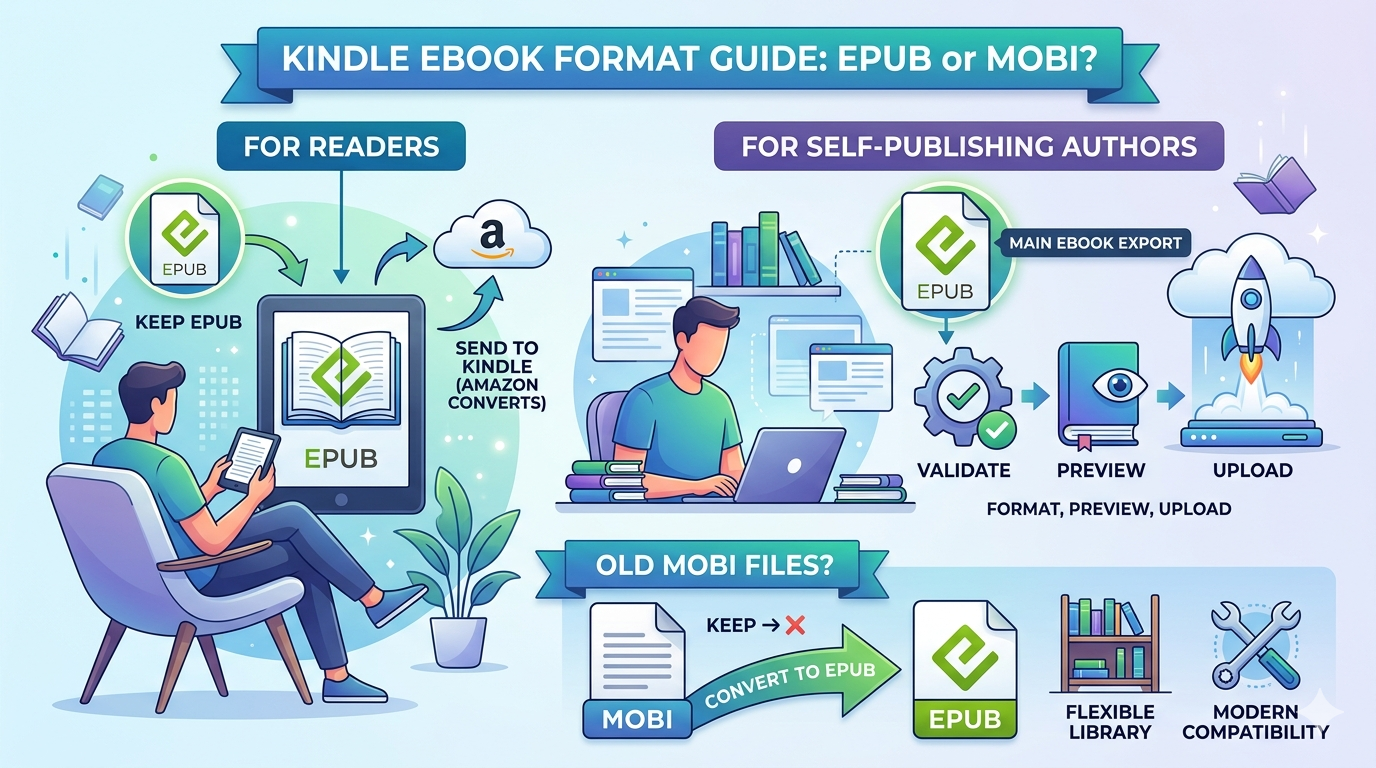
For readers, EPUB is the format I would keep because Send to Kindle accepts EPUB files directly. Just remember that Kindle does not read EPUB natively like Kobo or Apple Books does. Amazon converts the EPUB into a Kindle-compatible format before adding it to your Kindle library.
For self-publishing authors, EPUB should usually be your main ebook export. You can use a professional formatting tool, validate the file, preview it in Kindle Previewer, and upload it through the publishing workflow.
For old MOBI file users, the best answer is not to keep choosing MOBI forever. If the files are DRM-free and legally yours to convert, converting MOBI to EPUB gives you a more flexible library that can work better with modern tools and platforms.
Other Kindle File Formats You May See: PDF, AZW3, KFX, and KPF
Besides EPUB and MOBI, you may also come across several other ebook or Kindle-related formats. You do not need to use all of them, but it helps to know what they mean when you see them in a Kindle workflow.
PDF is a fixed-layout format that keeps the original page design, spacing, images, and layout. It is useful for textbooks, manuals, forms, academic papers, and image-heavy documents, but it is not ideal for regular Kindle reading because the text usually does not reflow well on small screens. However, if you want to print Kindle books, PDF will be the best option since it keeps the layout intact.
AZW3, also called Kindle Format 8 or KF8, is Amazon's newer Kindle format after MOBI. It supports better styling, fonts, images, and layout than old MOBI. You may see it when managing older Kindle books or DRM-free Kindle files, but most authors do not need to create AZW3 manually today.
KFX is a newer Kindle delivery format linked to Amazon's enhanced typesetting system. It supports smoother text rendering, spacing, hyphenation, and other reading improvements on supported Kindle devices. You may see KFX when downloading purchased Kindle books, but it is not a format most authors prepare by hand.
KPF stands for Kindle Package Format. It is the publishable file exported by Kindle Create and uploaded to KDP. You are most likely to meet KPF as a self-publishing author, especially if you format your ebook with Kindle Create.
| Key Features | Pros | Cons | |
| PDF | Fixed-layout format that preserves page design | Great for manuals, textbooks, reports, and print-like documents | Poor reflow on small Kindle screens |
| AZW3 | Amazon Kindle Format 8, newer than old MOBI | Better styling, fonts, images, and layout than MOBI | Kindle-specific, DRM-proteced |
| KFX | Newer Kindle delivery format with enhanced typesetting | Better rendering, spacing, hyphenation, and reading experience | Kindle-specific, DRM-proteced |
| KPF | Kindle Package Format exported by Kindle Create | Good for KDP publishing and Kindle-specific formatting | Only useful inside Amazon's publishing workflow |
How to Convert MOBI to EPUB?
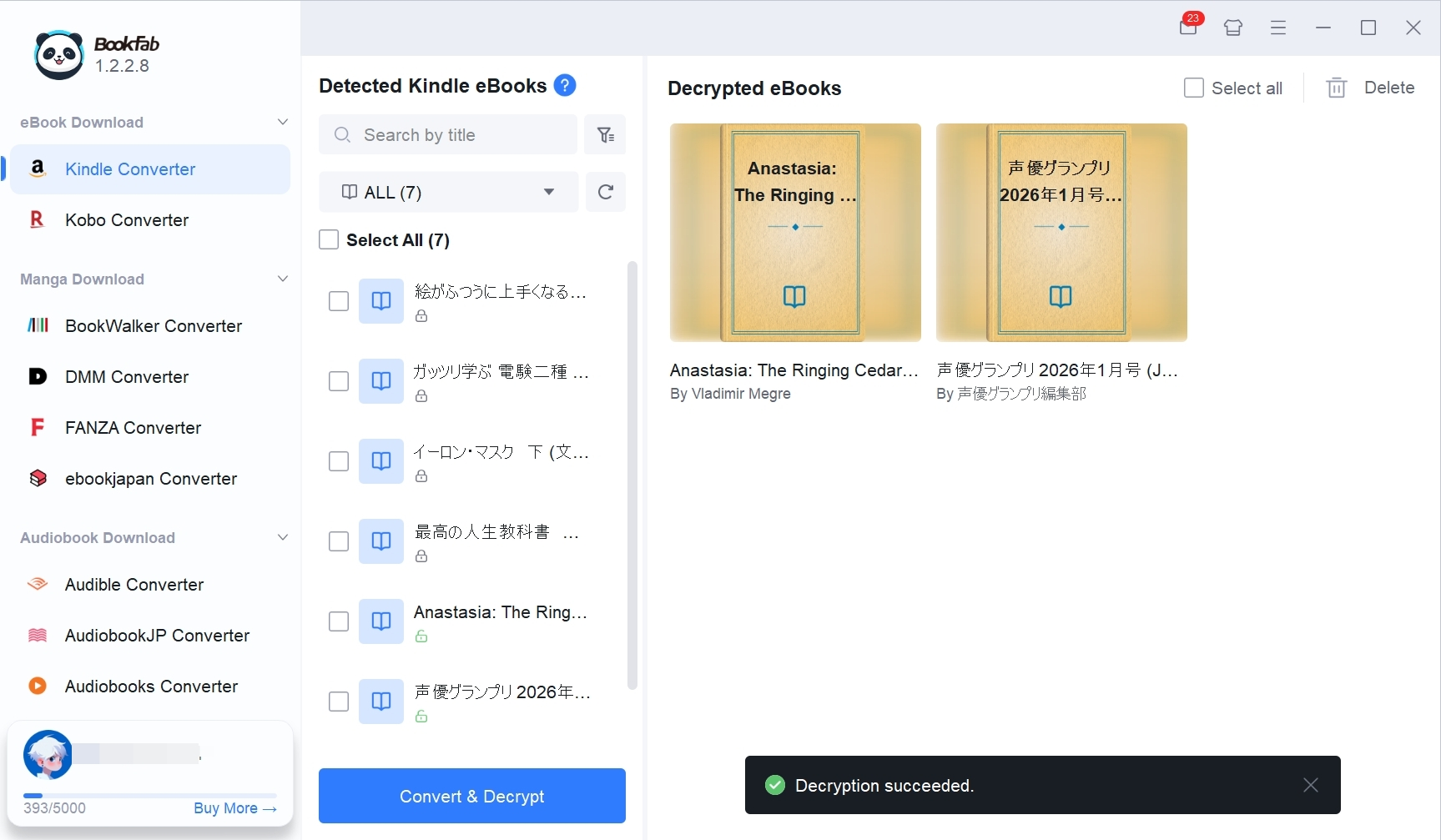
As MOBI gradually fades out of the modern Kindle workflow, converting old Kindle files to EPUB can make your ebook library easier to read, store, and manage. If your purchased Kindle books are in MOBI, AZW3, KFX, or other Kindle-related formats, you can use BookFab Kindle Converter to convert them into DRM-free EPUB or PDF files.
Here is the simplified workflow:
1. Open Kindle for PC, go to your Library, find the Kindle book you want to convert, click the three-dot icon, and download the book to your computer.
2. Launch BookFab Kindle Converter and choose Kindle Converter from the left sidebar. The software will scan and import the Kindle books downloaded through Kindle for PC.
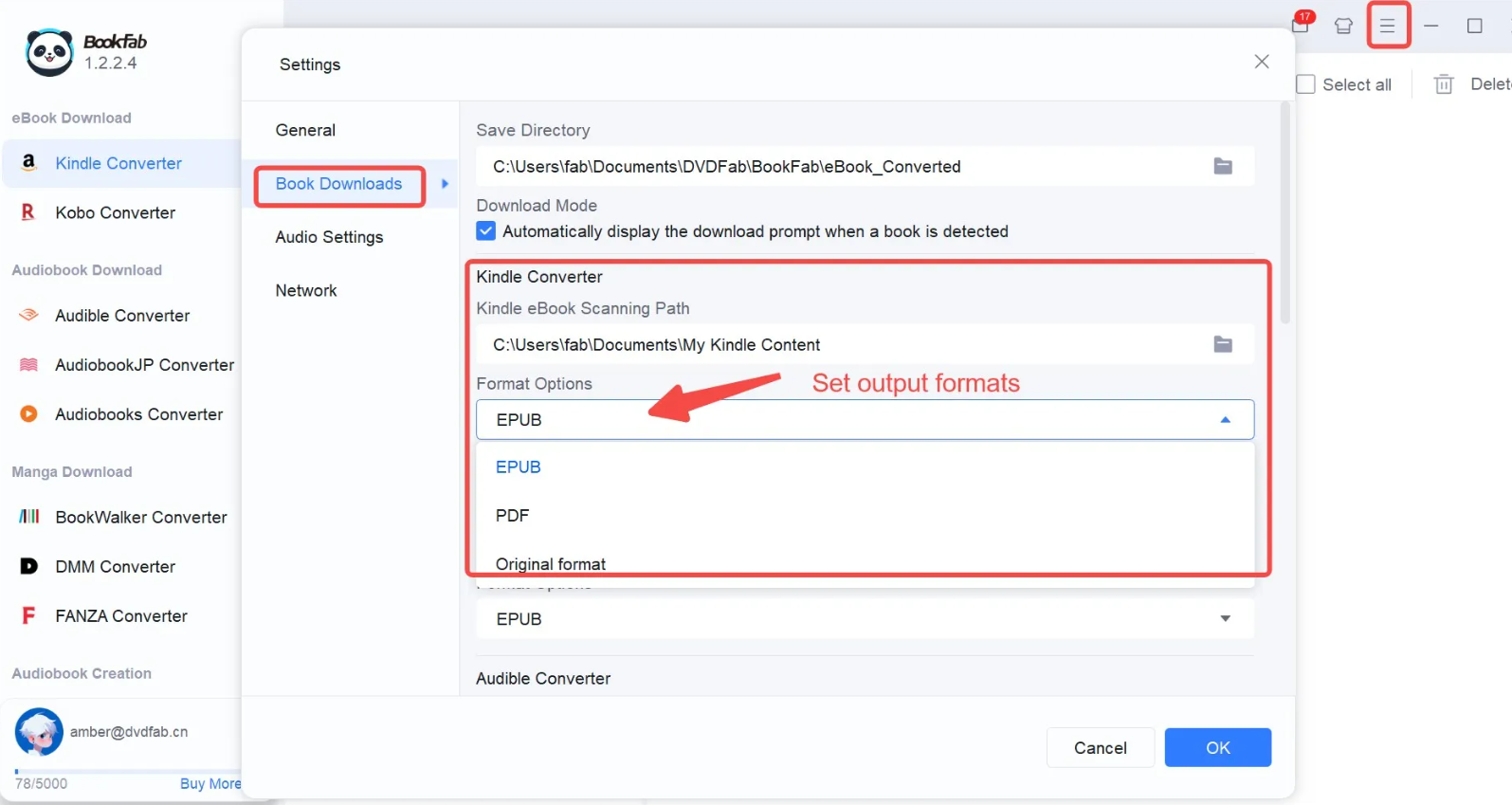
3. Select the books you want to convert, choose EPUB or PDF as the output format, and start the conversion.
4. After conversion, open the output folder and check the converted files. You can then read the EPUB on other ebook apps, transfer it to supported e-readers, or keep it as a more flexible backup copy.
FAQ About EPUB vs MOBI
Which format is best for ebooks with complex layouts or multimedia content?
Can I still read MOBI files on my Kindle after support ends?
That said, MOBI is no longer a good format to rely on going forward. Amazon no longer accepts MOBI files for new or updated Kindle ebooks, and Send to Kindle has moved toward EPUB and other supported formats. If you still have old MOBI books, you can keep reading them if they work on your device, but converting DRM-free MOBI files to EPUB is usually a better long-term choice.
Can EPUB be used directly on Kindle devices?
Does Amazon still accept MOBI files from authors?
Final Verdict: EPUB Is the Better Choice for Kindle Today
So, what's the winner in the Kindle format battle: EPUB vs. MOBI? For most people today, the answer is EPUB.
MOBI has gradually faded out of the Kindle ecosystem and now belongs mostly to older files, old tutorials, and legacy workflows. For self-publishing authors, EPUB is the more practical and future-ready choice for preparing modern ebook files. For readers who want to send books to Kindle, Amazon also supports EPUB through Send to Kindle, where the file is converted into a Kindle-compatible format before it appears in your library.
I hope this guide helps you understand the difference between EPUB and MOBI for Kindle, choose the right format, and manage your Kindle ebooks more easily.

 4 Easy Ways to Convert Kindle to PDFBy Amber Collins - May 18, 2026
 How to Print Kindle Books Without Losing QualityBy Amber Collins - May 14, 2026
![[Quick Solution] How to Remove Kindle DRM on Mac](https://images.dvdfab.cn/media/未命名的设计__87__crpyru.png/public) [Quick Solution] How to Remove Kindle DRM on MacBy Amber Collins - May 11, 2026
[Quick Solution] How to Remove Kindle DRM on MacBy Amber Collins - May 11, 2026 How to Download Kindle Books to PC in 2026 (The Complete Guide)By Amber Collins - May 9, 2026