
Nook vs Kindle: Which E-Reader is Right for You in 2026?

Summary: Many people struggle to decide between Kindle and Nook. To clear up the confusion, this hands-on Nook vs Kindle comparison looks at how both e-readers perform in real reading use, from hardware feel and software experience to format support, book ecosystems, and everyday convenience.
Table of Contents
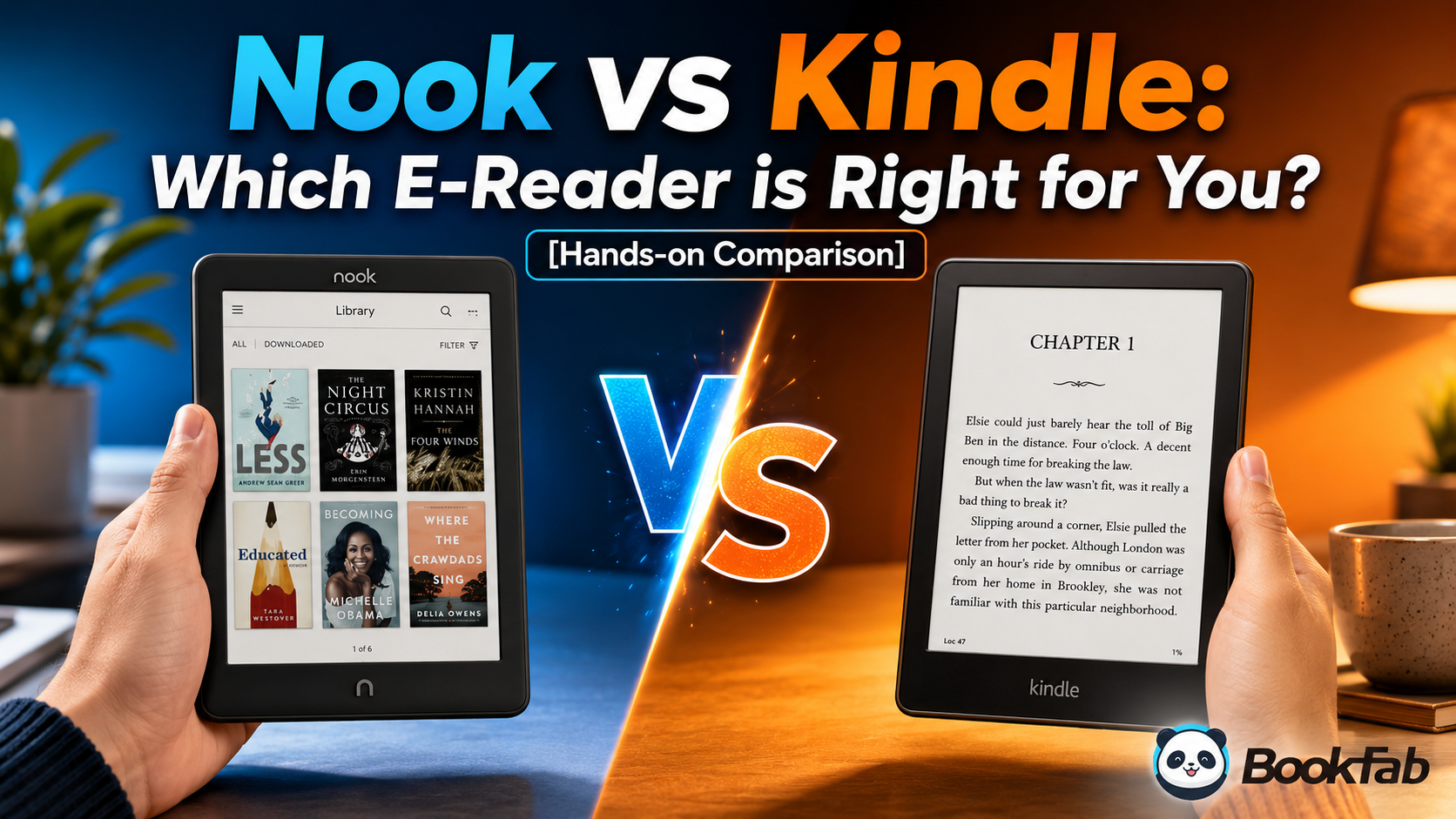
When it comes to e-readers, Amazon Kindle and Barnes & Noble Nook remain two of the most popular brands on the market.
At first glance, Kindle and Nook seem similar: both feature eye-friendly E Ink displays, both can hold an entire library of books, and both are far better suited for long reading sessions than any smartphone or tablet. However, after putting them to the test in my daily life (yes, I actually bought and tested the Kindle Paperwhite 4 and the Nook GlowLight 4), the differences really started to show.
Is the difference between Nook and Kindle really that noticeable? Below, I will dive into the real-world details I noticed during my hands-on time to help you figure out whether Nook or Kindle is the better fit for your reading habits.
Nook vs. Kindle: Key Differences at a Glance
If you already know exactly what you are looking for, such as broader, more versatile format support or longer battery life, you can start with the comparison table below to see whether Nook or Kindle fits your needs.
| Comparison Point | Nook | Kindle |
| Best for | Readers who want physical buttons, a quieter interface, and easier EPUB/PDF sideloading. | Readers who want the strongest bookstore, smoother syncing, and a more polished ecosystem. |
| Design feel | More tactile and book-like, with physical page-turn buttons on many models. | Sleeker and more modern, especially in the Paperwhite lineup. |
| Screen comfort | Larger options like the GlowLight 4 Plus can feel more spacious for home reading. | Paperwhite is compact, sharp, and easier to carry every day. |
| Format support | More traditional EPUB/PDF sideloading via USB. | Send to Kindle can import EPUB and documents, but Amazon processes files inside its ecosystem. |
| Library borrowing | Possible with compatible EPUB/PDF loans, but usually more hands-on. | Easier for many U.S. readers through Libby/OverDrive Kindle delivery. |
| Audio | GlowLight 4 Plus supports audio and includes a headphone jack. | Supports Audible playback through Bluetooth, but no headphone jack. |
| Overall verdict | Better for buttons, fewer distractions, and file flexibility. | Better for convenience, content ecosystem, and everyday polish. |
If you want to dive deeper into the specific differences between Kindle and Nook, along with my hands-on experience, keep reading for the full breakdown.
Nook vs Kindle: Device Design and Reading Comfort
The hardware of an e-reader directly affects how it feels in your hands during your daily reading sessions. Both Nook and Kindle offer crisp, eye-friendly E Ink displays, but they differ when it comes to grip, page-turning, audio options, screen size, and storage. Simply put, Kindle leans into a more modern design and a richer product lineup, while Nook prioritizes physical buttons and a tactile, focus-driven reading experience.
Build and Grip
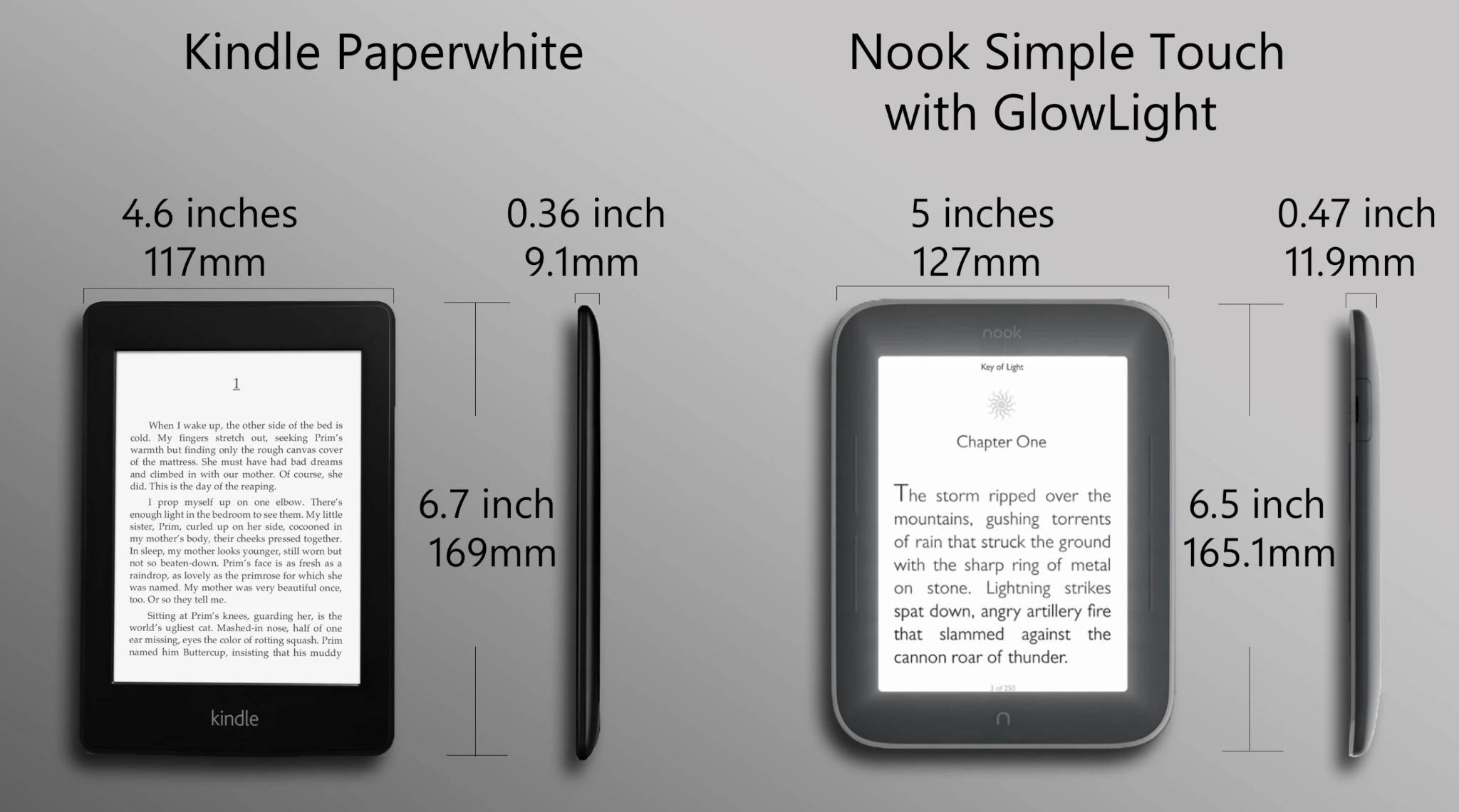
Nook's design philosophy centers on the actual feeling of "holding a book." Many Nook models feature softer back materials and contoured bezels, making them less cold or slippery to hold. For marathon readers, the bezel shape, back texture, and natural finger rests often provide a more comfortable grip. Kindle, on the other hand, opts for a sleeker look. Base models and the Paperwhite lineup typically sport thin, flat plastic bodies, making them easier to slip into a bag.
So, if you prefer a clean, lightweight, and modern aesthetic, Kindle will look more appealing. But if you care more about bezels, buttons, and a secure feel during long reading sessions, Nook offers a more substantial presence.
Page-Turn Buttons
If physical page-turn buttons and overall grip matter to you, Nook has a clear advantage. Whether you are reading single-handed, lying down, or holding the device in one position for hours, your fingers can rest naturally on the bezel without needing to tap the screen every time. It might seem like a minor hardware detail, but when you multiply it by hundreds of page turns per book, the comfort of physical buttons really stands out.
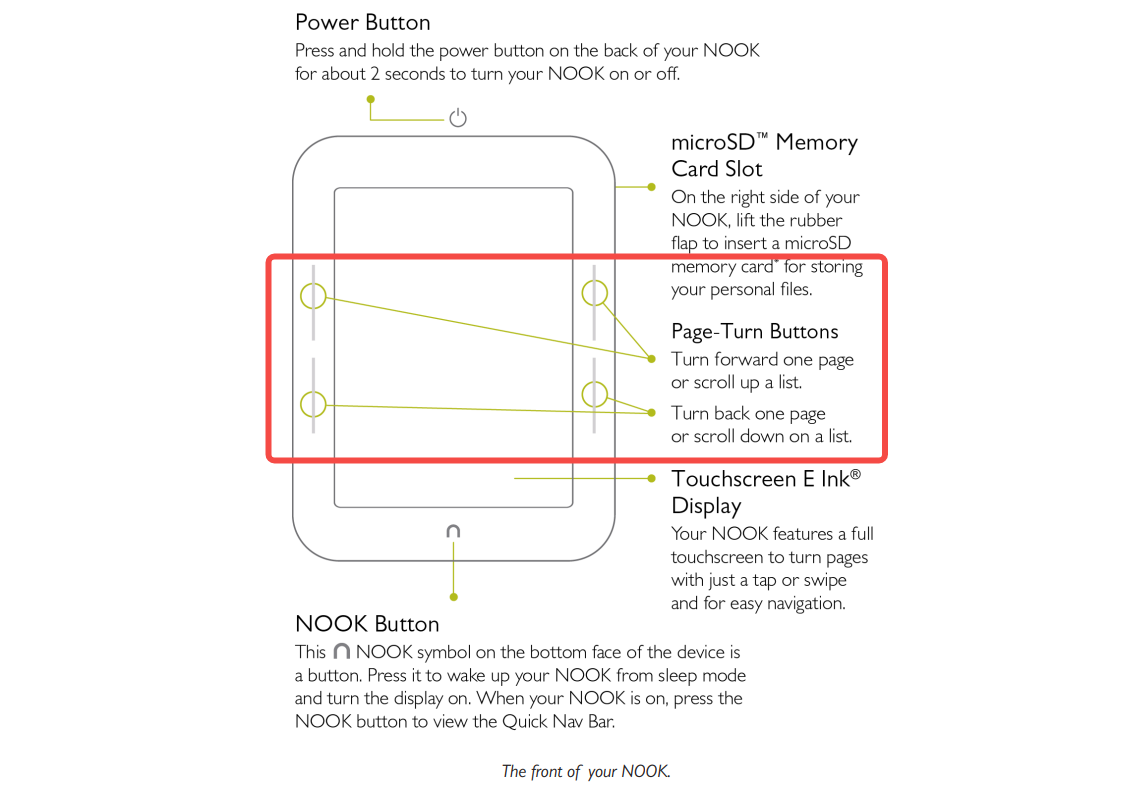
In contrast, in 2026, Kindle mainly relies on touchscreen controls. Only the high-end Oasis models offer physical page-turn buttons, paired with ergonomic grips and an accelerometer for hand orientation detection. However, Amazon has stopped restocking the Kindle Oasis, and the Oasis was the last Kindle model to feature physical page-turn buttons. This means if you want to buy a mainstream Kindle with physical buttons right now, your options are very limited.
That said, Kindle users are not completely out of options for buttonless turning. Amazon introduced a double-tap page-turn feature for the current Paperwhite and Colorsoft models, allowing users to page forward by double-tapping the side or back of the device. Many Kindle users also pair their devices with third-party page-turn remotes or stands, which makes reading much more comfortable when lying down or when the Kindle is propped up on a nightstand or desk.
Audio and Charging
Ports and audio features are among the most overlooked strengths of the Nook GlowLight 4 Plus. The Nook GlowLight 4 Plus stands out with a headphone jack, Bluetooth for audiobooks, USB-C charging, and IPX7 waterproofing, making it the first Nook to offer audio support. Since many electronic devices, even iPhones, have ditched the headphone jack, this design is highly practical for users who prefer wired headphones.
Kindle e-readers, such as the Paperwhite, also include USB-C and Bluetooth for Audible playback and feature IPX8 waterproofing. However, none of the Kindle models include a headphone jack. If you listen to Audible audiobooks on a Kindle, you are limited to using Bluetooth headphones.
Screen and Lighting
Both Kindle and Nook are much better suited for long reading sessions than phones or tablets because they use E Ink screens. The text rendering is much closer to real paper, avoiding the harsh eye strain caused by LCD or OLED screens.
Kindle's highly popular Paperwhite series uses a 7-inch, 300 ppi display that supports front lighting and adjustable warm light. The Nook GlowLight 4 Plus features an even larger 7.8-inch display, also at 300 ppi, with a flush-front design. This larger screen is perfect for readers who prefer larger font sizes and a more spacious layout. Both devices support night reading and dark mode. However, in my experience, Nook's light feels a bit softer; I once pulled an all-nighter reading for four hours and did not feel any severe eye strain.
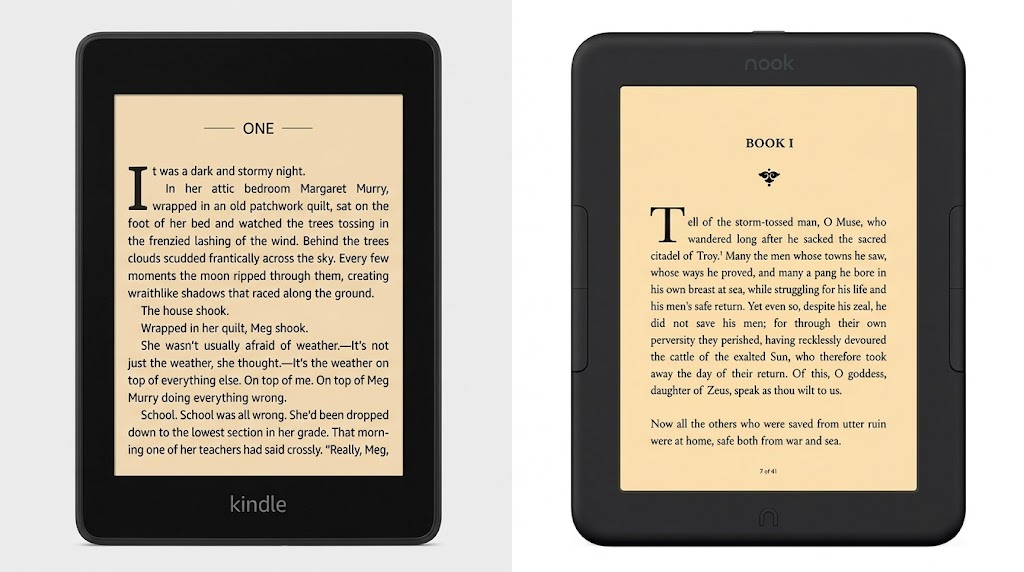
When it comes to the screen, I do not recommend looking at raw specs alone. It is best to match it to your reading habits. If you commute often and carry it everywhere, the Kindle Paperwhite is lighter and more compact. If you prefer reading at home for long stretches, the larger screen and physical buttons of the Nook GlowLight 4 Plus will feel more comfortable.
Software and Daily Use
Kindle has the smoother software experience. Its library search, syncing, personal document delivery, and reading tools feel more complete, especially if you already use Amazon services. Features like X-Ray, Word Wise, Vocabulary Builder, Send to Kindle, and Goodreads integration make Kindle feel more polished for daily reading. Amazon also continues to add new software features, such as double-tap page turning for newer Paperwhite and Colorsoft models and Recaps for supported book series.
Nook keeps things simpler. That can be pleasant if you mainly want to open a book and read, but it also means fewer advanced reading tools, fewer wireless file options, and a less refined interface. If you care about software polish and ongoing updates, Kindle has the edge. If you prefer a cleaner, more basic reading setup, Nook may still be enough.
Storage and Portability
First off, neither brand currently supports microSD card expansion. Kindle usually starts at 16GB of base storage, while models like the Colorsoft and Scribe offer higher capacity options. The Nook GlowLight 4 Plus comes with 32GB of storage. Personally, I do not think there is a massive difference between the two capacities because both are more than enough for regular e-books. You do not need to stress over storage unless you plan to store a massive amount of manga, PDFs, or audiobook files.
As for weight, Kindles fall within the 6.7-7.4 oz range, making them lighter and better suited for commuting and on-the-go reading. The Nook GlowLight 4 Plus, given its larger screen, feels more substantial and has a noticeable presence in your hand.
Kindle vs Nook: Bookstores, Formats, and File Transfer
This is where the real division lies between Kindle and Nook. Choosing between them comes down to a fundamental choice: do you want a highly polished, cloud-connected ecosystem, or an open, traditional file reader? Here is how both platforms stack up when it comes to buying, sideloading, and borrowing your next read.
Bookstore and Subscriptions
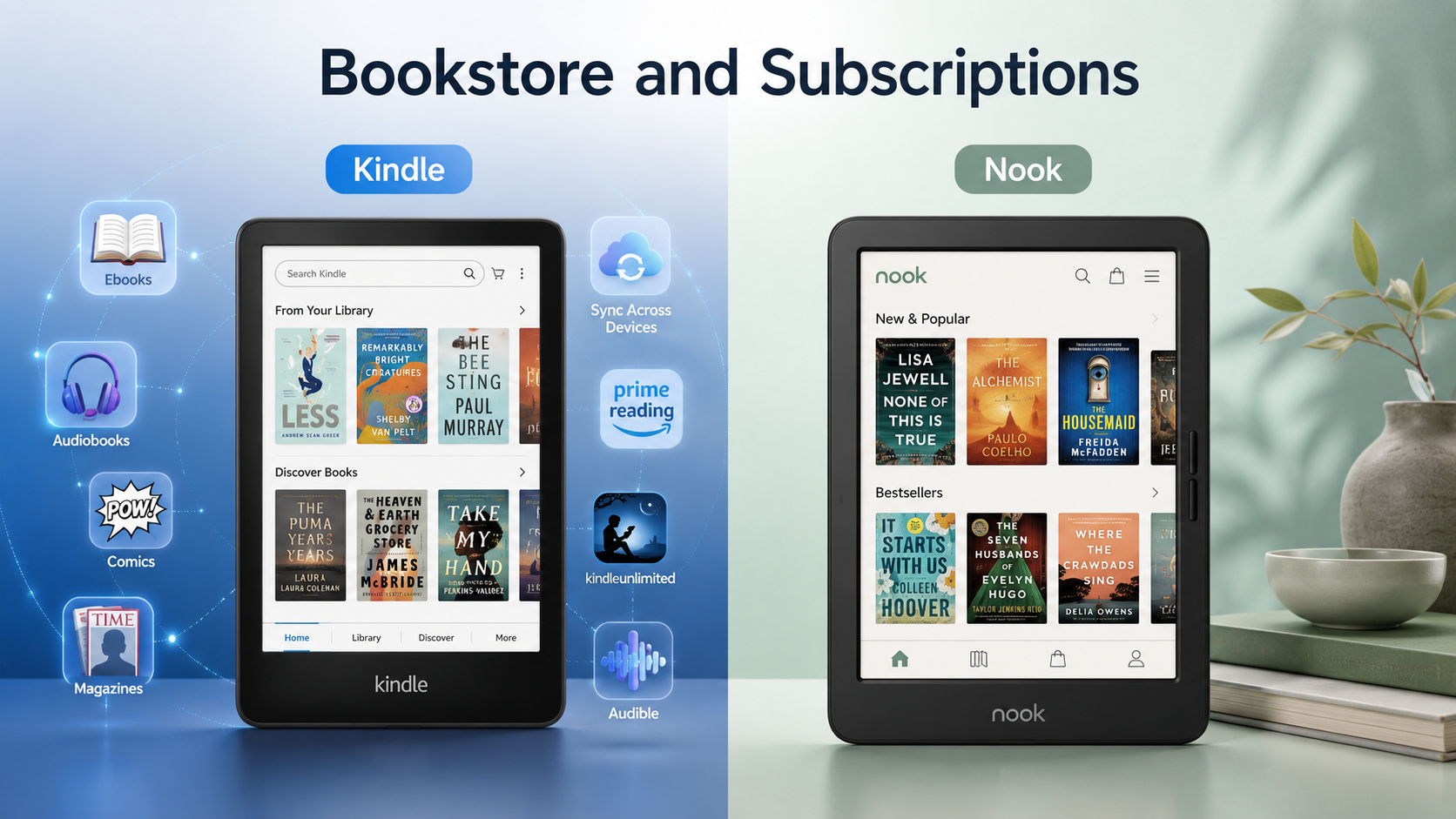
Amazon has the stronger content ecosystem overall. The Kindle Store includes bestsellers, self-published books, magazines, comics, and some Kindle exclusives. Kindle also connects with Kindle Unlimited, Audible, Goodreads, the Kindle app, and Amazon account syncing.
Nook does not have a Kindle Unlimited equivalent at the same scale, but the Nook Store still covers most mainstream reading needs. It works best for readers who already buy from Barnes & Noble or prefer a device that feels less tied to Amazon recommendations.
EPUB, PDF, and Sideloading
Nook takes a more traditional approach to format support and file transfer. It supports common formats like EPUB and PDF, so if you are used to keeping your own eBook files, you can transfer them directly via USB. If you are mainly trying to save or manage your Barnes & Noble library outside the Nook device, you can also read our guide on how to download Nook books to your devices.
Kindle has become more flexible because Send to Kindle can import EPUB files, along with PDF and other personal documents. However, Amazon still processes those files inside its own system, so Kindle is convenient but not fully open in the same way a standard EPUB reader is. Amazon's Send to Kindle service can send EPUB, PDF, Word documents, images, and other file types to the Kindle library, where Amazon converts supported files for Kindle reading.
Library Borrowing
For many U.S. readers, Kindle is easier for library borrowing. Eligible Libby/OverDrive books can be sent into the Kindle ecosystem, which makes the process feel close to normal Kindle reading. Nook can still work with library EPUB/PDF loans, but the process is usually more hands-on.
If you borrow library books often, Kindle will usually save more time. If you only borrow occasionally and are comfortable transferring files, Nook can still work.
Can Kindle Books Be Read on a Nook?
Not directly. Kindle books are tied to Amazon's ecosystem and may use Amazon formats or DRM protection. A Nook is not designed to open Kindle purchases as normal Nook books.
If you need to manage Kindle books as EPUB or PDF for personal reading, backup, or device organization, you would need a separate conversion tool such as BookFab Kindle Converter to convert Kindle books and then transfer them to Nook or other devices.
Nook vs Kindle: What Else Can They Do?
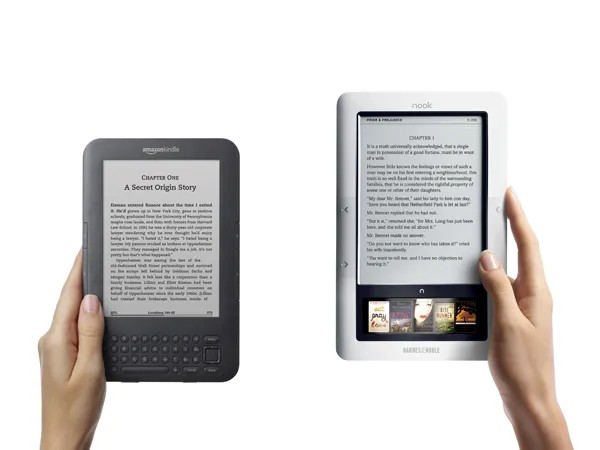
Kindle and Nook are built for focused reading, so their extra features are intentionally limited. This is not necessarily a drawback. In fact, fewer apps and fewer distractions are part of the reason many readers choose an E Ink device instead of a tablet.
Web Browsing
Kindle includes a basic experimental browser for simple text-heavy pages, but it is slow and not meant for regular web use. Current Nook GlowLight models are even more reading-focused and do not provide a normal browser experience. I would not choose either device for web browsing; if that matters, a tablet is the better choice.
Images and Video
Both Kindle and Nook can display book covers, grayscale illustrations, and images inside supported files, but neither is built for video. E Ink screens are optimized for text, not motion or rich media. If you want streaming, YouTube, colorful magazines, or heavy visual content, you will be happier with a tablet or a color e-reader.
Apps and Multitasking
Kindle and Nook e-readers are not app-first devices. Kindle includes useful reading tools such as Vocabulary Builder, Word Wise, and Goodreads integration, while Nook keeps the interface simpler with library and store access. Neither device is meant for app downloads, split-screen reading, or real multitasking. For that, a Fire tablet, iPad, or Android tablet makes more sense.
FAQs
What's the biggest difference in the Nook vs Kindle experience?
Can I use third-party apps on Kindle or Nook?
Are Nook page-turn buttons really useful?
Do you get free books with a Nook?
Can I sideload books onto a Nook?
Which is better for kids: Nook vs Kindle?
Final Verdict: Should You Buy Nook or Kindle?
Kindle is the better all-around choice. It has the stronger bookstore, Kindle Unlimited, Audible, smoother U.S. library borrowing, Send to Kindle, and more device options.
Nook is better for a smaller group of readers: those who want physical page-turn buttons, a cleaner interface, the convenience of sideloading EPUBs and PDFs, and a more traditional reading feel.
So my verdict is simple: choose Kindle for convenience and ecosystem; choose Nook for buttons, fewer distractions, and file flexibility.

 4 Easy Ways to Convert Kindle to PDFBy Amber Collins - May 18, 2026
 How to Print Kindle Books Without Losing QualityBy Amber Collins - May 14, 2026
![[Quick Solution] How to Remove Kindle DRM on Mac](https://images.dvdfab.cn/media/未命名的设计__87__crpyru.png/public) [Quick Solution] How to Remove Kindle DRM on MacBy Amber Collins - May 11, 2026
[Quick Solution] How to Remove Kindle DRM on MacBy Amber Collins - May 11, 2026 How to Download Kindle Books to PC in 2026 (The Complete Guide)By Amber Collins - May 9, 2026