How to Download Audiobooks.com Audiobooks as MP3: A Step-by-Step Guide

Summary: Audiobooks.com limits listening to its app. This tutorial shows how to download audiobooks.com audiobooks as high-quality MP3s files in four steps, granting you full ownership and the freedom to enjoy your purchased audiobooks offline on any device or car media player.
Table of Contents
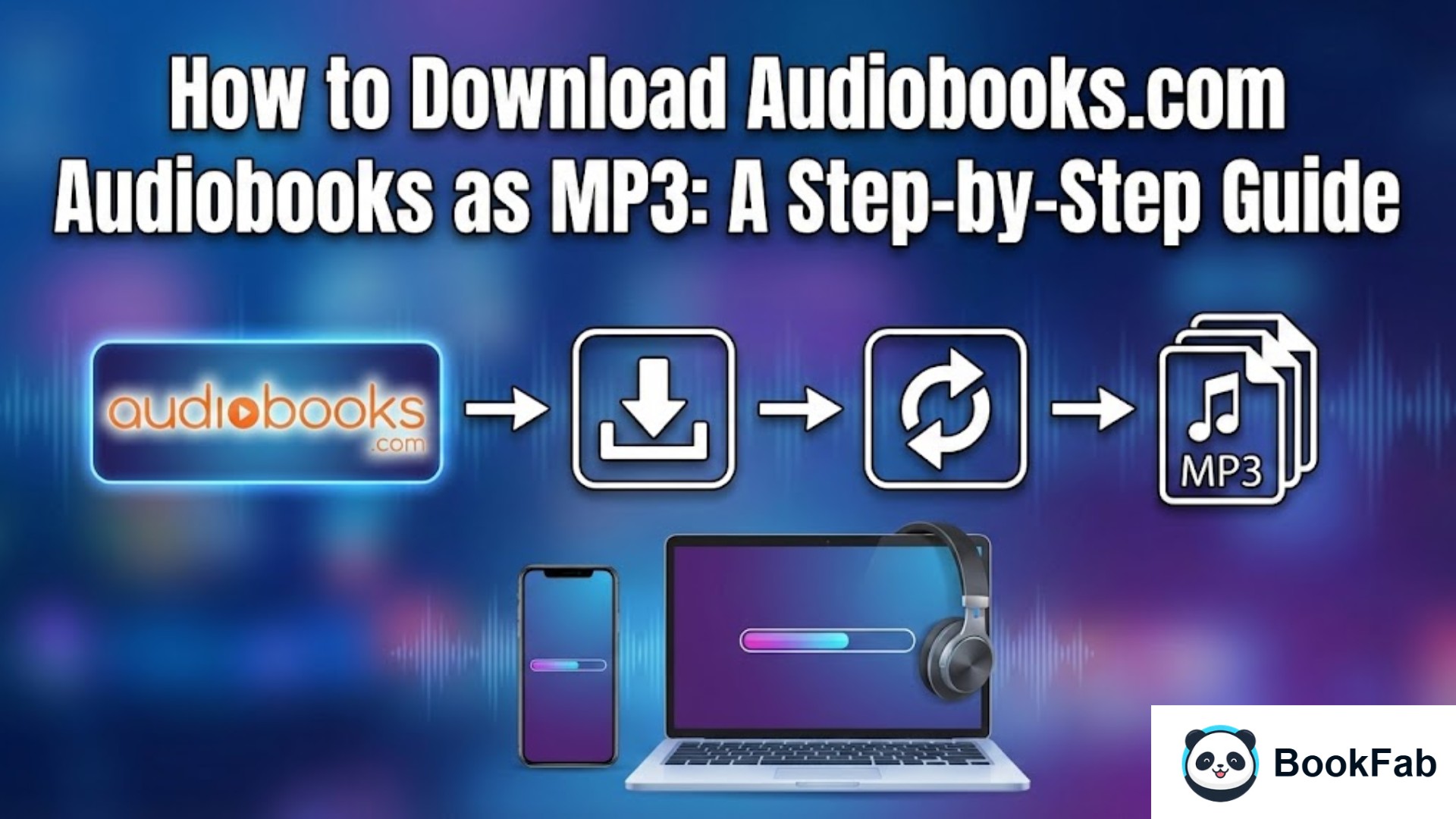
Audiobooks.com offers a massive library of over 450,000 titles, but it comes with a major limitation: you can't officially download from audiobooks.com as MP3 files. Your purchased books are "locked" within their app, preventing you from transferring them to an MP3 player or a car media system.
To truly own your Audiobooks.com content, you need BookFab Audiobooks Converter. This tool allows you to easily download from audiobooks.com and convert your library into MP3s without quality loss. It’s a reliable way to bypass restrictions and enjoy your audiobooks with total freedom.
- Download Audiobooks.com audiobooks as MP3, M4A, FLAC, WAV, or OPUS files.
- Works for both purchased audiobooks and titles redeemed with credits.
- Sign in and download from audiobooks.com directly with built-in browser.
- Experience lossless audio fidelity in every conversion.
- Automatically preserves cover art and book details for a clean library.
Here is the step-by-step tutorial on how to download from Audiobooks.com and save your audiobooks as MP3 files.
Step 1: Open BookFab Audiobooks Converter
Download and install BookFab Audiobooks Converter on your PC. Once installed, launch the program.
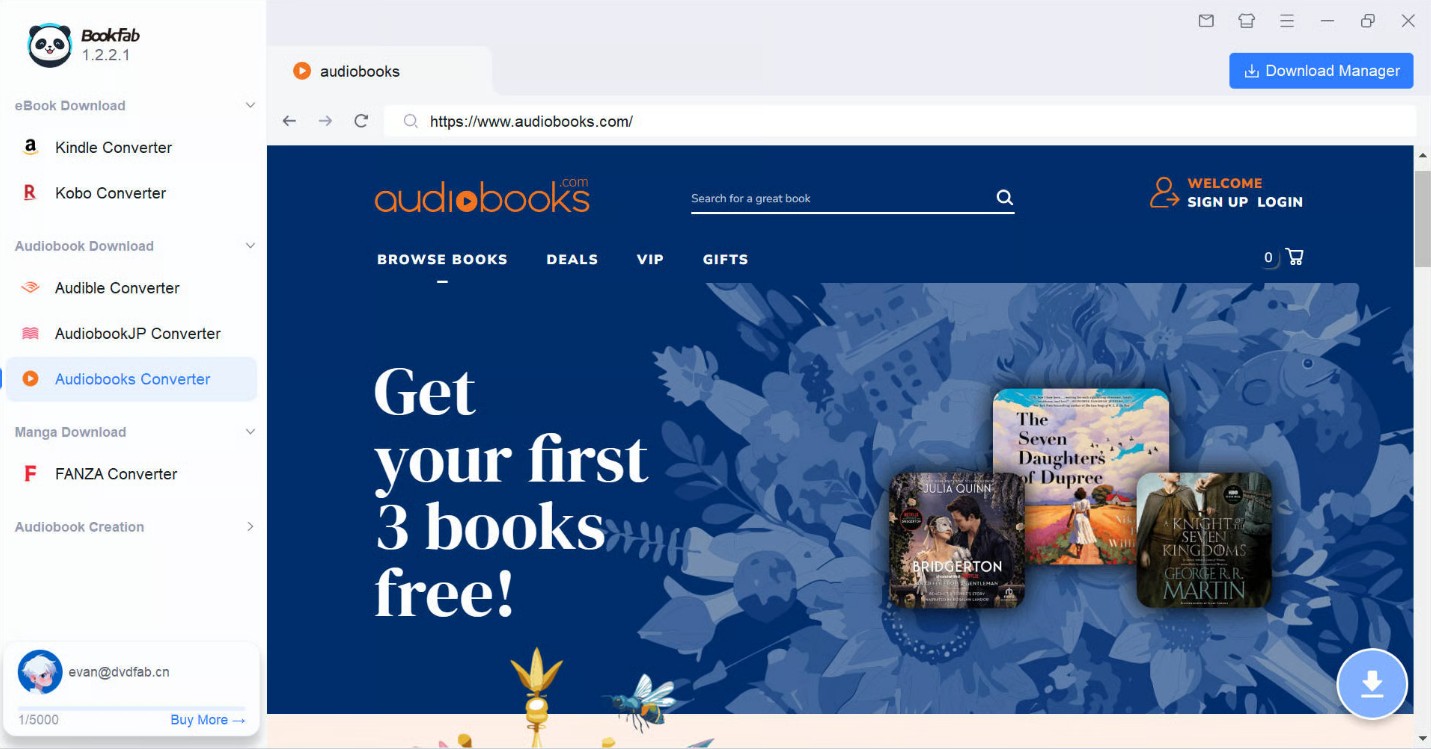
On the main interface, select the Audiobooks Converter module on the left-hand sidebar. This dedicated tool is specifically designed to handle the Audiobooks.com download process.
Step 2: Sign In to Your Audiobooks.com Account
In Audiobooks Converter module,use the in-app browser to navigate to Audiobooks.com and sign in to your account. This connection allows the software to safely access your personal library. Once logged in, go to your "My Books" or "Library" section to see your purchased and credit-redeemed audiobooks.
Step 3: Select Your Audiobook and Choose MP3 Format
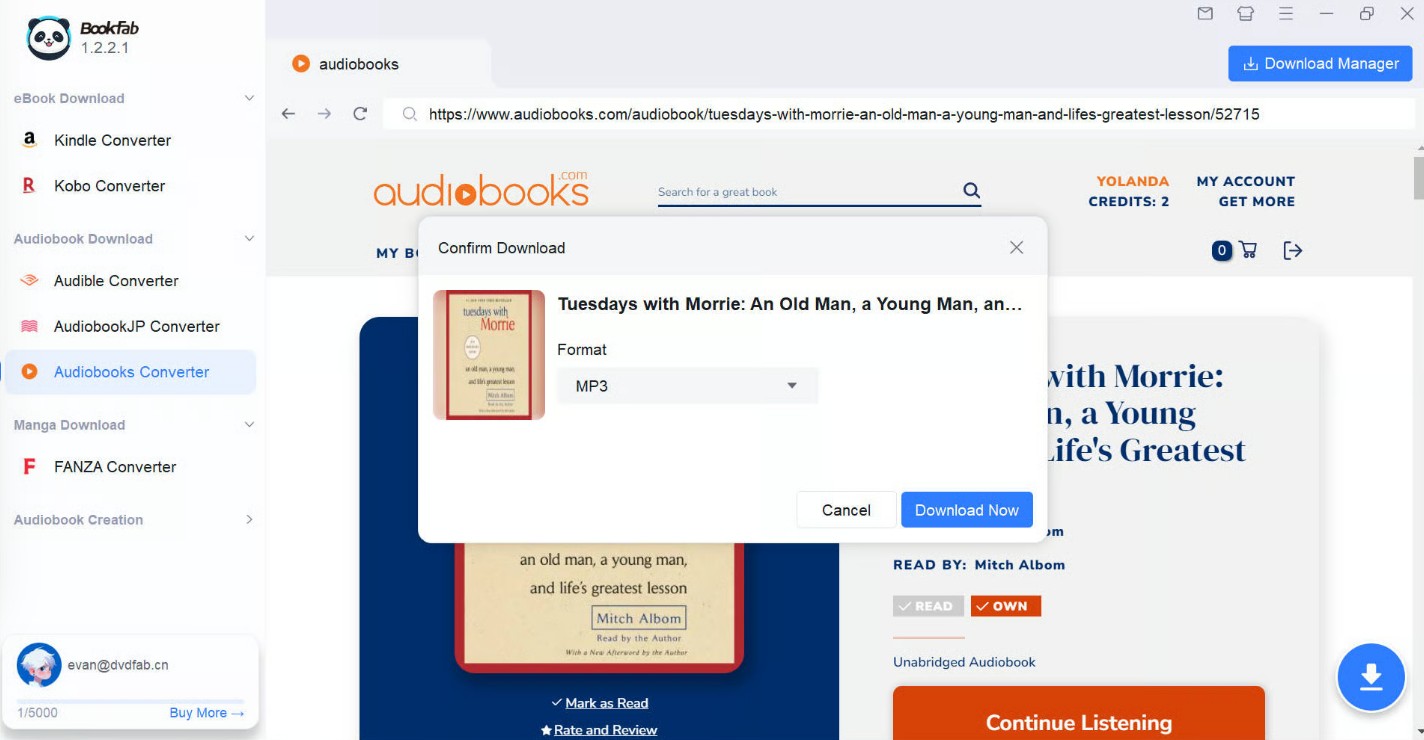
Click on the specific audiobook you wish to download. As soon as you open the audiobook's detail page, BookFab will automatically parse the data and trigger a Download Confirm box.
From the output dropdown menu, choose MP3 to ensure maximum compatibility across all devices. You can also choose other formats like M4A or FLAC depending on your preference for file size or audio quality.
Step 4: Download Audiobooks.com Audiobooks as MP3
Click the "Download Now" button to initiate the process.
To track your progress, click on the Download Manager. Here, you can see the real-time status of your download from Audiobooks.com.
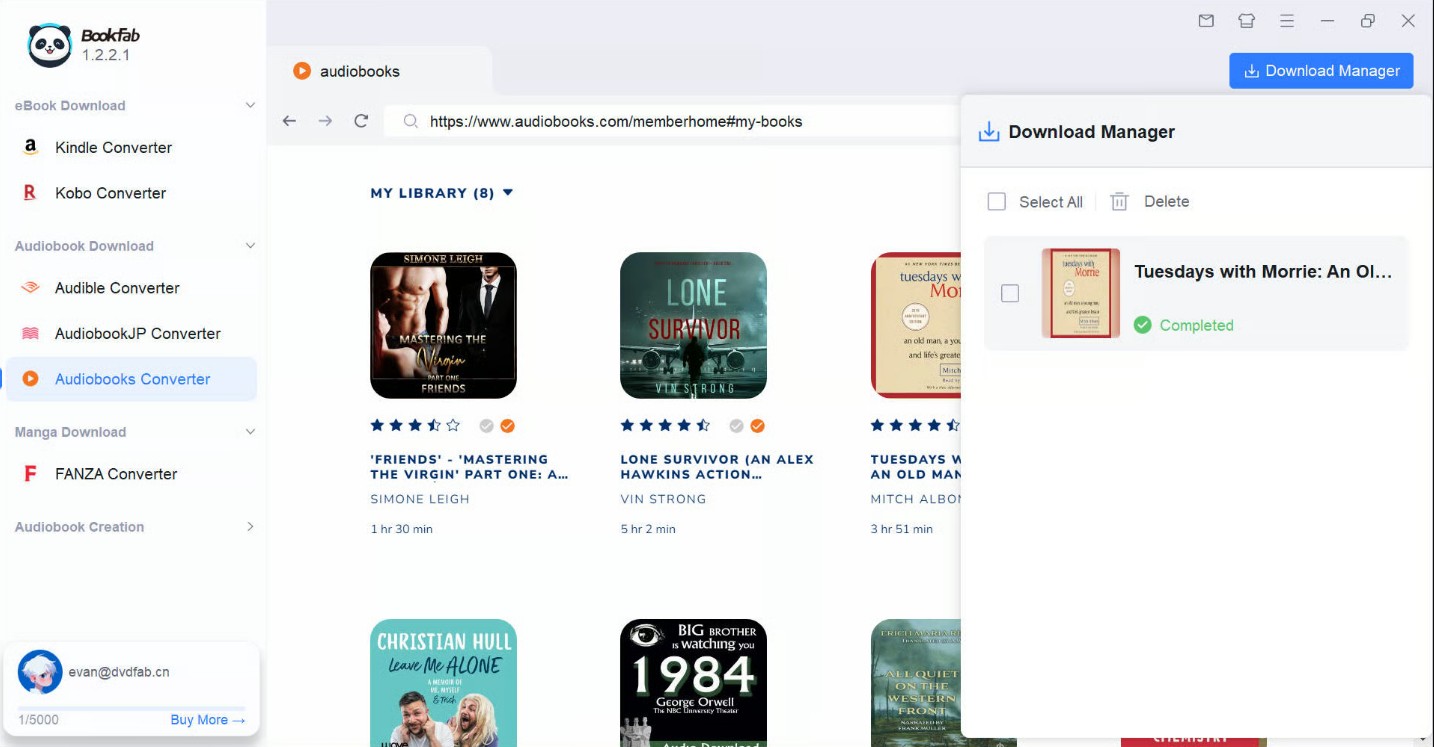
While your book is downloading, you can also add new download tasks and manage them all from this panel.
Once the download is complete, click the folder icon within the Download Manager to open the directory where your high-quality MP3 files are stored. Your audiobook is now ready for offline listening on any device.
FAQ
How to download audiobooks from Audiobooks.com?
Officially, the platform only allows "downloads" for offline listening within their iOS or Android apps. These files are encrypted and cannot be moved. To download from Audiobooks.com as an actual file you can keep, you must use a third-party tool like BookFab Audiobooks Converter, which bypasses these restrictions and saves the audio directly to your hard drive.
Is Audiobooks.com the same as Audible?
No, they are competitors. While both offer massive libraries and subscription models, Audiobooks.com is owned by Storytel, whereas Audible is an Amazon company. Audiobooks.com often features different deals and a unique "Club" system. Regardless of the platform, tools like BookFab help you manage your digital library across different ecosystems.
Is it legal to convert my audiobooks to MP3?
If you have purchased the audiobook or redeemed it with credits, downloading it for personal use is generally considered fair use in many regions. However, you should never share these files or distribute them publicly, as that would violate copyright laws. Please carefully read your local laws and regulations to ensure that your actions comply with legal requirements.
Conclusion
While Audiobooks.com doesn't offer a native way to download audiobooks as MP3s, BookFab Audiobooks Converter fills that gap. By using this professional software to download from audiobooks.com, you can transform your purchased or credit-redeemed titles into MP3 and other DRM-free formats, allowing you to enjoy your favorite stories on any device, anytime, without limits.