How to Download Readly Magazines as PDF or EPUB for Offline Reading

Summary: This guide shows how to download Readly magazines for offline reading. You'll learn the difference between app downloads and local files, then follow simple steps to download Readly magazines as PDF or ePub with BookFab.
Many Readly subscribers want to download Readly magazines for offline reading. However, Readly magazines are usually DRM-protected. You can download them for offline reading directly within the Readly app on your phones or tablets, but you cannot back them up as local files. This guide shows how to use BookFab Readly Converter to download Readly magazines as PDF, EPUB, or JPEG for personal offline reading.
Readly Offline Reading vs. PDF/EPUB Download
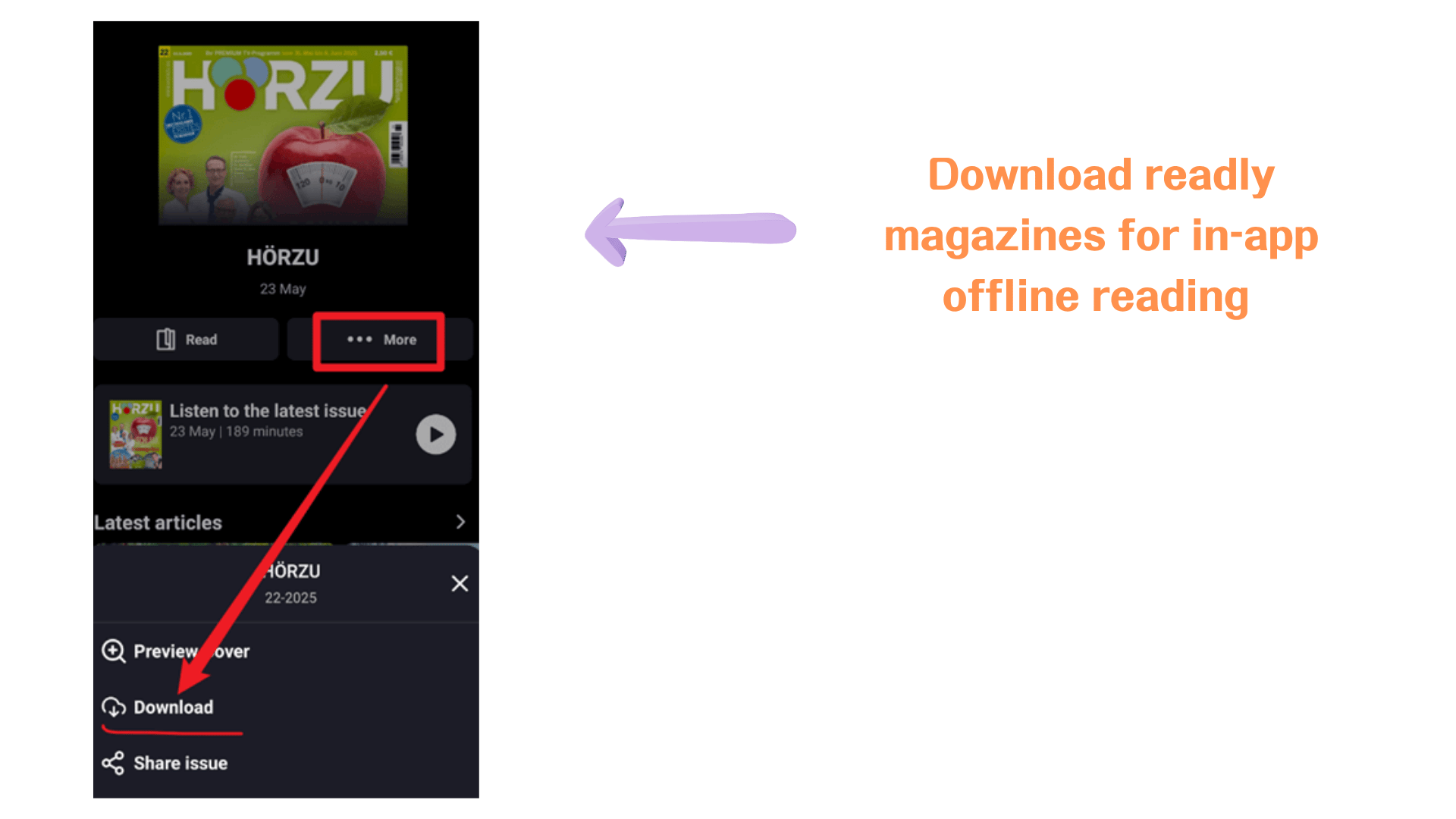
Readly's offline reading feature is useful when you want to read magazines inside the Readly app without an internet connection. In the app, you can download an issue to your mobile device, find it under the Downloads area, and continue reading it offline. However, those downloaded magazines are still tied to the Readly app and your account, so they are not the same as standalone files saved on your computer.
If your goal is to keep a magazine as a local file, organize issues in your own folders, or open them outside the Readly app, PDF or EPUB download is a better fit.
| Feature / Limitation | Readly Offline Reading | PDF/EPUB Download |
| Read without internet | Yes, inside the Readly app | Yes, after the file is saved locally |
| Read without logging in | No, access still depends on the Readly app and account | Yes, once the file is saved locally |
| Save as a standalone file | No | Yes |
| Open outside the Readly app | No | Yes |
| Manage files by folder or issue | Limited | Easier |
| Download quantity limit | Usually limited by app settings, from 30 to 500 magazines per device; older downloads may be removed when the limit is reached | No fixed Readly app download limit after files are saved locally |
| Choose PDF or EPUB format | No | Yes |
How to Download Readly Magazines as PDF/EPUB with BookFab Readly Converter
BookFab Readly Converter helps you download and convert Readly magazines to PDF, EPUB, or JPEG files. Instead of only caching magazines inside the Readly app, it lets you open Readly in a built-in browser, detect the magazine you want to save, and download it in DRM-free format.
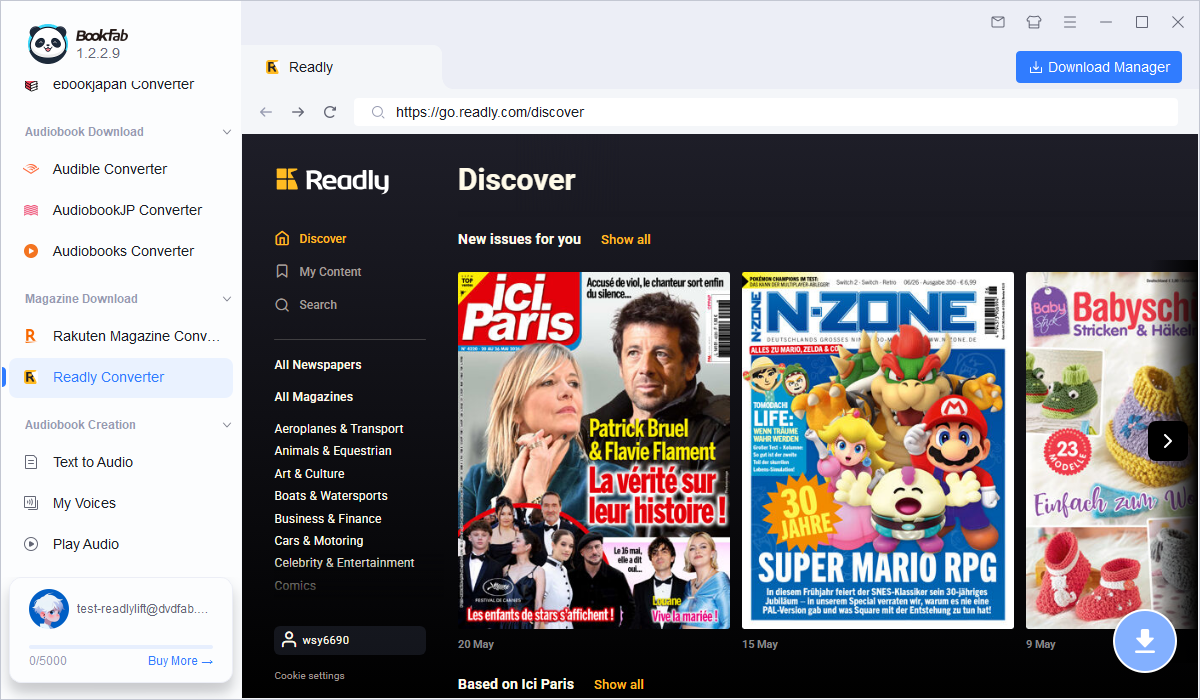
Step 1. Open BookFab Readly Converter and Log in to Readly
Download and install BookFab on your computer.
Launch the software, open the Readly section, and log in with your Readly account in the built-in browser. Make sure your Readly subscription is active, since the tool needs access to your available magazines before it can detect and download them.
Step 2. Open the Readly Magazine You Want to Download
After logging in, browse your Readly library or search for the magazine issue you want to save. Open the magazine in the built-in browser and wait until the reading page loads properly. Once the magazine content is detected, BookFab will prepare it for downloading.
Step 3. Choose Output Format and Download
Click the Download button and choose your output format. Select PDF to keep the original magazine layout, EPUB for flexible reading across devices, or JPEG to save pages as images. After choosing the format, click Download Now to start.
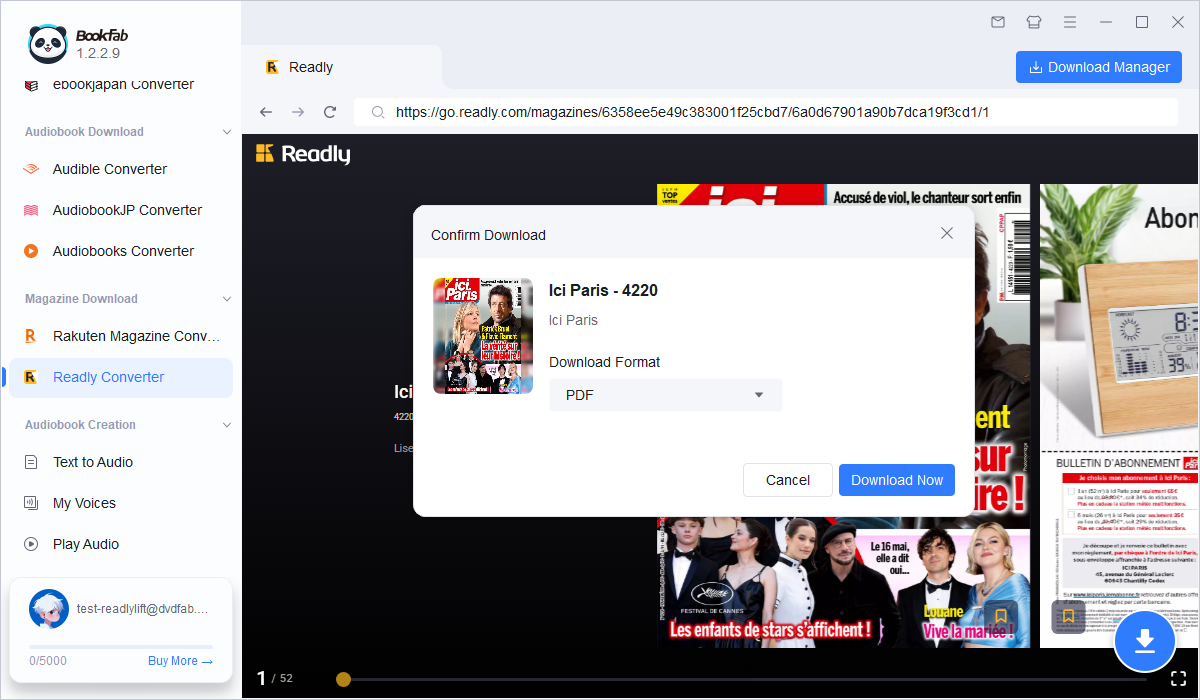
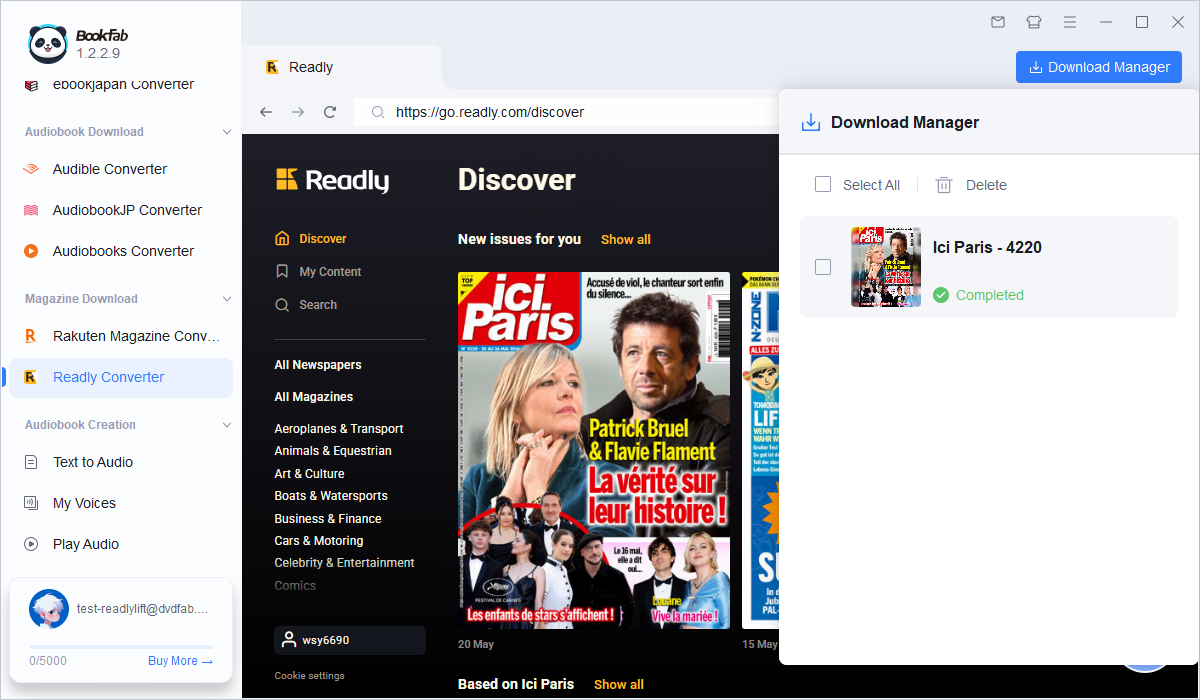
Once the download begins, you can track its progress in the download manager. You can also keep browsing other magazines and add more issues to the download queue. When finished, the magazine will be saved to your local folder in the selected format, ready for offline reading outside the Readly app.
FAQ
Is it legal to download Readly magazines as PDF or EPUB?
Is PDF or EPUB better for Readly magazines?
Can I download Readly magazines as PDF directly from the Readly app?
How do I use a Readly coupon?
How do I cancel a Readly subscription?
Conclusion
To download Readly magazines as PDF, app-based offline reading is not enough. Readly is great for smooth magazine reading inside the app, but PDF or EPUB conversion gives you more control over your personal magazine collection. With BookFab Readly Converter, you can save high-quality Readly issues locally, read them offline outside the app, and keep your favorite magazines organized on your computer.