How to Download Readly Magazines as PDF or EPUB for Offline Reading

Summary: This guide shows how to download Readly magazines for offline reading. You'll learn the difference between app downloads and local files, then follow simple steps to download Readly magazines as PDF or ePub with BookFab.
Many Readly subscribers want to download Readly magazines for offline reading. However, Readly magazines are usually DRM-protected. You can download them for offline reading directly within the Readly app on your phones or tablets, but you cannot back them up as local files. This guide shows how to use BookFab Readly Converter to download Readly magazines as PDF, EPUB, or JPEG for personal offline reading.
Readly Offline Reading vs. PDF/EPUB Download
Readly's offline reading feature is useful when you want to read magazines inside the Readly app without an internet connection. In the app, you can download an issue to your mobile device, find it under the Downloads area, and continue reading it offline. However, those downloaded magazines are still tied to the Readly app and your account, so they are not the same as standalone files saved on your computer.
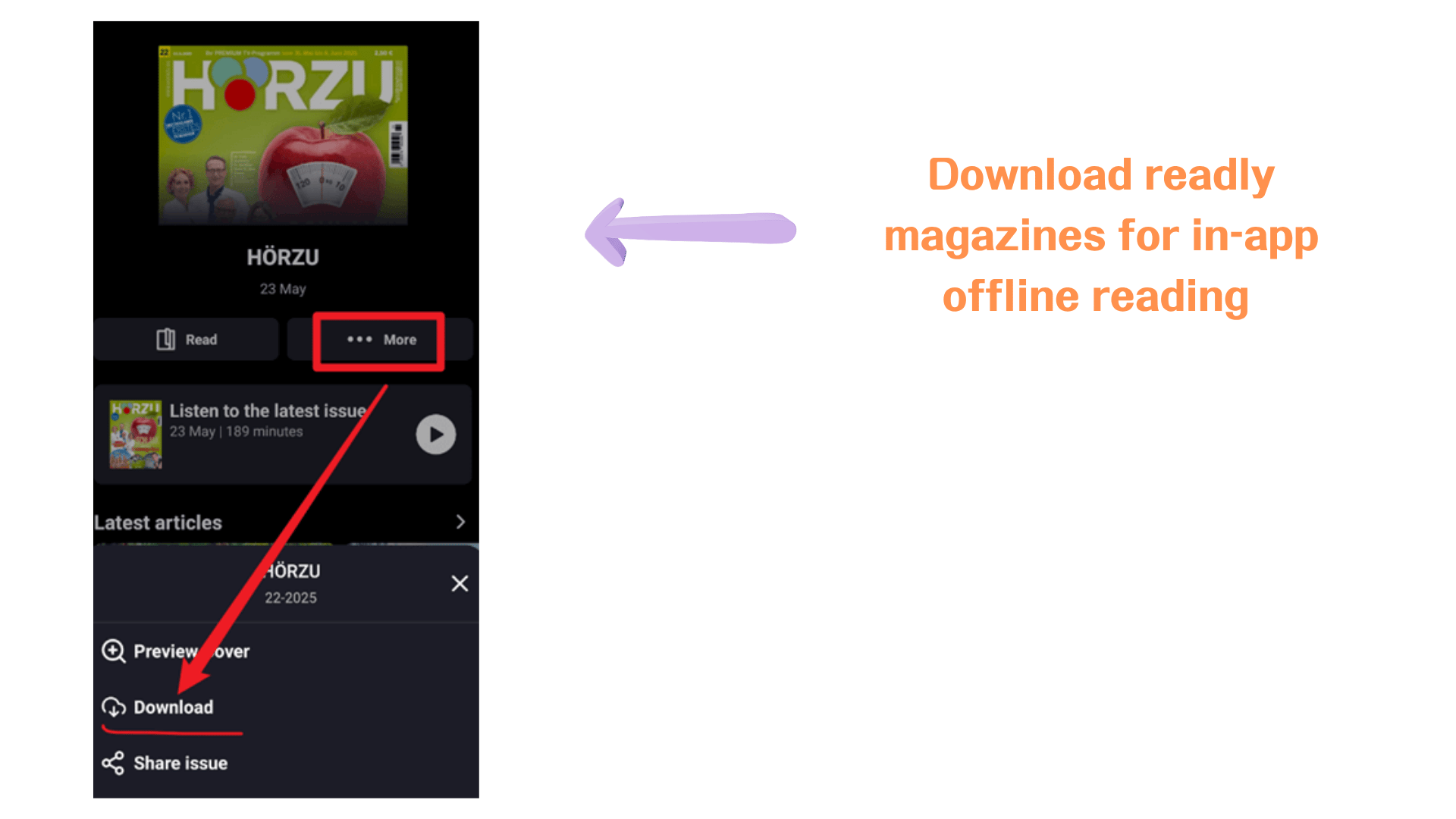
If your goal is to keep a magazine as a local file, organize issues in your own folders, or open them outside the Readly app, PDF or EPUB download is a better fit.
| Feature / Limitation | Readly Offline Reading | PDF/EPUB Download |
| Read without internet | Yes, inside the Readly app | Yes, after the file is saved locally |
| Read without logging in | No, access still depends on the Readly app and account | Yes, once the file is saved locally |
| Save as a standalone file | No | Yes |
| Open outside the Readly app | No | Yes |
| Manage files by folder or issue | Limited | Easier |
| Download quantity limit | Usually limited by app settings, from 30 to 500 magazines per device; older downloads may be removed when the limit is reached | No fixed Readly app download limit after files are saved locally |
| Choose PDF or EPUB format | No | Yes |
How to Download Readly Magazines as PDF/EPUB with BookFab Readly Converter
BookFab Readly Converter helps you download and convert Readly magazines to PDF, EPUB, or JPEG files. Instead of only caching magazines inside the Readly app, it lets you open Readly in a built-in browser, detect the magazine you want to save, and download it in DRM-free format.
Step 1. Open BookFab Readly Converter and Log in to Readly
Download and install BookFab on your computer.
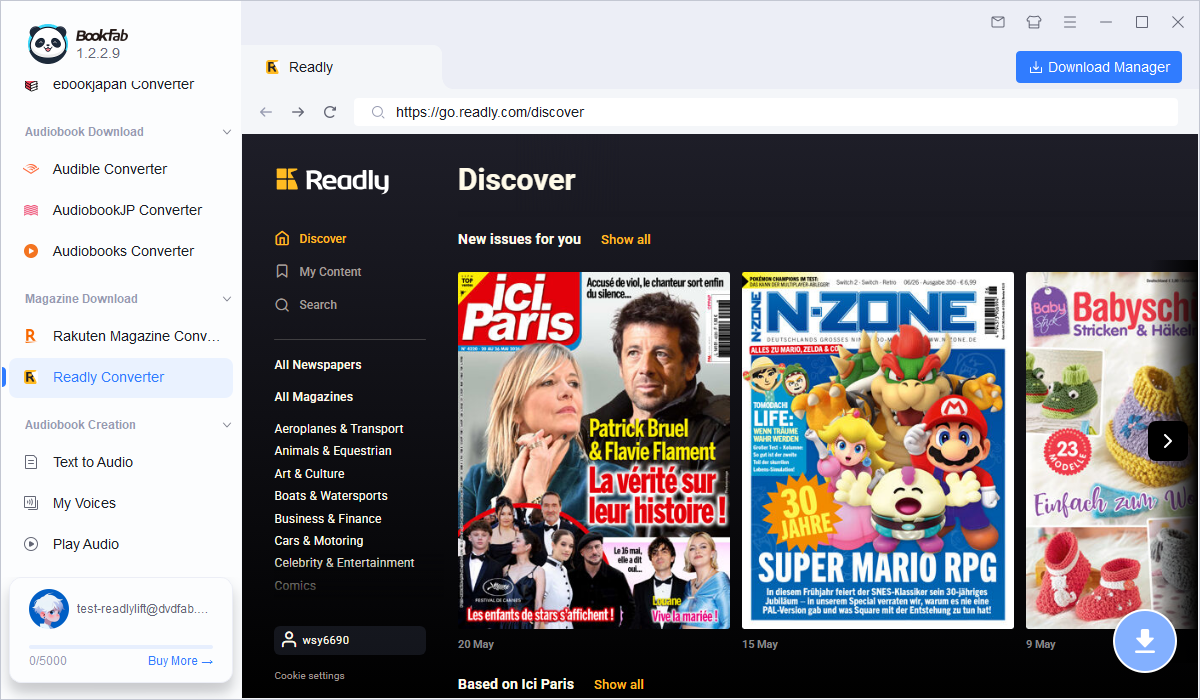
Launch the software, open the Readly section, and log in with your Readly account in the built-in browser. Make sure your Readly subscription is active, since the tool needs access to your available magazines before it can detect and download them.
Step 2. Open the Readly Magazine You Want to Download
After logging in, browse your Readly library or search for the magazine issue you want to save. Open the magazine in the built-in browser and wait until the reading page loads properly. Once the magazine content is detected, BookFab will prepare it for downloading.
Step 3. Choose Output Format and Download
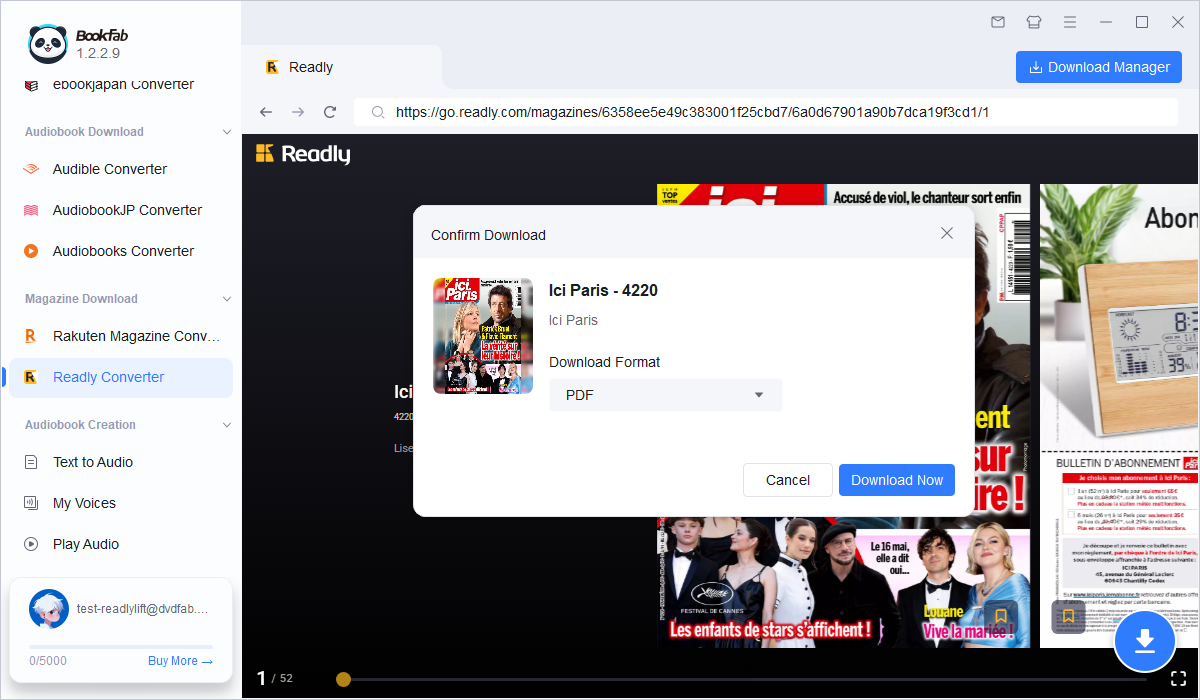
Click the Download button and choose your output format. Select PDF to keep the original magazine layout, EPUB for flexible reading across devices, or JPEG to save pages as images. After choosing the format, click Download Now to start.
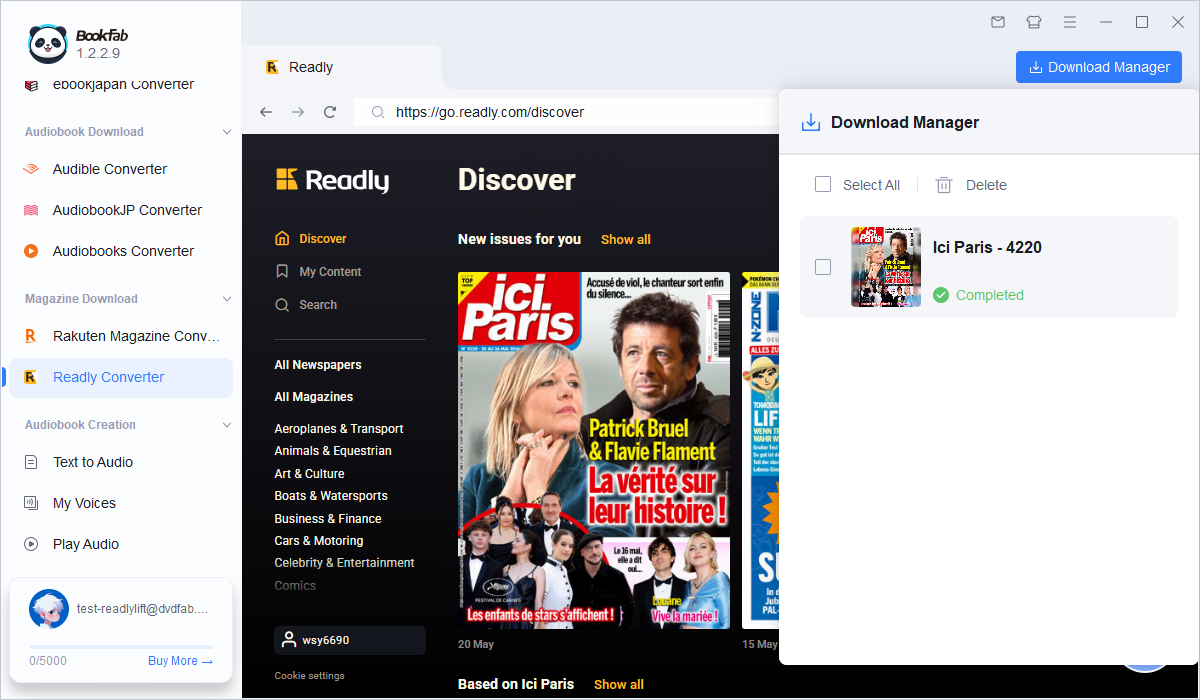
Once the download begins, you can track its progress in the download manager. You can also keep browsing other magazines and add more issues to the download queue. When finished, the magazine will be saved to your local folder in the selected format, ready for offline reading outside the Readly app.
FAQ
Is it legal to download Readly magazines as PDF or EPUB?
Readly magazines are usually protected by copyright and access rules, so downloaded files should only be used for personal offline reading or personal backup. Do not share, upload, resell, or distribute converted magazines.
Is PDF or EPUB better for Readly magazines?
PDF is usually better if you want to keep the original magazine layout, images, columns, and page design. EPUB is better if you prefer a more flexible reading format across different screens. For magazines, I would choose PDF for layout accuracy and EPUB for device-friendly reading.
Can I download Readly magazines as PDF directly from the Readly app?
No. Readly allows offline reading inside its app, but those downloads are cached for app-based reading and are not exported as standalone PDF or EPUB files. If you want to save Readly magazines as local files, you need a converter such as BookFab Readly Converter.
How do I use a Readly coupon?
Readly coupons or promo codes are usually redeemed during sign-up or checkout. Enter the coupon code in the promotion, gift card, or voucher field before confirming your subscription. If the code does not work, check whether it has expired, whether it applies to your region, and whether it is limited to new users.
How do I cancel a Readly subscription?
You can cancel your Readly subscription from your Readly account settings or through the platform where you subscribed, such as the App Store or Google Play. If you subscribed through Apple or Google, cancellation must be managed there instead of inside Readly directly. After cancellation, your access normally continues until the current paid period ends.
Conclusion
To download Readly magazines as PDF, app-based offline reading is not enough. Readly is great for smooth magazine reading inside the app, but PDF or EPUB conversion gives you more control over your personal magazine collection. With BookFab Readly Converter, you can save high-quality Readly issues locally, read them offline outside the app, and keep your favorite magazines organized on your computer.