Win
Mac
BookFab Piccoma Converter
Download and convert your Piccoma comics for flexible offline reading and personal backup across devices.
Last Update: Jul 3, 2026
100% Safe & Clean
4.9(24)

Download, Save & Enjoy Your Piccoma Comics Forever
Piccoma Integration
Download Comics from Piccoma
Access your complete Piccoma comic collection and download all your favorite manga. Log in directly with your Kakao/Piccoma account within BookFab and instantly access all available content you have permission to read.

Automatic Detection
Browse with Built-In Browser
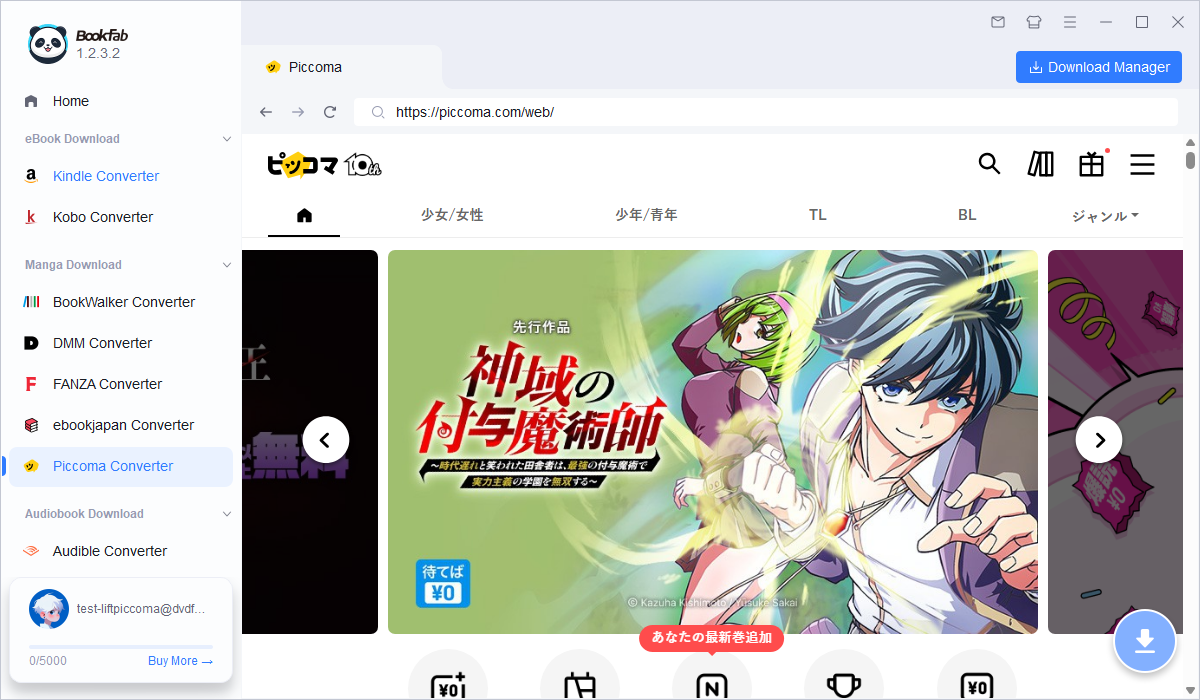
The built-in browser connects directly to Piccoma without requiring external applications. Automatically detect chapter list pages and prepare for instant downloading and conversion. Simply navigate to your favorite manga, and the software recognizes the content ready for download.

Flexible Conversion
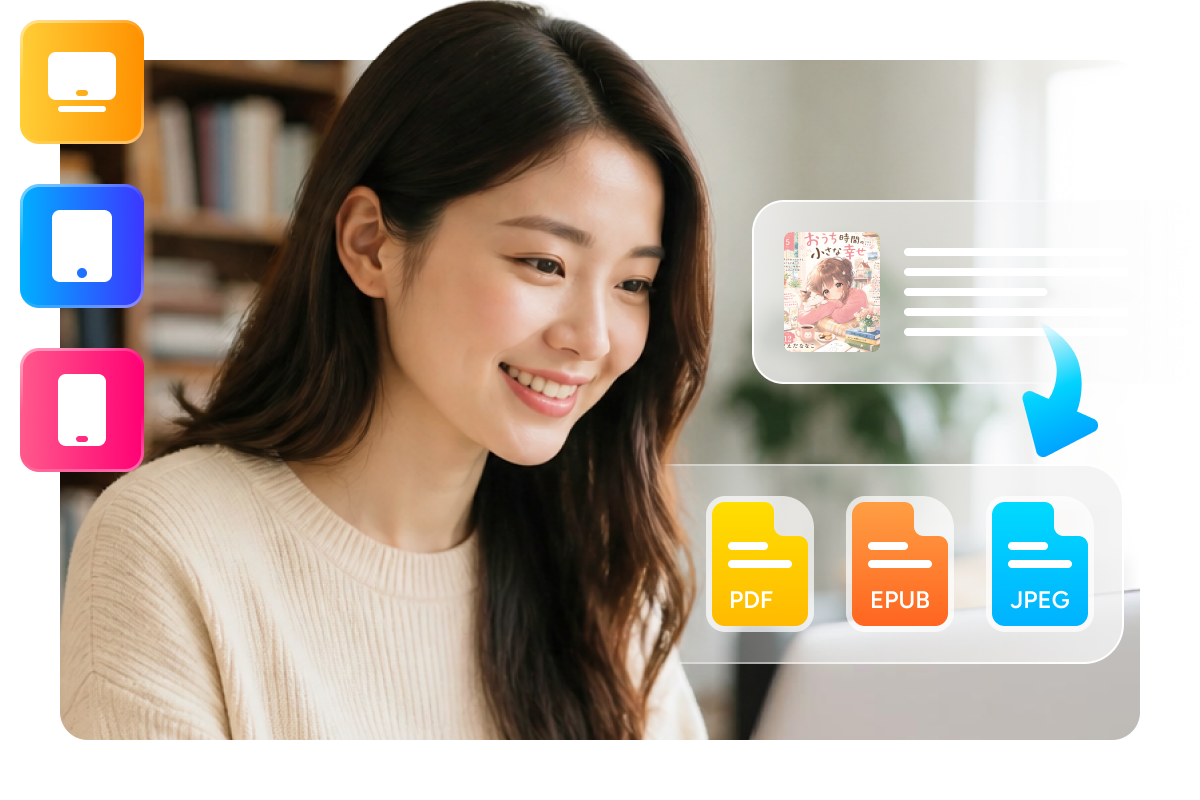
Multiple Output Formats - PDF, EPUB, or JPEG
Choose the output format that best fits the way you read. PDF preserves the original manga layout perfectly for authentic viewing, EPUB is ideal for reflowable reading on various e-readers and devices, and JPEG keeps each page as individual image files for maximum flexibility. Your comics adapt to whatever platform or device you prefer.
Smart Organization & Powerful Download Management
Smart Organization
Auto-Organization: Keep Your Comics Well Organized
Every download is automatically organized and labeled with metadata. The software preserves original covers, manga titles, and chapter information, then automatically sorts your files into clearly labeled folders by series and issue - making it effortless to browse and manage your growing local manga library.

Task Management
Control Everything from Download Manager
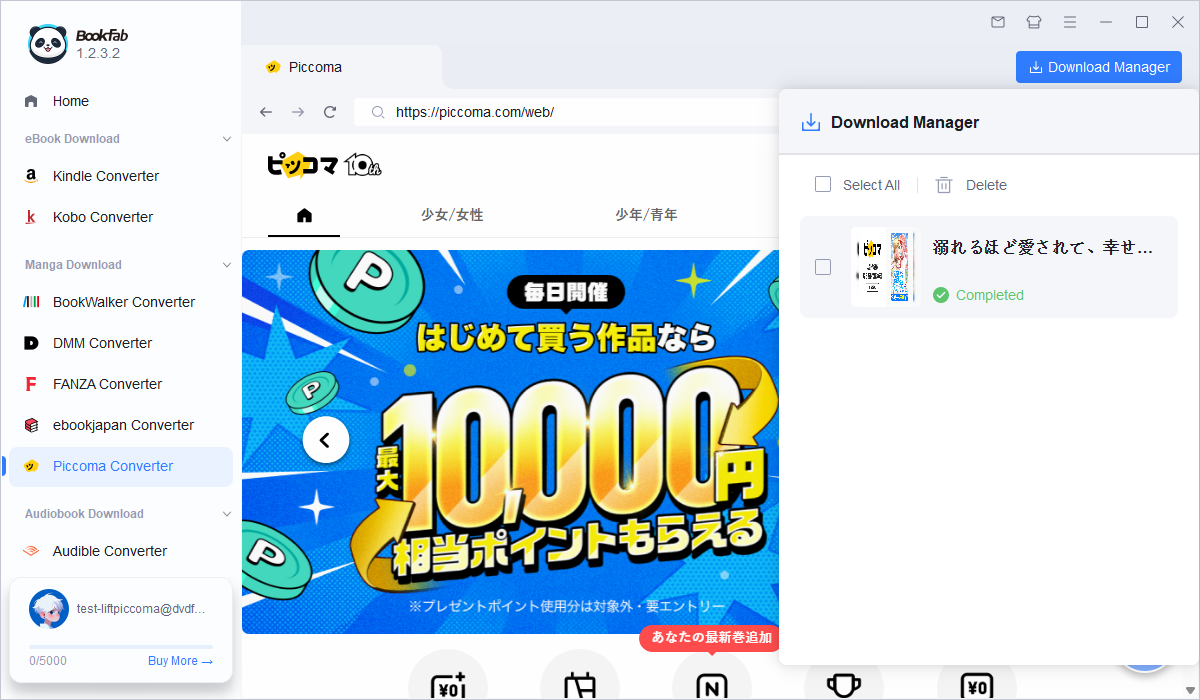
Manage all your downloads from one centralized hub. Monitor real-time progress, pause or resume tasks, batch delete completed downloads, and quickly access your manga library - all in one convenient interface. Track multiple simultaneous downloads effortlessly and stay in complete control.

Feedbacks on BookFab Piccoma Converter

Y
Yuki Tanaka
Comic FanI've been reading Piccoma for years, but always worried about losing access. BookFab Piccoma Converter let me build my own offline library—now I can enjoy my favorite comics anytime, anywhere. The quality is perfect and it's so easy to use!
K
Kenji Sato
StudentSuper convenient! The browser integration is seamless—I stay logged in and can download chapters with just one click. The automatic organization feature saves me tons of time managing my growing comic collection. Definitely worth the investment!
A
Akira Yamamoto
DesignerThe JPEG export option is exactly what I needed for my design reference library. I can extract individual pages instantly, organize them by series, and access them offline. This tool has become essential to my creative workflow!
H
Hiroshi Ito
BusinessmanPerfect for my commute! I download my favorite series before traveling, and since everything is on my device, I don't need internet. The EPUB format works great on my iPad. Highly recommended for travelers and commuters!
S
Sophie Martin
Content CreatorGreat investment for manga enthusiasts! I've tried several converters and this one is by far the most reliable with Piccoma. The format options give me flexibility, and everything stays organized automatically. Worth every penny!
M
Maria Garcia
LibrarianExcellent tool for building digital archives! I can legally preserve my comic purchases from Piccoma, ensuring I have permanent access even if my subscription changes. The metadata preservation is fantastic—every comic is searchable and organized. Essential for collectors!
Y
Yuki Tanaka
Comic FanI've been reading Piccoma for years, but always worried about losing access. BookFab Piccoma Converter let me build my own offline library—now I can enjoy my favorite comics anytime, anywhere. The quality is perfect and it's so easy to use!
K
Kenji Sato
StudentSuper convenient! The browser integration is seamless—I stay logged in and can download chapters with just one click. The automatic organization feature saves me tons of time managing my growing comic collection. Definitely worth the investment!
A
Akira Yamamoto
DesignerThe JPEG export option is exactly what I needed for my design reference library. I can extract individual pages instantly, organize them by series, and access them offline. This tool has become essential to my creative workflow!
H
Hiroshi Ito
BusinessmanPerfect for my commute! I download my favorite series before traveling, and since everything is on my device, I don't need internet. The EPUB format works great on my iPad. Highly recommended for travelers and commuters!
S
Sophie Martin
Content CreatorGreat investment for manga enthusiasts! I've tried several converters and this one is by far the most reliable with Piccoma. The format options give me flexibility, and everything stays organized automatically. Worth every penny!
M
Maria Garcia
LibrarianExcellent tool for building digital archives! I can legally preserve my comic purchases from Piccoma, ensuring I have permanent access even if my subscription changes. The metadata preservation is fantastic—every comic is searchable and organized. Essential for collectors!
Step 1. Launch & Login with Kakao Account
Open BookFab and select 'Piccoma Converter' from the sidebar. The built-in browser will open directly to Piccoma. Log in with your Kakao account to access your complete comic library.
Step 2. Browse & Select Chapters
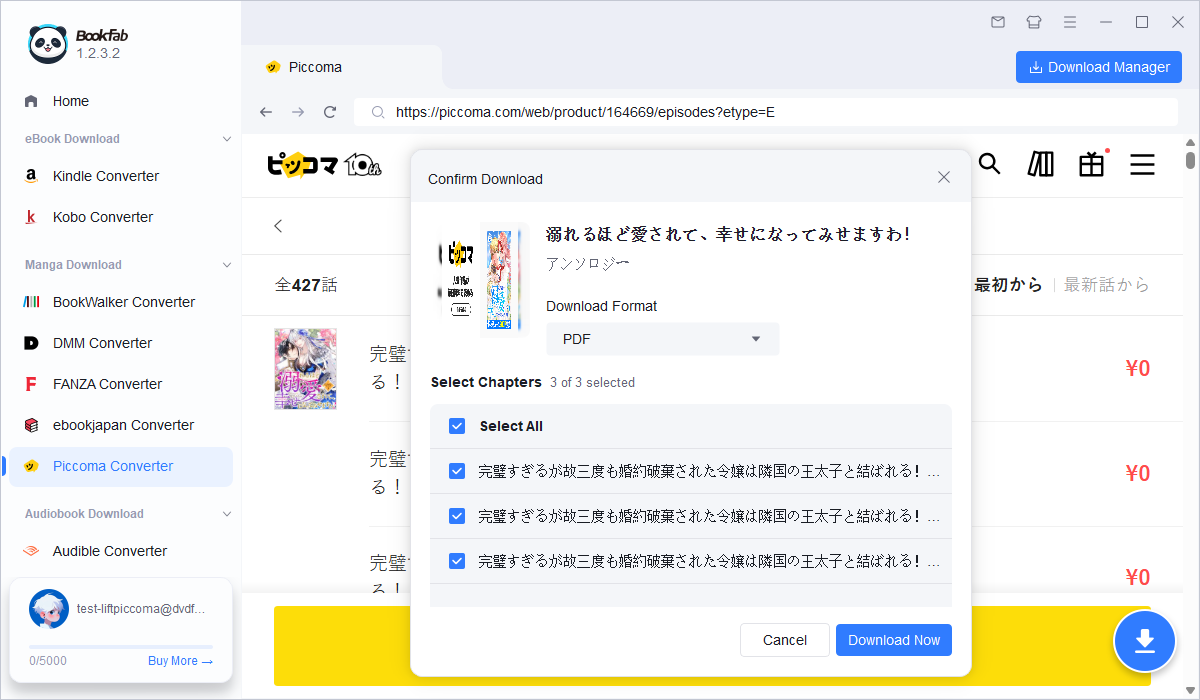
Navigate to any manga series on Piccoma and open the chapter list. BookFab automatically detects the content and activates the download button. Select the format you want (PDF, EPUB, or JPEG) and choose specific chapters or download the entire series at once.
Step 3. Download & Organize
Click 'Download Now' and let BookFab handle the rest. The software automatically decrypts the Piccoma tiles, converts to your chosen format, and organizes everything into neat folders. Your comics are instantly ready to read on any device, offline.
System Requirements

Windows 11 / 10 (64-bit)
Intel i3 or higher
4 GB RAM or higher
40GB of free hard disk space or above
Live Internet connection required
Frequently Asked Questions
- Is there a free trial?
- Which output formats are supported?
- Can I read after my Piccoma subscription expires?
- How are encrypted tiles decrypted?
- Is my downloaded content legal and safe?
- Can I download on multiple devices?
Fair Use Policy : BookFab is legal only for personal needs and it's not allowed to share the downloaded content with any third party.
To avoid being blocked by content providers, a BookFab licensed account has a quota of 100 downloads per day from each supported content source. Whenever the quota is used up, it will refill at the start of the next day.