Win
Mac
BookFab Cmoa Converter
Download manga & light novels from Cmoa, convert to PDF, EPUB or JPEG, and enjoy permanent offline reading.
Last Update: Jun 11, 2026
100% Safe & Clean
4.9(18)

Download with DRM Removal, Access Seamlessly, and Convert Flexibly
Download & Unlock
Download with DRM Removal for Permanent Ownership
Download your entire Cmoa collection directly through the built-in browser and enjoy permanent ownership. Unlock DRM restrictions to save purchased manga and light novels for true offline reading.
Access all your purchased content in one place. With one-click downloads and automatic DRM removal, your books become permanently yours—no expiration dates, no account restrictions. Archive your favorite series and ensure long-term preservation of your digital collection.

Easy Access
Built-in Browser with Seamless Auto-Activation
Skip the hassle of copying URLs and logging in separately. The built-in browser connects directly to Cmoa, and BookFab automatically activates downloads with a single click.
No need to juggle multiple windows or tools. Stay within BookFab, authenticate once, and start downloading your favorite books instantly. The seamless integration makes content access as simple as browsing—your entire Cmoa library is just one click away.

Format Flexibility
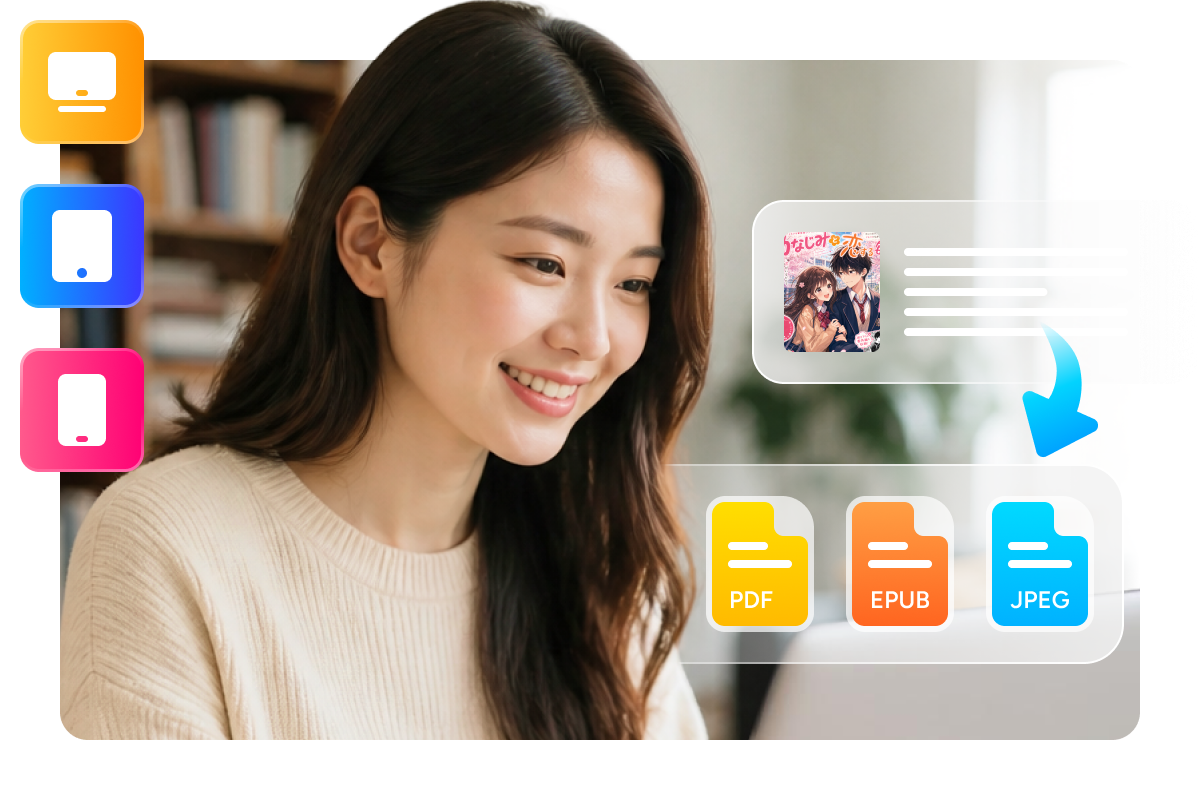
Convert to PDF, EPUB, or JPEG
Choose the format that fits your reading habits. Convert to PDF for universal compatibility across all devices, EPUB for reflowable text on e-readers and tablets, or JPEG for browsing individual chapters.
Each format preserves quality while adapting to your preferred device. PDF works everywhere, EPUB offers optimal reading on e-readers, and JPEG gives you image-based flexibility. One download, unlimited format choices—all in the same tool.
Experience Advanced Download & Organization Features
Smart Organization
Auto-Organize with Metadata Preservation
Automatically organize downloaded books by title metadata and preserve author information. Keep your Cmoa library neatly structured with proper file naming and folder organization. Books are sorted for easy browsing and searching.

Download Management
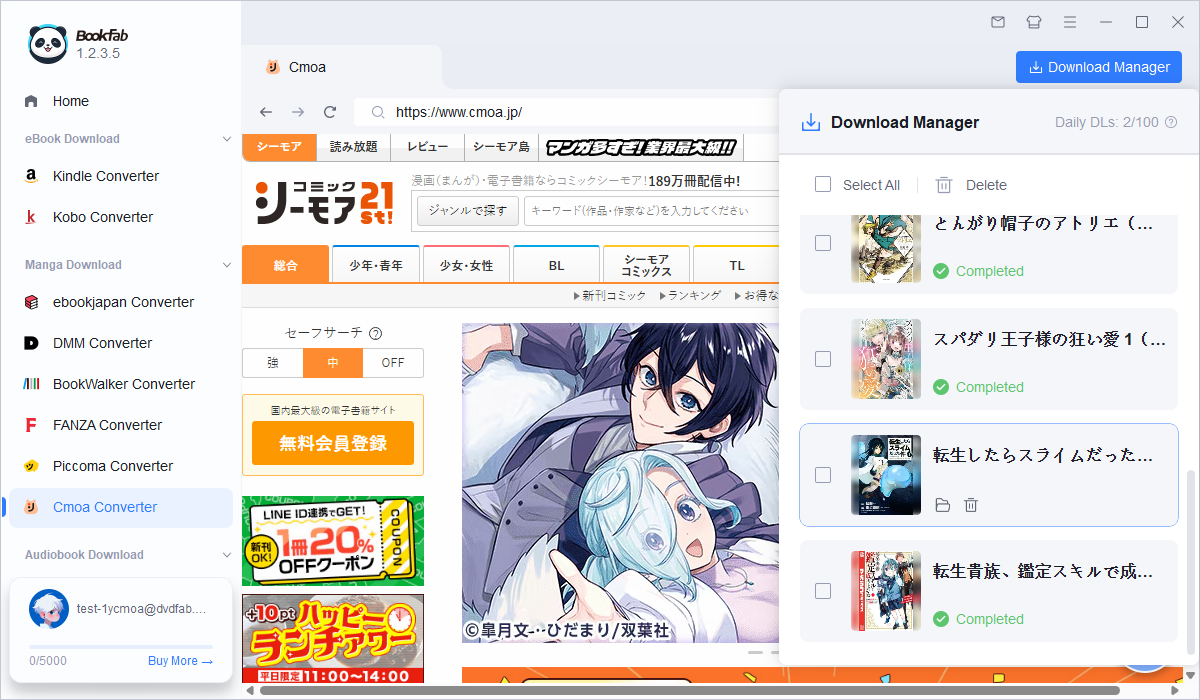
Advanced Download Manager with Progress Tracking
Monitor and manage all your downloads with real-time progress tracking. Batch download multiple titles simultaneously, pause and resume downloads, and view detailed download history. Download manager keeps you in complete control.

What Users Are Saying

S
Sarah
Manga EnthusiastFinally I can organize all my Cmoa purchases in one place! Converting to PDF makes reading on my tablet so much easier.
T
Takeshi
Light Novel FanThe vertical text formatting for my light novels is perfect! It feels just like reading the original Japanese books.
M
Maria
Digital ReaderBatch downloading is a game-changer! I can grab an entire series in minutes instead of one book at a time.
D
David
Archive KeeperPeace of mind knowing my Cmoa library is backed up locally. No more worrying about account issues.
Y
Yuki
Content CreatorThe EPUB format is perfect for my collection. Easy to transfer between devices and beautiful on my e-reader.
J
James
Library CuratorSupport for both manga and light novels in one tool is incredible. Saves me so much time and hassle.
S
Sarah
Manga EnthusiastFinally I can organize all my Cmoa purchases in one place! Converting to PDF makes reading on my tablet so much easier.
T
Takeshi
Light Novel FanThe vertical text formatting for my light novels is perfect! It feels just like reading the original Japanese books.
M
Maria
Digital ReaderBatch downloading is a game-changer! I can grab an entire series in minutes instead of one book at a time.
D
David
Archive KeeperPeace of mind knowing my Cmoa library is backed up locally. No more worrying about account issues.
Y
Yuki
Content CreatorThe EPUB format is perfect for my collection. Easy to transfer between devices and beautiful on my e-reader.
J
James
Library CuratorSupport for both manga and light novels in one tool is incredible. Saves me so much time and hassle.
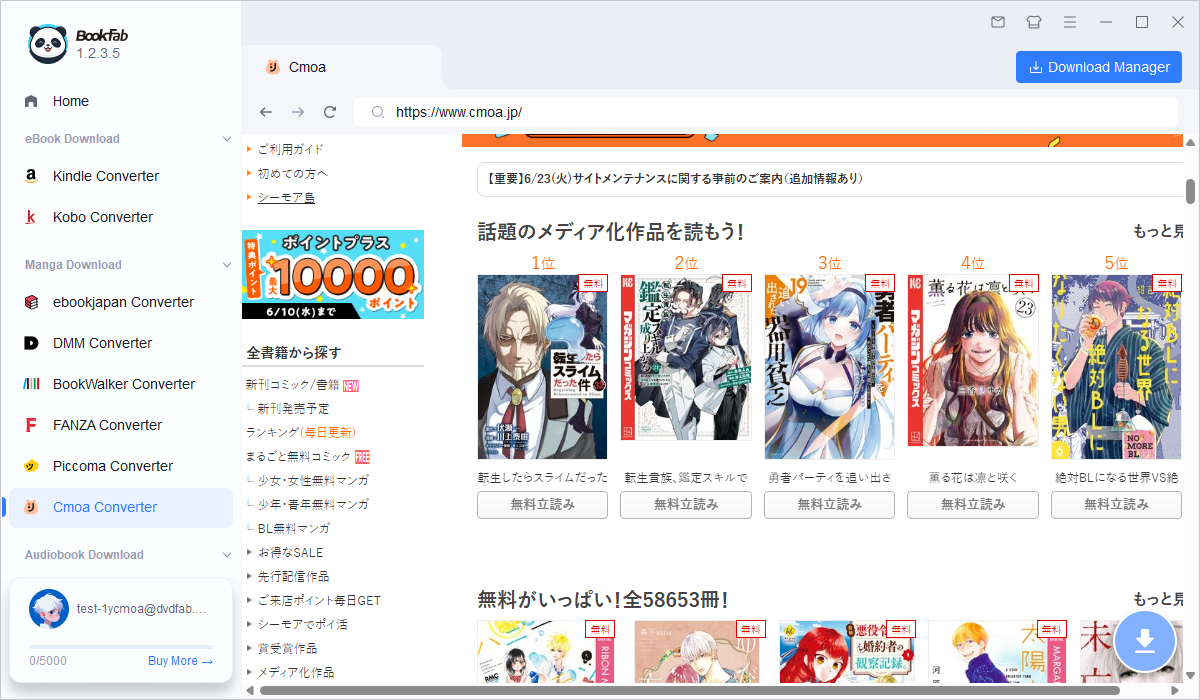
Step 1. Log In to Cmoa
Open BookFab Cmoa Converter and click the Cmoa icon. Use the built-in browser to log into your Cmoa account.
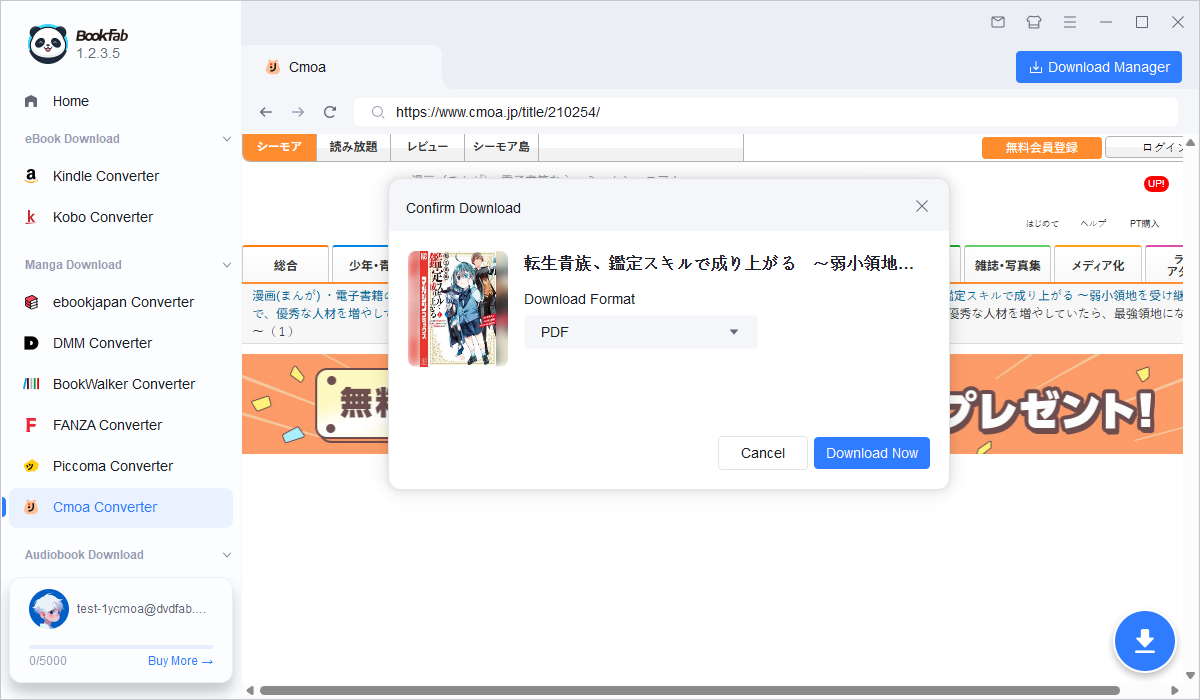
Step 2. Select Your Books
Browse your Cmoa library and choose the manga or light novels you want to download. Click the download button for each title.
Step 3. Choose Format and Download
Select your preferred output format (PDF/EPUB/JPEG). For light novels choose between vertical and horizontal layout. Click Download to start converting and saving your books.
System Requirements

Windows 11 / 10 (64-bit)
Intel i3 or higher
4 GB RAM or higher
40GB of free hard disk space or above
Live Internet connection required
Frequently Asked Questions
- Can I try BookFab Cmoa Converter for free?
- Is it legal to download from Cmoa?
- Which formats can I convert to?
- Does it work with light novels?
- Can I download multiple books at once?
- What happens to my books after download?
Fair Use Policy : BookFab is legal only for personal needs and it's not allowed to share the downloaded content with any third party.
To avoid being blocked by content providers, a BookFab licensed account has a quota of 100 downloads per day from each supported content source. Whenever the quota is used up, it will refill at the start of the next day.