Win
Mac
BookFab BookWalker Converter
Download BookWalker manga to your local drive. Enjoy your favorite titles on any e-reader or screen without being tied to the official platform.
Last Update: Jul 10, 2026
100% Safe & Clean
4.9(21)

Back Up and Save Your BookWalker Manga Locally
Permanent Backup
Download BookWalker Manga as DRM-Free Files
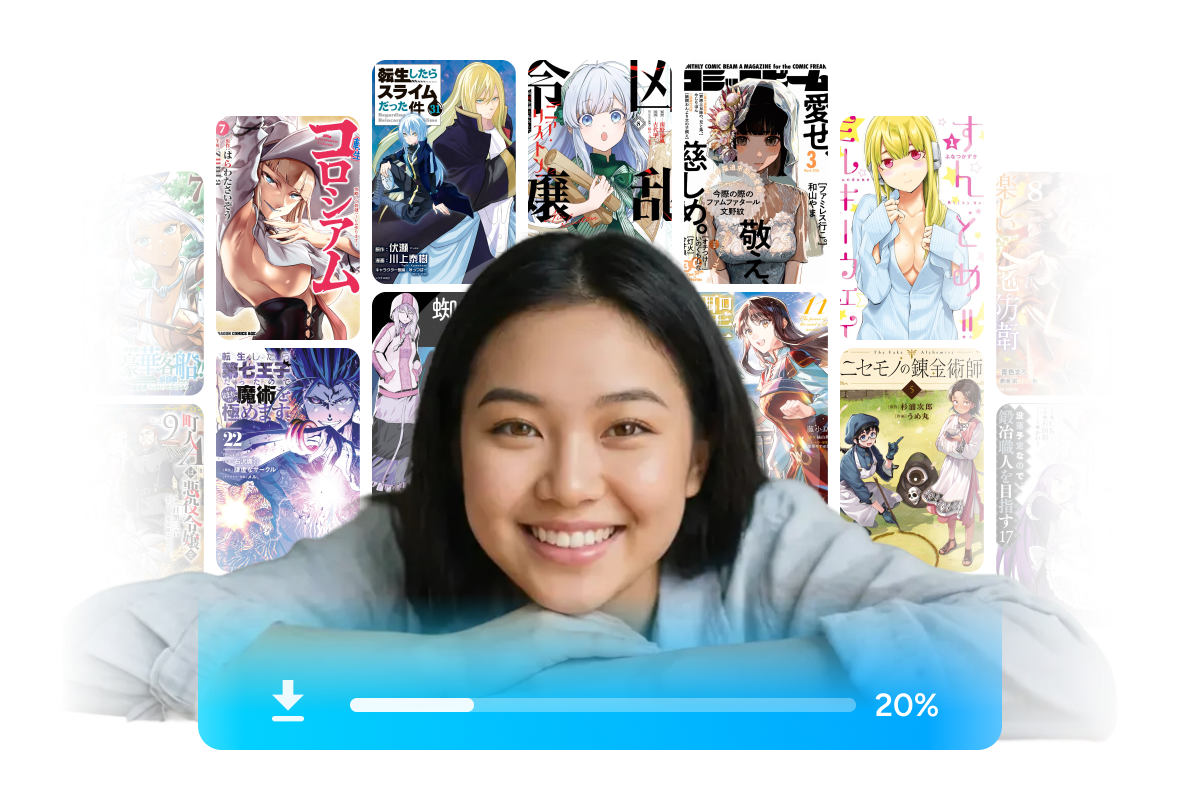
BookFab BookWalker Converter allows you to download both free and your purchased manga, along with illustrated novels, directly from bookwalker.jp or global.bookwalker.jp to your computer. It removes BookWalker DRM, freeing you from official browser or app restrictions. You can store and read your BookWalker manga across different devices, even without an internet connection.
Auto-Parsing
Detect Your BookWalker Library via Built-in Browser
BookFab BookWalker Converter features a built-in browser environment that lets you log directly into your bookwalker account. From your library, select a manga to start reading; the program automatically detects and parses the manga information without requiring third-party tools. You can then start the download and conversion process with a single click.

Multiple Formats
Convert BookWalker Manga to EPUB, PDF and JPEG
BookFab BookWalker Converter exports your manga into different formats based on your device requirements. You can choose PDF as the default for fixed layouts, select EPUB for standard e-readers, or save them as original JPEG image files. This function allows you to read your files comfortably across various platforms and devices.

Enjoy a Smooth Download Experience
Clean Output
Generate Organized Files with Preserved Metadata
This BookWalker converter automatically retrieves original manga covers, book titles, and other metadata during the download process. It uses this information to generate a structured local directory for your files. This feature keeps your downloaded Japanese comics and light novels organized in folders without requiring any manual file management.

Batch Control
Track Download Tasks via the Integrated Manager
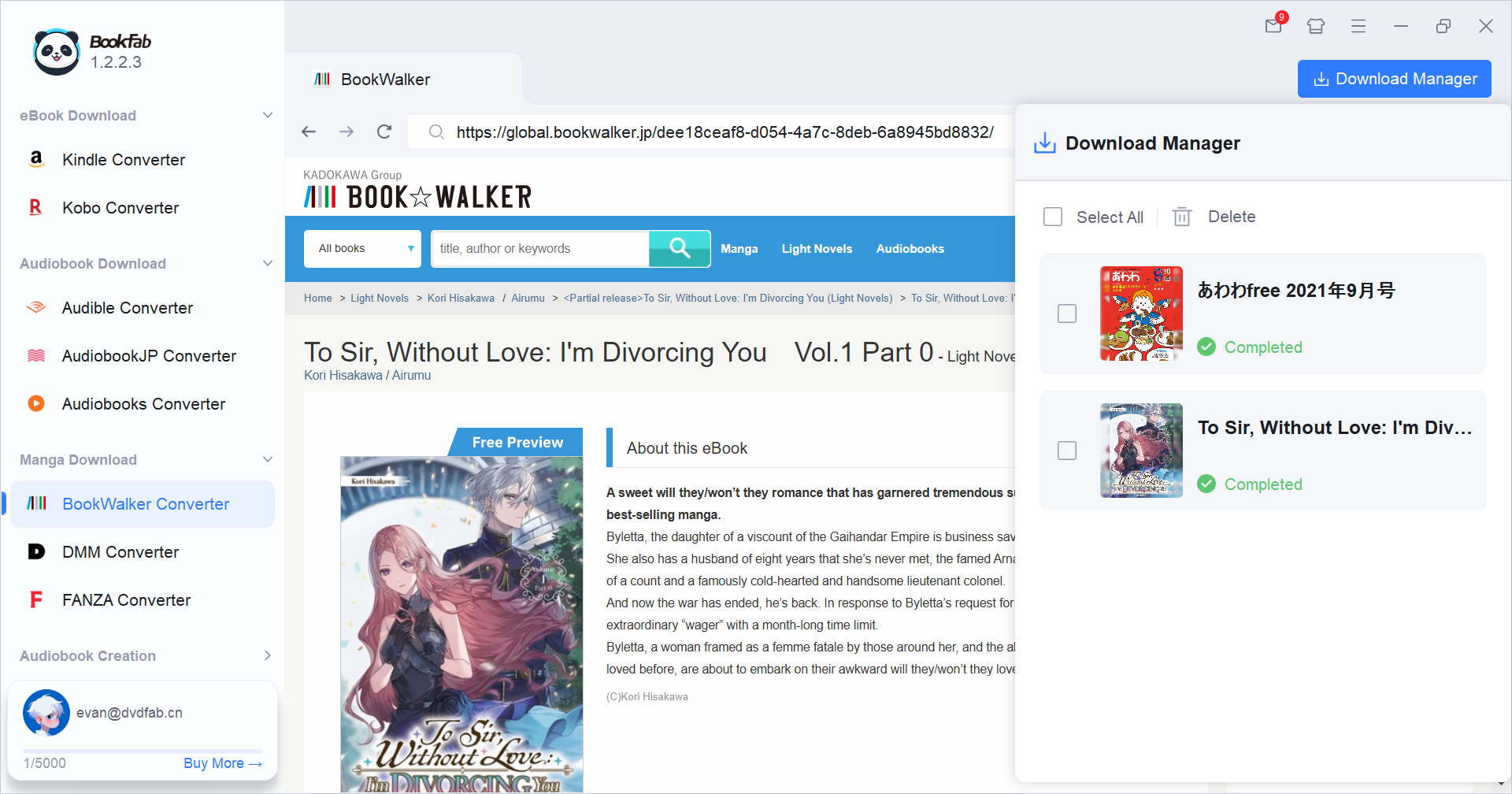
This BookWalker downloader includes a built-in manager to help you monitor all your manga downloads centrally. It clearly displays whether each task is waiting, downloading, failed, or fully completed. You can run multiple downloads at the same time, delete unwanted tasks in bulk, and quickly open your local folders to find your saved files.

Feedbacks on BookFab BookWalker Converter

E
Elena Rossi
IllustratorMoving my BookWalker manga to an e-reader has been fantastic with this tool. The conversion is fast, and the files retain their original formatting perfectly for offline reading.
R
Ryota Ito
StudentThis BookWalker downloader is so simple to use. The built-in browser is a standout. I don't need to open extra browser windows or fiddle with plugins.
A
Andrew Davis
FreeLancerThe best solution for BookWalker library backup and saving manga in various formats.
M
Mio Kobayashi
Manga EnthusiastGreat product. Beyond manga, it also downloads illustrated light novels with excellent output quality.
C
Chloe Zhao
Content CreatorThis is the best tool I’ve found for my BookWalker library. The downloads are perfectly organized into folders, which saves me a ton of manual sorting work.
A
Avery Brooks
Graphic DesignerI love that BookFab BookWalker Converter supports PDF, EPUB, and JPEG formats. It adapts perfectly to all my different reading needs and devices.
E
Elena Rossi
IllustratorMoving my BookWalker manga to an e-reader has been fantastic with this tool. The conversion is fast, and the files retain their original formatting perfectly for offline reading.
R
Ryota Ito
StudentThis BookWalker downloader is so simple to use. The built-in browser is a standout. I don't need to open extra browser windows or fiddle with plugins.
A
Andrew Davis
FreeLancerThe best solution for BookWalker library backup and saving manga in various formats.
M
Mio Kobayashi
Manga EnthusiastGreat product. Beyond manga, it also downloads illustrated light novels with excellent output quality.
C
Chloe Zhao
Content CreatorThis is the best tool I’ve found for my BookWalker library. The downloads are perfectly organized into folders, which saves me a ton of manual sorting work.
A
Avery Brooks
Graphic DesignerI love that BookFab BookWalker Converter supports PDF, EPUB, and JPEG formats. It adapts perfectly to all my different reading needs and devices.
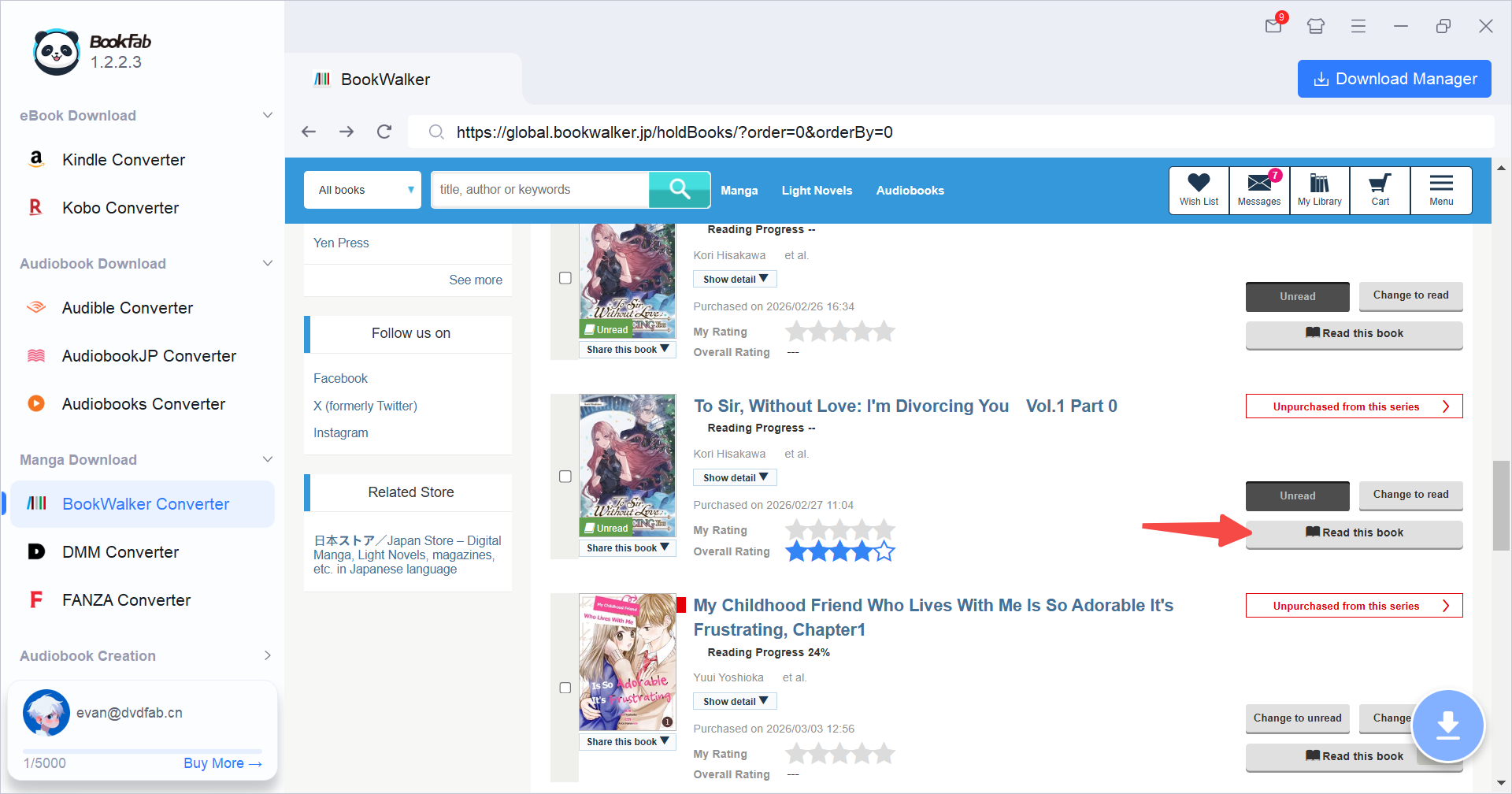
Step 1. Launch BookFab and Sign in
Launch BookFab and select "BookWalker Converter" from the sidebar. The software's built-in browser will navigate directly to bookwalker.jp, where you can log into your account to access your library.
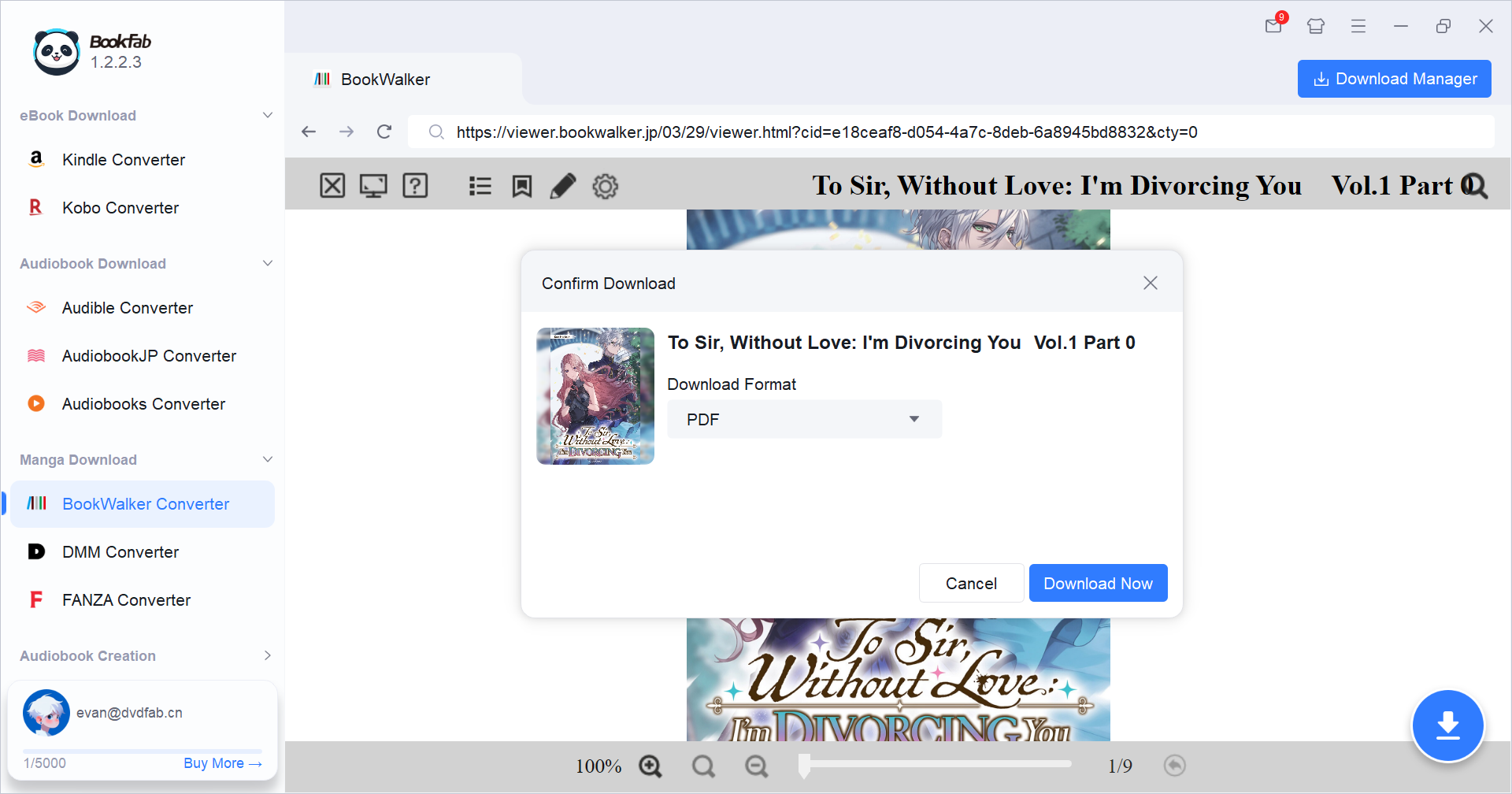
Step 2. Select Manga and Output Format
In your library, find the manga you want to download and click "Read this book" on the right. Alternatively, open the manga's details page and click "Read on Browser." BookFab will then automatically activate the download button. Click it, choose your format (PDF, EPUB, or JPEG), and hit "Download Now" to start.
Step 3. Monitor and Add More Tasks
Click on the Download Manager to monitor the progress of your tasks. You can continue browsing your bookwalker.jp library and adding new manga to the queue while other downloads are in progress.
System Requirements
Windows 11 / 10 (64-bit)
Intel i3 or higher
4 GB RAM or higher
40GB of free hard disk space or above
Live Internet connection required
Frequently Asked Questions
- Is it legal to remove BookWalker DRM?
- What types of BookWalker content can I download?
- Is there a free trial available?
- Can I read the downloaded manga on my Kindle or Kobo?
- Does the software support automatic updates?
- Is it safe to log into my BookWalker account via the built-in browser?
Fair Use Policy : BookFab is legal only for personal needs and it's not allowed to share the downloaded content with any third party.
To avoid being blocked by content providers, a BookFab licensed account has a quota of 100 downloads per day from each supported content source. Whenever the quota is used up, it will refill at the start of the next day.